
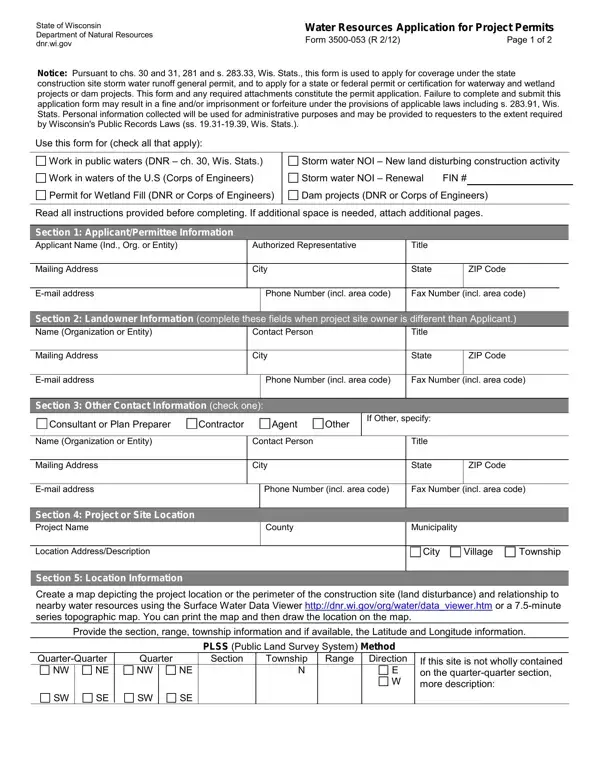
The State of Wisconsin Water Resources Application for Project Permits, Form 3500-053, serves as a crucial point of interaction between project developers and the Department of Natural Resources. This essential document requires comprehensive information from applicants, aiming to ensure that construction and development projects meet the state's environmental standards, particularly concerning water resources. It encompasses various permit applications, including those for work in public waters, storm water runoff from new land disturbing construction activities, wetland fill, and dam projects. The completion and submission of this form, along with required attachments, are mandatory steps in obtaining the necessary approval for proceeding with projects that potentially impact the state's water bodies. Applicants must provide detailed project information, including location, duration, and descriptions of the intended land and water alterations. This process underscores the significance of adhering to regulatory measures designed to protect Wisconsin's water resources, with emphasis on preventing unauthorized environmental impact. Moreover, the form acts as a legal agreement between the applicant and the Department, where compliance with permit conditions is pledged and permission for site inspections by the Department is granted, underlining the legal obligations of project initiators towards environmental stewardship and regulation compliance.
| Question | Answer |
|---|---|
| Form Name | 3500 053 Form |
| Form Length | 2 pages |
| Fillable? | No |
| Fillable fields | 0 |
| Avg. time to fill out | 30 sec |
| Other names | dnr form 053, form 3500 053 r 4 01, dnr 3500 053, form 3500 053 |