
A Minor Photo Release Form is a commonly used document in the United States when third parties require permission to take pictures of a child from the child’s parents or guardians. Parents give their consent to approved individuals to use photographs of their youngsters for different purposes. When signing this photo release form, a parent or guardian confirms that they are not going to receive money for the use of the pictures.
Last Updated: October 2026. This guide is reviewed and updated regularly to reflect current law. If you notice an error or outdated information, please contact us.
Build Your Document
Answer a few simple questions to make your document in minutes
Save and Print
Save progress and finish on any device, download and print anytime
Sign and Use
Your valid, lawyer-approved document is ready
Some parents may object to not only someone’s taking photos of their loved children but also making videos or recording their voices. Thus, there are several variations of the release of liability form for children in the United States:
It ensures the safety of the one who takes photos and that all actions of a photographer regarding the use of children’s photos are legal.
To create the document correctly, one must include the following information: the child’s name, details of the person who grants the permission (the full name and the type of relationships with the minor), the name of the organization or person who obtains the permission, the signatures of the parties giving the consent, the date of signing the document;
This form is usually used when a child participates in shooting a film. After the document is completed and signed, the film producers have a legal right to record any action of the child in the film and his or her image. They are also allowed to use the material in promotion and advertising.
Besides the details mentioned above that are universal for all media forms for minors, one must add the working title of the film, the date of the release, and the location of the production.
These forms can be used either separately or together (sometimes along with a photo release) when a minor participates in an event or project where the recording of their voices or likeness is required.
As a photographer, if you want to take and publish photos of a child, you should sign the minor photo release form to avoid copyright violation issues. If you don’t want to be sued by the child’s parents or guardian for illegal actions, obtain the template and let the other party complete and sign it.
If you don’t have a signed photo release form, you are prohibited from using or publishing the minor’s photos for private, advertising, or promotional purposes on a website or any other platform available for the public, use them as illustrations in a book, magazine, newspaper, any other paper edition, and so on.
| Document Name | Minor Photo Release Form |
| Other Names | Model Release for Minors, Photo Release for Minors |
| Avg. Time to Fill Out | 8 minutes |
| # of Fillable Fields | 19 |
| Available Formats | Adobe PDF |
This release form is easy to complete as it contains only one page and does not require extensive answers. You need to enter only a few details. Make sure you use our form-building software to download the correct template. The steps below follow that template, so you can see what goes in each part.
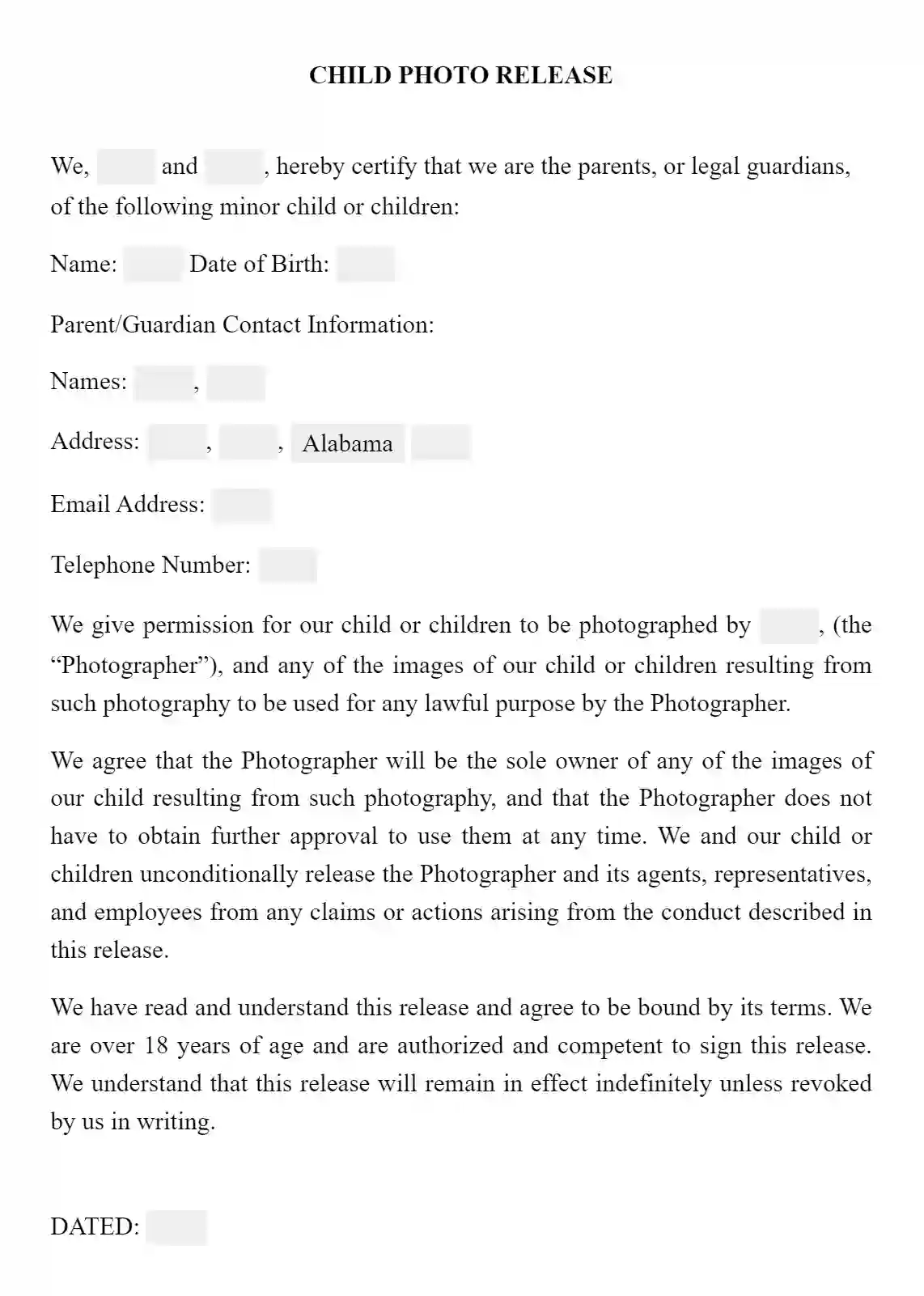
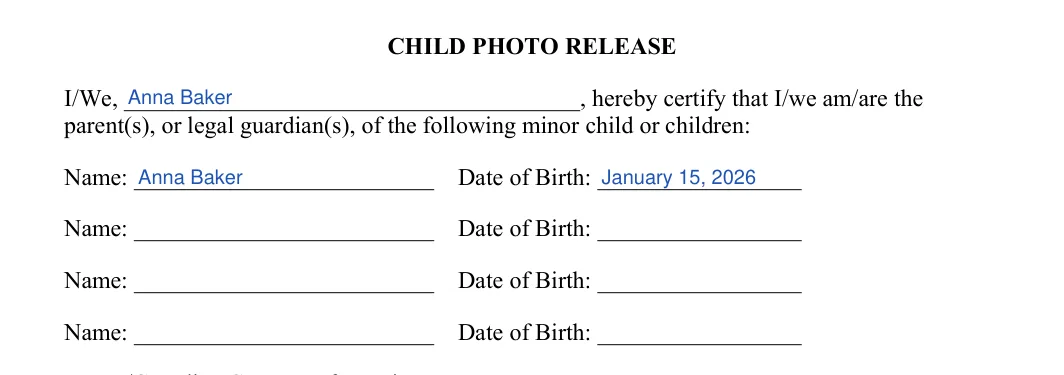
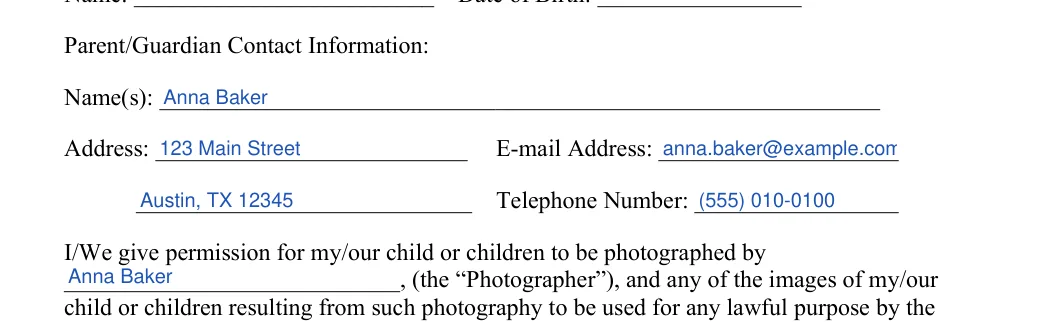
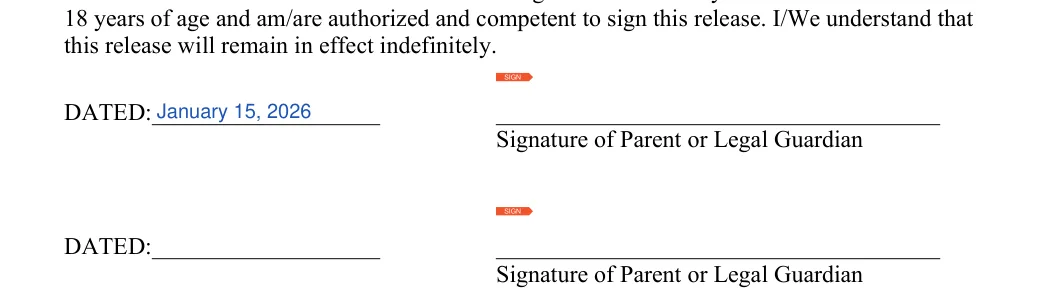
The screenshots under each step show the FormsPal Minor Photo Release template filled with sample entries in blue, so you can see where each answer goes. The names, addresses, dates and amounts are examples only.
On page 1, write the name of the parent or legal guardian in the opening line. Then list each child’s name and date of birth, one child per line. The form has room for four children, so leave any unused lines blank.


Fill in the contact block with:
Next, find the permission paragraph below it and write the name of the person or studio taking the photos on the blank line.
You should verify the photographer’s identity and make sure that they have a legal right to work as such.


Read the release again, then write the date and sign on the first line. The form has a second dated signature line for another parent or guardian who signs too.
Without signatures, the form cannot be considered valid.

Filling in the template is only part of the job. These steps cover what to do around the form, from agreeing on conditions to signing it and keeping a copy.

The template has room for four children. Write each child’s name and date of birth on its own line, and leave any extra lines blank. If you need to cover more than four children, use another copy of the form.
The template has two dated signature lines, so a second parent or legal guardian can sign as well. If only one adult signs, use the first line.
Download the PDF, then open it in the FormsPal PDF editor to type in your details. Print the finished form afterward and sign it by hand.
It asks for the name of the parent or guardian, an address, an e-mail address and a telephone number. It sits right below the list of children.
General information, not legal or tax advice.
