
Updated:
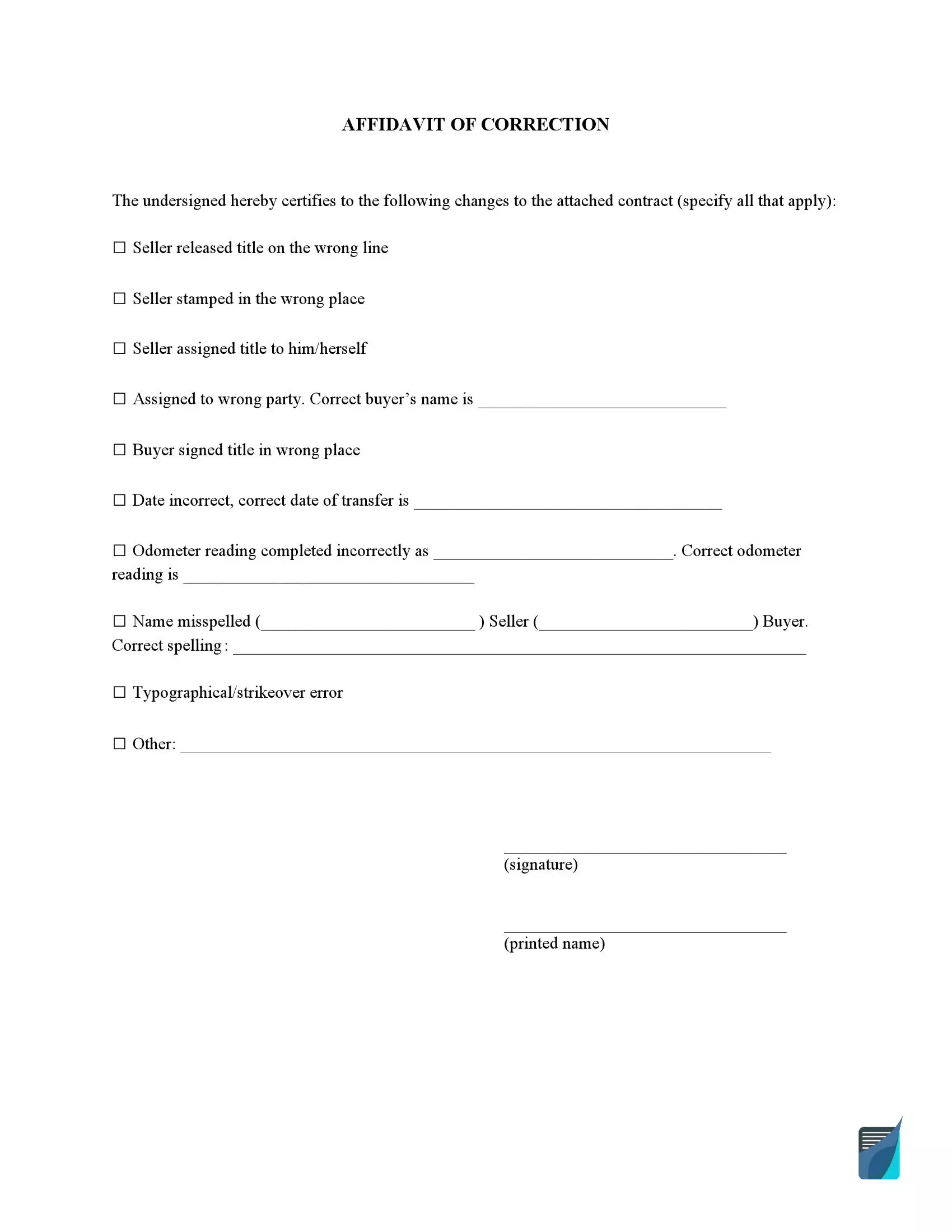
An affidavit of correction is a document that is used when a person needs to fix a mistake in a legal form filed with a legal entity or governmental body. It is common to use this affidavit form to fix issues on titles to motor vehicles at a state DMV. Download the free affidavit of correction form below, or answer a few questions and let the online builder create a finished copy for you.
Build Your Document
Answer a few simple questions to make your document in minutes
Save and Print
Save progress and finish on any device, download and print anytime
Sign and Use
Your valid, lawyer-approved document is ready
Any person can make a mistake on the official record on accident, so there should be a way to correct it. An affidavit of correction is a tool to replace inaccurate information on legal papers such as motor vehicle registrations or titles, real estate deeds or liens, civil registries such as birth and death certificates, etc.
The template on this page is a one-page document with a checklist of common vehicle title errors and a signature line. You can download it as a PDF, or create it online with the document builder before you send in a title application.
Most of these errors happen during a vehicle sale, when the seller and the buyer fill in the title together. A wrong date, a misspelled name or a wrong mileage figure is easy to miss until the application is already in progress. The list below shows the mistakes that the affidavit of correction form on this page is built for.
An affidavit of correction form is easy to search and download on the internet. You can also download the template on this page in one click. It is attorney-verified, so you can skip the search for another copy.
If you download the PDF, you can fill it in with our online PDF editor before you hand it in. If you want to save even more time, use our online document builder. It creates the affidavit of correction from your answers to the questions on screen, and in just a few minutes you can download the finished copy.
If you fill in the form yourself, first answer several important questions regarding the document.
A few minutes of preparation can save you a second round of fixes. Put the papers below on your desk before you open the template, so you can copy each detail exactly as it appears.
Read the title slowly and mark the exact spot of the mistake. Note what is written there now and what it should say. Having both versions in front of you makes the blanks on the template quick to complete, and it keeps your corrections consistent from one line to the next.
If the mistake touches more than one person, such as a seller and a buyer, agree on the corrected details with them first. When everybody works from the same notes, the signed page reads clearly. The person who reviews your application at the DMV can then compare it with the original record without guessing.
If you are unsure about any detail, ask the agency that issued the title how it prefers to receive the correction.
The instructions below follow the FormsPal affidavit of correction form that you can download on this page. Each step matches one part of the template, from the heading at the top to the signature line at the bottom. A screenshot under each step shows where the entries go.
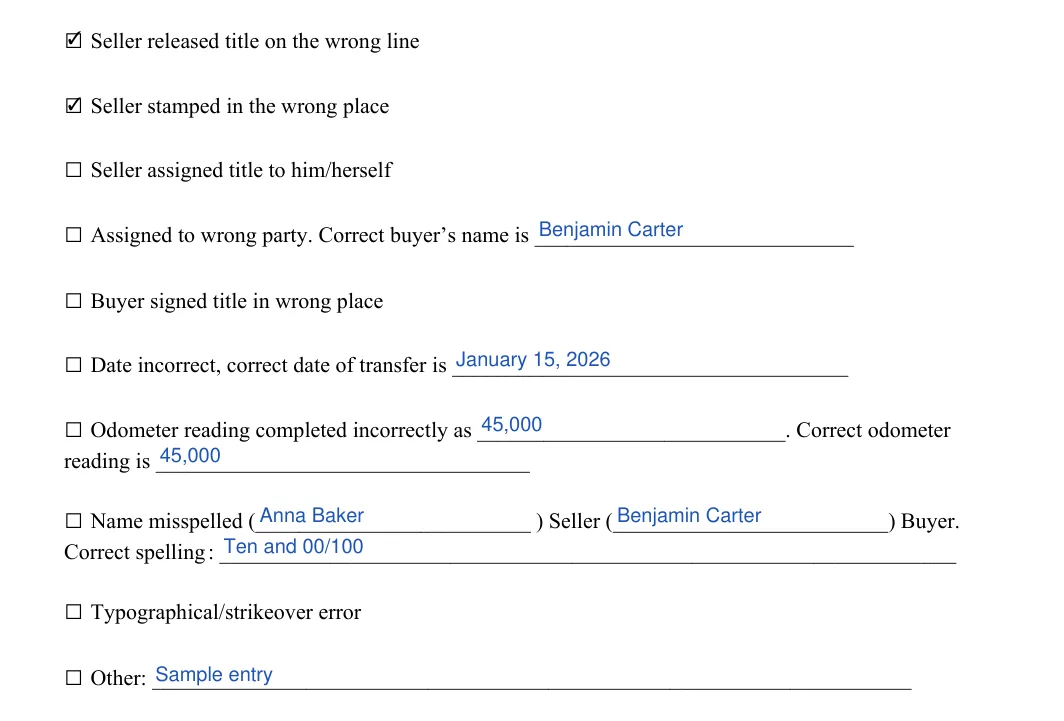
The screenshots under each step show the FormsPal Affidavit of Correction template filled with sample entries in blue, so you can see where each answer goes. The names, addresses, dates and amounts are examples only.
Step 1: Opening statement and first checkbox
Find the heading AFFIDAVIT OF CORRECTION at the top of the template. The opening statement under it is already typed in and certifies the changes to the attached contract, so you only read it. The first checkbox is Seller released title on the wrong line. Tick it if that is your mistake.


Step 2: Mark each error and fill in its blank
Tick every box that matches your mistake, and then fill in the blank that belongs to each one.

Step 3: Signature and printed name
Sign on the line marked (signature) and print your name on the (printed name) line below it. The template has no other fields to fill in after these two lines.


These short answers cover the questions people ask most often when they use this affidavit of correction form for a vehicle title. Each answer follows the layout of the template, so you can check it against the form while you fill it in.
It is a signed document that names the wrong detail on a record and gives the correct one. The template on this page is set up for vehicle titles, with checkboxes for common errors:
Yes. Click Create My Document, answer a few simple questions, and the builder prepares the document for you. You can save your progress, finish on any device, and then download the result.
Tick the Name misspelled box. Write the incorrect spelling next to Seller or Buyer, depending on whose name is wrong, and then write the correct spelling on the Correct spelling line.
Use the Other line at the bottom of the checkbox list. Describe the mistake in a few words and add the correct detail, so anyone who reads the form can tell what changed.
Yes. Make a copy of the signed form before you hand it in and keep it with your vehicle paperwork and application papers. That way you can always show what was corrected and when.
Yes. The template has a checkbox for each common error, so you can tick several boxes and fill in the blank that belongs to each one. Use the Other line for anything the list does not cover.
Once the papers are on your desk, it usually takes only a few minutes. The online builder asks one question at a time, so you can answer from your phone or laptop and download the finished page right away.
General information, not legal or tax advice.
