
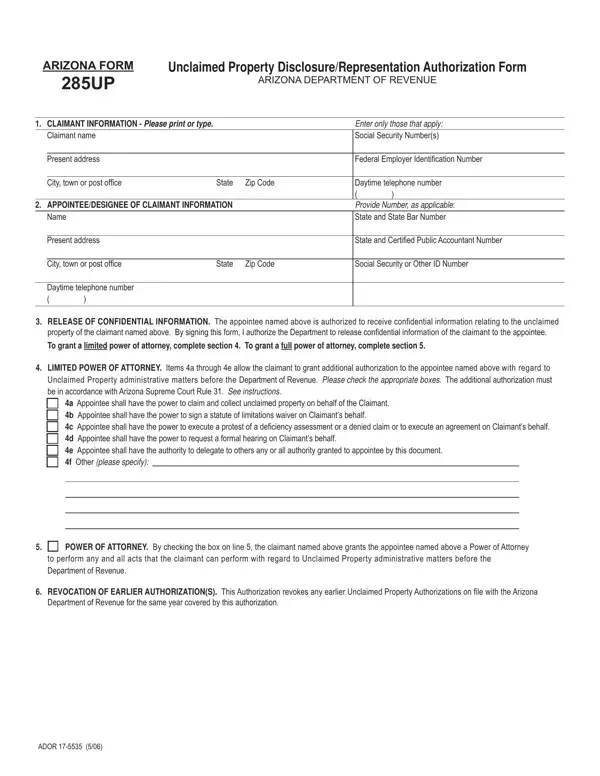
Arizona Form 285UP is the official Unclaimed Property Disclosure and Representation Authorization Form administered by the Arizona Department of Revenue. This form is required whenever a claimant, whether an individual or a business entity, wants to authorize a designated representative to handle unclaimed property matters on their behalf. The authorized representative, known as the appointee, can be a licensed attorney, a certified public accountant, or another qualified party approved by the claimant.
The scope of authorization granted through this pdf form can vary from limited access to confidential information all the way to full power of attorney for all unclaimed property administrative matters. This includes the authority to file claims, execute waivers, correspond with the Arizona Department of Revenue, and perform any other acts necessary to collect unclaimed property. The claimant must clearly specify the level of authority being granted in the designated section of the form.
To complete Form 285UP, claimants must provide their full legal name or business name, their Federal ID Number or Social Security Number, and current contact information. The appointee section requires the representative's full name, address, professional designation, CAF number (if applicable), and jurisdiction of licensure. For corporations with controlled subsidiaries, an additional disclosure section must be completed to authorize the release of confidential information related to subsidiary accounts.
The form also includes a revocation section, which allows claimants to officially cancel any previously granted authorizations before the new appointment takes effect. This safeguard ensures only the most current, authorized representative has access to the claimant's unclaimed property information. Once completed and signed by both the claimant and the appointee, the form is mailed to the Arizona Department of Revenue Unclaimed Property Unit.
If you are searching for similar unclaimed property forms from other states, you may find the Oklahoma Unclaimed Property Form 496-UP or the Illinois Unclaimed Property Reporting forms useful. For broader Arizona tax representation needs, the Arizona Tax Power of Attorney Form covers authorization for Arizona tax matters beyond unclaimed property.
| Question | Answer |
|---|---|
| Form Name | Arizona Form 285Up |
| Form Length | 2 pages |
| Fillable? | Yes |
| Fillable fields | 30 |
| Avg. time to fill out | 30 sec |
| Other names | unclaimed property arizona, arizona property disclosure form, az form unclaimed property, az form285up |
Arizona Form 285Up isn’t the one you’re looking for?