
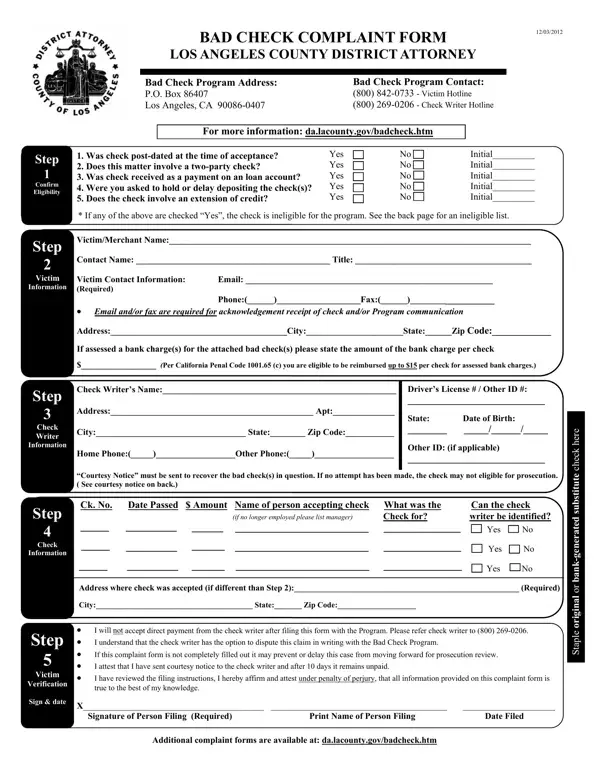
The Los Angeles County District Attorney's Office provides the Bad Check Complaint Form to help victims and merchants report checks returned due to insufficient funds. This form, available since December 3, 2012, is the first step toward potential restitution and possible criminal prosecution of the check writer.
To qualify for the Bad Check Restitution Program, the check must meet these criteria:
You must provide complete contact information for both yourself and the check writer. If the check writer does not respond to the courtesy notice, the DA's office can pursue legal action. Restitution may include reimbursement for bank charges incurred because of the bad check. For related legal filings, consider the small claims petition form if the program does not resolve your case.
| Question | Answer |
|---|---|
| Form Name | Bad Check Complaint Form |
| Form Length | 2 pages |
| Fillable? | No |
| Fillable fields | 0 |
| Avg. time to fill out | 30 sec |
| Other names | bad check los angeles, los angeles county bad check program, los angeles county bad check restituion program, bad check complaint los angeles county form |
Bad Check Complaint Form isn’t the one you’re looking for?