
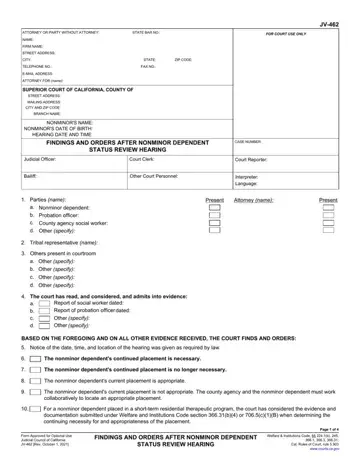
California Form Jv 462, officially titled Findings and Orders After Nonminor Dependent Status Review Hearing (Short-Term Residential Therapeutic Program), is a legal document used in California juvenile dependency proceedings. The court uses this form to document findings and orders determining whether placement of a nonminor dependent in a Short-Term Residential Therapeutic Program (STRTP) remains appropriate under Welfare and Institutions Code sections 366.31(b)(4) and 706.5(c)(1)(B).
This juvenile court form is required for nonminor dependents aged 18 and older who remain in the court system and are placed in a Short-Term Residential Therapeutic Program. At the status review hearing, all parties present evidence, reports, and legal documents to the court, including the county agency, the nonminor dependent, tribal representatives, and others present in the courtroom. After the hearing, the court issues formal findings and orders to guide the transition to adulthood.
During the hearing, the court reviews the social worker's report and evaluates whether the nonminor dependent meets the legal participation criteria under Welfare and Institutions Code section 11403(b), including enrollment in high school or college, employment of at least 80 hours per month, or participation in a vocational program. The court records its findings and orders after each status review hearing in the JV-462 form.
The findings and orders documented in Form Jv 462 include: notice of the hearing date and time, parties present in the courtroom, placement appropriateness findings, Transitional Independent Living Case Plan compliance, family relationship maintenance, and permanency planning orders. California juvenile courts rely on these legal forms to ensure that nonminor dependents receive appropriate support as they prepare for independent adulthood after the review hearing.
| Question | Answer |
|---|---|
| Form Name | California Form Jv 462 |
| Form Length | 4 pages |
| Fillable? | No |
| Fillable fields | 0 |
| Avg. time to fill out | 1 min |
| Form Type | California Superior Court, Juvenile Dependency |
| Other names | Form JV-462, Findings and Orders After Nonminor Dependent Status Review Hearing |