
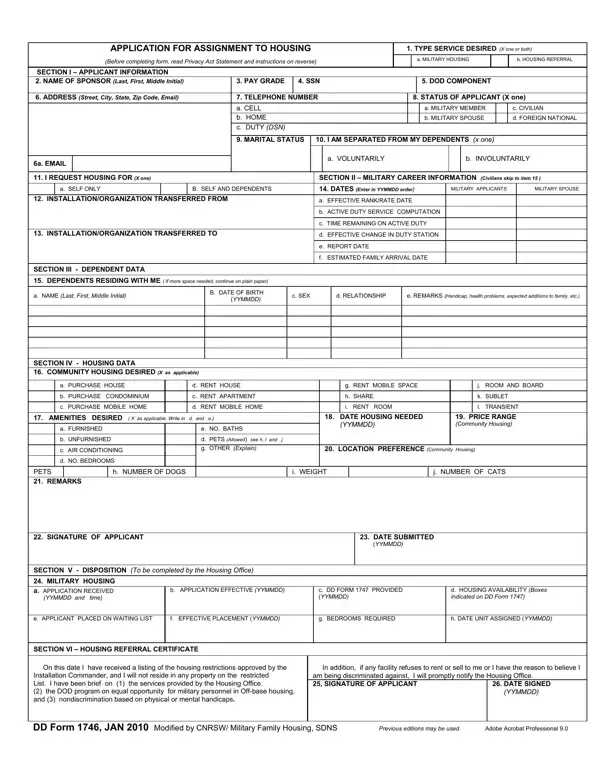

DD Form 1746 at a glance
What it is: DD Form 1746 is the Application for Assignment to Housing.
Who signs: Section VII, Signature and Date: 26a. Signature of Applicant and 26b. Date (DDMMYYYY).
The form provides the Military Housing Offices with information that will be used to provide the applicant with community (off-base), privatized, or DoD owned/leased housing.
The principal purpose of the form is to apply for assignment to housing.
This information may also be used to determine eligibility for housing as well as determine the priority and appropriate waiting list.
A filled-in DD Form 1746 example: a single service member applies for community housing
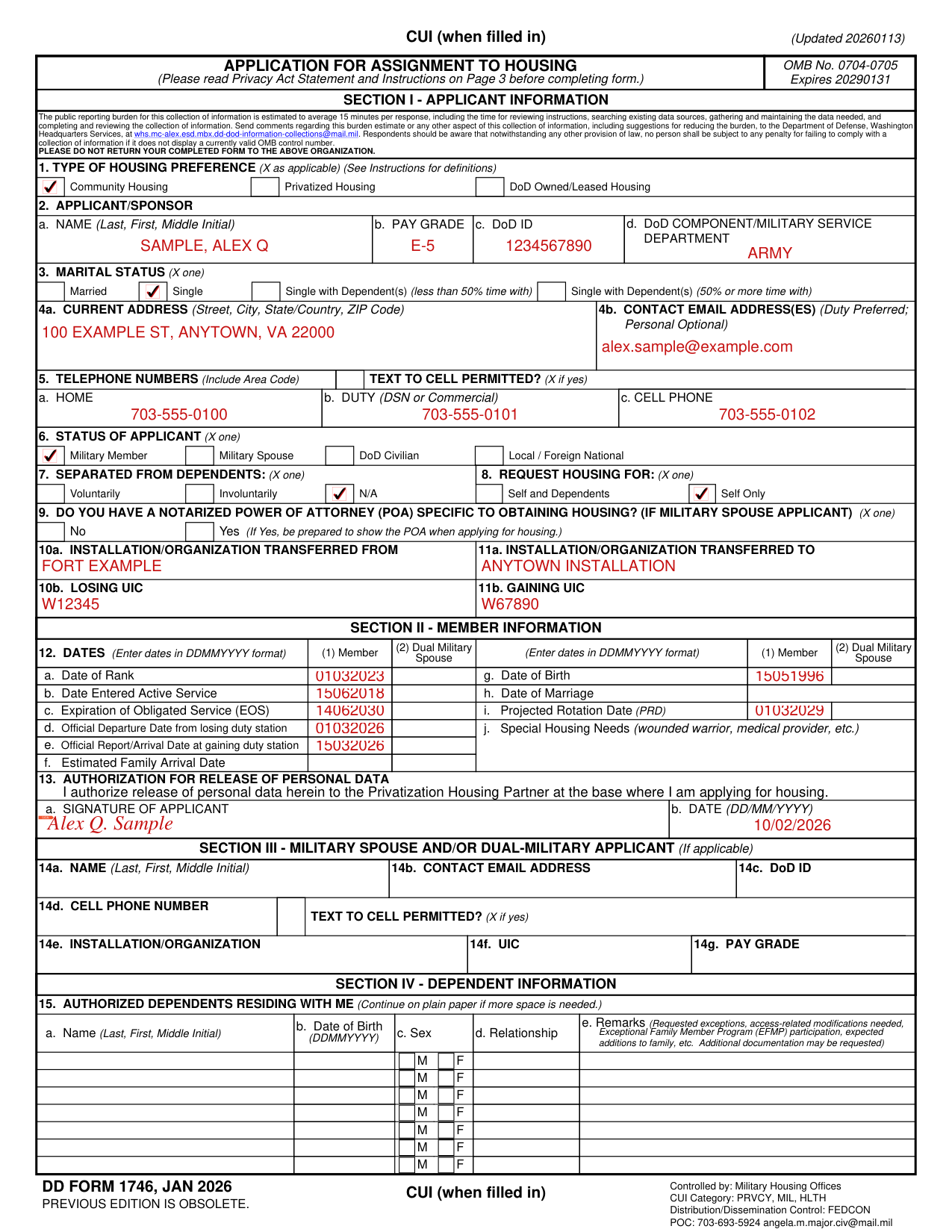
How to fill out DD Form 1746, box by box
Type of housing preference

Type of Housing Preference (definitions): Community Housing, Privatized Housing or DoD Owned/Leased Housing.
Community Housing is private-sector or off-base housing located within a defined market area; this does not include privatized housing units owned by privatized housing Providers on Military installations.
Privatized Housing is family or unaccompanied housing acquired or constructed by a DoD privatized Housing Provider; this housing may be located on government owned land, or near military installations within the United States and its territories.
DoD Owned/Leased Housing is family and unaccompanied housing that it owns, leases, obtains by permit, or otherwise acquires; this is also referred to as “Government-controlled housing” and it does not include privatized housing.
Applicant/Sponsor

Box 2, Applicant/Sponsor: a. Name (Last, First, Middle Initial), b. Pay Grade, c. DoD ID, d. Component/Military Service Department.
Enter applicant's legal name.
Enter applicant's pay grade.
Enter applicant's DoD ID # (located on your CAC).
Enter DoD Component/Military Service Department.
Marital status

Box 3, Marital Status: X one of Married, Single, Single with Dependent(s) (less than 50% time with) or Single with Dependent(s) (50% or more time with).
Current address, contact email and telephone numbers

Box 4a is the Current Address (Street, City, State/Country, ZIP Code) and 4b is the Contact Email Address(es) (Duty Preferred; Personal Optional); in box 5 Telephone Numbers (Include Area Code) enter a. Home, b. Duty (DSN or Commercial) and c. Cell Phone, and X Text to Cell Permitted? if yes.
Status of applicant, separated from dependents and request housing for

Box 6, Status of Applicant: X one of Military Member, Military Spouse, DoD Civilian or Local / Foreign National.
Box 7, Separated from Dependents: X one of Voluntarily, Involuntarily or N/A.
Box 8, Request Housing for: X one of Self and Dependents or Self Only.
Notarized power of attorney

To apply for housing in the service member's absence, a specific Power of Attorney (POA) is required.
The service member can obtain this legal document for the spouse from the installation's Legal Assistance Office; this POA authorizes the spouse to sign lease agreements and manage all related finances on the service member's behalf.
The original POA document must be presented at the housing appointment.
Box 9: Do you have a notarized Power of Attorney (POA) specific to obtaining housing? (If military spouse applicant) (X one)
Installation/Organization transferred from and to

Box 11a is the Installation/Organization Transferred To, box 10b is the Losing UIC and box 11b is the Gaining UIC.
Dates
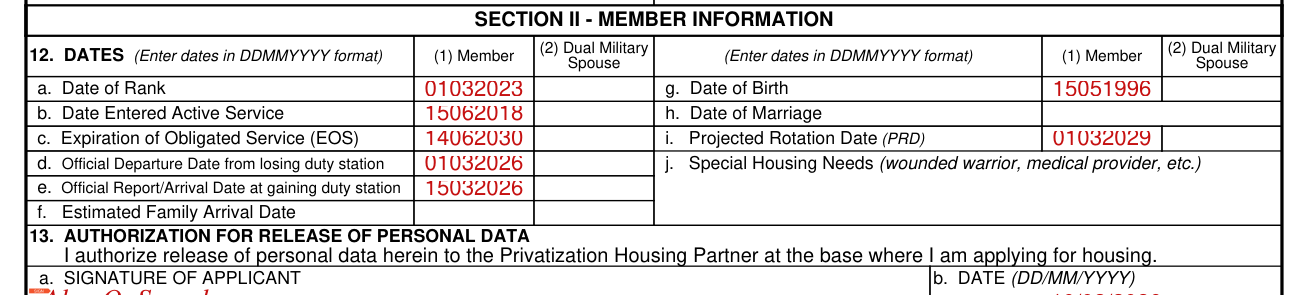
Box 12, Dates (Enter dates in DDMMYYYY format), for (1) Member and (2) Dual Military Spouse: a. Date of Rank, b. Date Entered Active Service, c. Expiration of Obligated Service (EOS), d. Official Departure Date from losing duty station, e. Official Report/Arrival Date at gaining duty station and f. Estimated Family Arrival Date.
For (1) Member and (2) Dual Military Spouse: g. Date of Birth, h. Date of Marriage, i. Projected Rotation Date (PRD) and j. Special Housing Needs (wounded warrior, medical provider, etc.).
Authorization for release of personal data

Box 13, Authorization for Release of Personal Data: I authorize release of personal data herein to the Privatization Housing Partner at the base where I am applying for housing; a. Signature of Applicant, b. Date (DD/MM/YYYY).
Military spouse and/or dual-military applicant

Section III, Military Spouse and/or Dual-Military Applicant (If applicable): 14a. Name (Last, First, Middle Initial), 14b. Contact Email Address, 14c. DoD ID, 14d. Cell Phone Number, Text to Cell Permitted? (X if yes), 14e. Installation/Organization, 14f. UIC and 14g. Pay Grade.
Authorized dependents residing with me

Box 15, Authorized Dependents Residing with Me (Continue on plain paper if more space is needed.): a. Name (Last, First, Middle Initial), b. Date of Birth (DDMMYYYY), c. Sex and d. Relationship.
e. Remarks (Requested exceptions, access-related modifications needed, Exceptional Family Member Program (EFMP) participation, expected additions to family, etc. Additional documentation may be requested).
Community housing desired and minimum preferences

Box 16, Community Housing Desired (X as applicable): Purchase House, Purchase Condominium, Rent House, Rent Apartment / Condominium, Short Term and Other, with Other Details.
Box 17, Minimum Preferences (X and complete as applicable): a. Furnished (X one), Yes or No.
b. Number of Bedrooms, c. Number of Full Baths, d. Number of Half Baths and d. Other.
Service animal and pets

Box 18, Service Animal (X and complete as applicable): Have? (X one), Yes or No; Number of Service Animals; Type(s) of Service Animals; If Dog, Breed(s) and Weight(s).
Box 19, Pets (X and complete as applicable): Have Pets? (X one), Yes or No; Number of Pets; Type(s) of Pet(s); If Dog, Breed(s) and Weight(s).
Date housing needed, location preference, price range and remarks
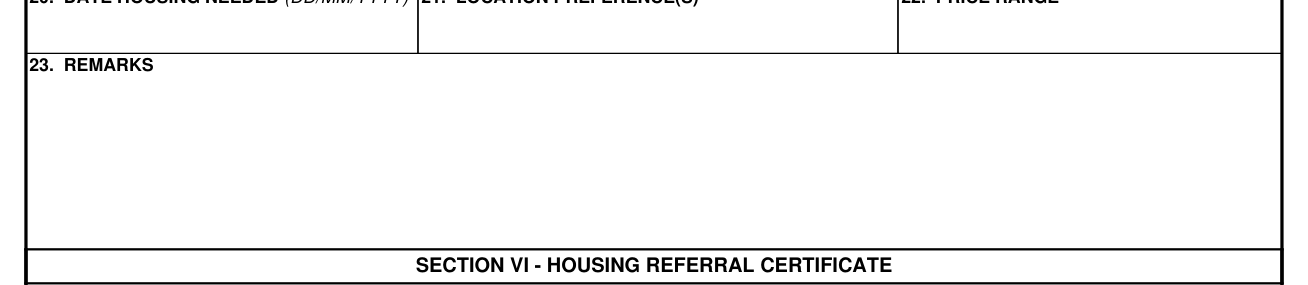
Box 20 is the Date Housing Needed (DD/MM/YYYY), box 21 the Location Preference(s), box 22 the Price Range and box 23 the Remarks.
Housing referral certificate
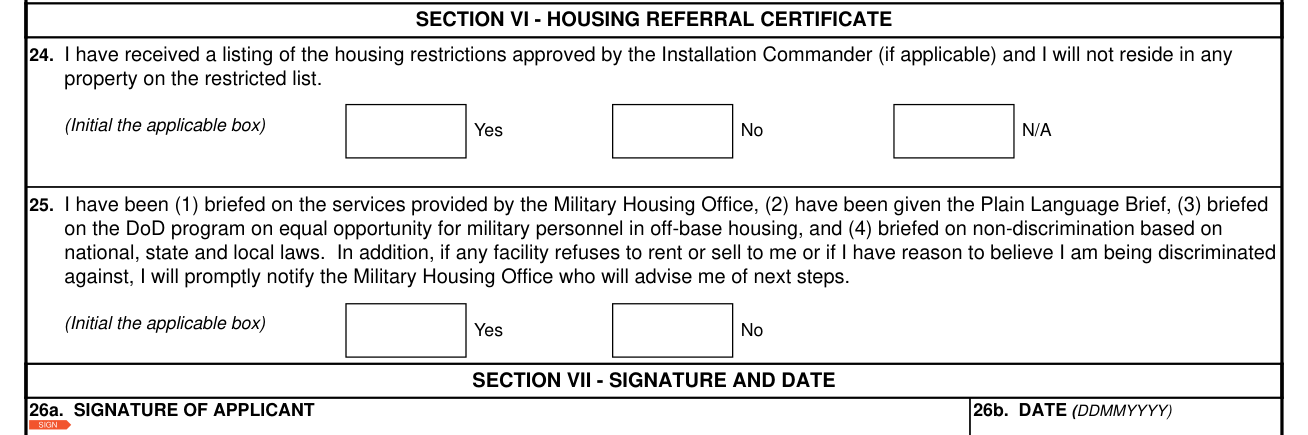
Section VI, Housing Referral Certificate, box 24: I have received a listing of the housing restrictions approved by the Installation Commander (if applicable) and I will not reside in any property on the restricted list (Initial the applicable box) Yes, No or N/A.
Box 25: I have been (1) briefed on the services provided by the Military Housing Office, (2) have been given the Plain Language Brief, (3) briefed on the DoD program on equal opportunity for military personnel in off-base housing, and (4) briefed on non-discrimination based on national, state and local laws (Initial the applicable box) Yes or No.
Signature and date

Section VII, Signature and Date: 26a. Signature of Applicant and 26b. Date (DDMMYYYY).
Disposition, completed by the Gaining Military Housing Office
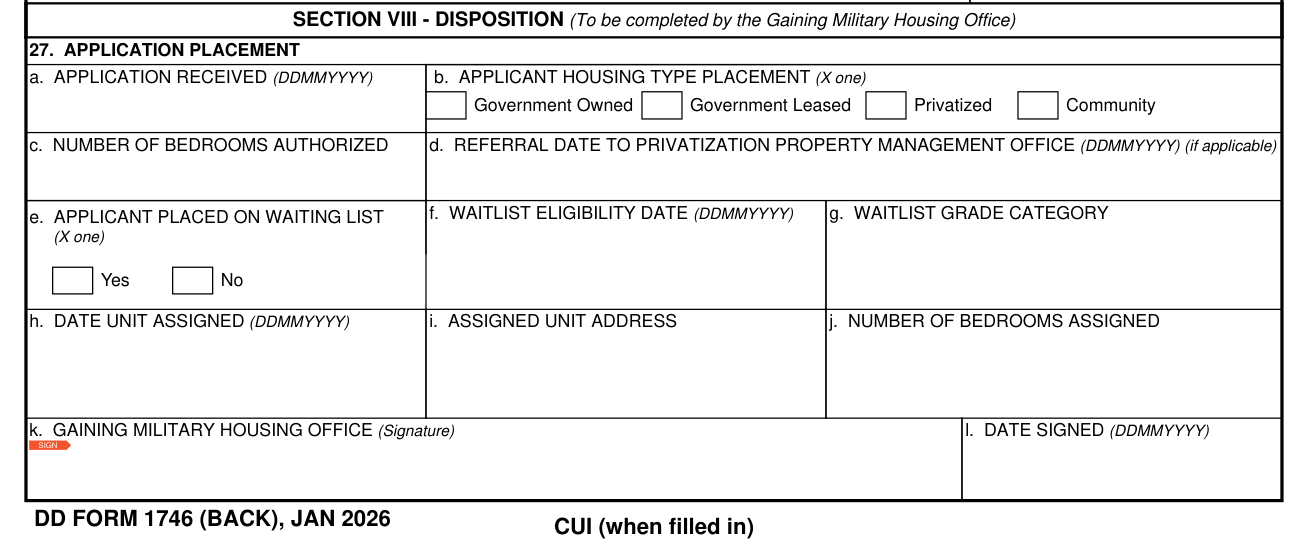
Section VIII, Disposition, box 27 Application Placement, is to be completed by the Gaining Military Housing Office.
Sources
[1] DD Form 1746 (JAN 2026), Application for Assignment to Housing, Washington Headquarters Services (the Official source link on this page).