Please rate Deltacare Usa Form Rev. 08-24

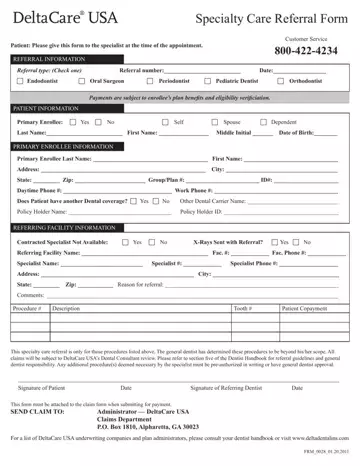
Navigating the intricacies of dental care, especially when it involves specialized treatment, can often be daunting for patients. The DeltaCare USA Specialty Care Referral Form plays a crucial role in streamlining this process by functioning as a vital communication tool between primary dental care providers, specialists, and patients. This form is designed to ensure that when a general dentist identifies the need for specialized dental care that goes beyond their capacity—whether it be endodontic, oral surgery, periodontics, pediatric dentistry, or orthodontics—they can effectively refer their patient to the appropriate specialist. The referral form includes comprehensive sections for capturing patient information, specifying the type of referral, and detailing the primary enrollee’s data, including their insurance coverage and contact information. Furthermore, it outlines the referring facility's details, the specialist's information, and the reasons behind the referral, emphasizing the need for pre-authorization for any additional procedures not initially listed. This form not only facilitates a smoother transition to specialty care but also underscores the importance of verifying the patient's eligibility and benefits under their specific dental plan. By ensuring that all necessary information is attached for claim submissions, the form aids in maintaining transparency and efficiency in the payment process, marking a significant step towards optimized patient care and administrative handling.
| Question | Answer |
|---|---|
| Form Name | Deltacare Usa Form |
| Form Length | 1 page |
| Fillable? | Yes |
| Fillable fields | 113 |
| Avg. time to fill out | 15 sec |
| Other names | deltacare usa direct referral form, deltacare usa referral, deltacare specialty referral form, deltacare usa specialty referral |
Deltacare Usa Form isn’t the one you’re looking for?
Please rate Deltacare Usa Form Rev. 08-24
