
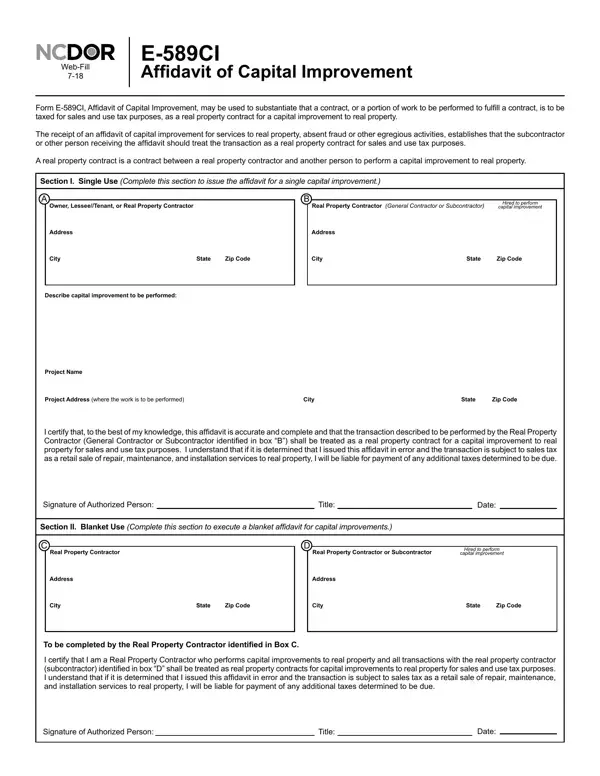
The E-589Ci Affidavit of Capital Improvement plays a crucial role in the realm of sales and use tax concerning real property contracts. This form is designed to clarify the tax obligations for contracts or specific work deemed as capital improvements to real property, implying different tax treatment compared to regular repair, maintenance, or installation services. Its use is pivotal in establishing whether the services rendered should be taxed as a real property contract, therefore impacting how subcontractors and general contractors handle their sales and use tax responsibilities. The form comprises two main sections: one for single use—ideal for one-time project affirmations—and another for blanket use, catering to recurring business relationships within a 12-month timeframe. The process insists on detailed descriptions of the capital improvements, the identities and addresses of the parties involved, and insists on accountability by requiring signatures of authorized persons. Misclassification or errors in issuing this affidavit can lead to tax liabilities, underscoring the document's significance in clarifying tax obligations ahead of project commencement. Additionally, in scenarios where subcontractors are engaged, employing the E-589Ci ensures compliance with sales and use tax laws, thereby avoiding potential pitfalls arising from misinterpretation or misapplication of tax statutes.
| Question | Answer |
|---|---|
| Form Name | E 589Ci Form |
| Form Length | 2 pages |
| Fillable? | No |
| Fillable fields | 0 |
| Avg. time to fill out | 30 sec |
| Other names | e 589ci pdf, e589ci affidavit capital improvement, e 589ci, ncdor affidavit form |
E 589Ci Form isn’t the one you’re looking for?