Please rate Fedex Release Form

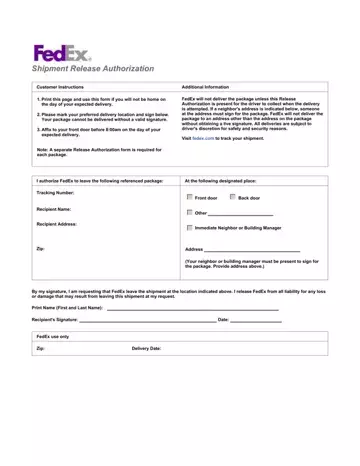
In today's fast-paced world, the convenience of online shopping and package delivery is something most of us can't do without. However, the anticipation of a package's arrival can often be marred by the uncertainty of being available to receive it. Recognizing this, FedEx offers a solution through its Shipment Release Authorization form, designed for those instances when you won't be home to sign for your delivery. This straightforward form requires you to print it out, choose a preferred delivery location on your property, and sign to authorize FedEx to leave the package there. Importantly, it must be affixed to your front door before 8:00 am on the expected delivery day, with a separate form needed for each package. The form identifies the package by its tracking number and recipient name, ensuring specificity in authorization. It also highlights the crucial condition that FedEx will only deliver the package if the Release Authorization form is present and also stipulates the importance of a live signature if you choose an alternate delivery location, like a neighbor's address. FedEx commits to making the delivery as per the instructions but responsibly notes that the final decision rests with the delivery driver, considering safety and security. Through this form, FedEx aims to enhance the delivery experience by melding flexibility with responsibility, acknowledging the trust placed in them to securely deliver packages according to the recipient's wishes, all while releasing FedEx from liability for any loss or damage once the package is left as requested.
| Question | Answer |
|---|---|
| Form Name | Fedex Release Form |
| Form Length | 1 pages |
| Fillable? | No |
| Fillable fields | 0 |
| Avg. time to fill out | 15 sec |
| Other names | fedex door tag release, fedex door tag, fedex door tag authorizing release, print fedex door tag |
Fedex Release Form isn’t the one you’re looking for?
Please rate Fedex Release Form
