
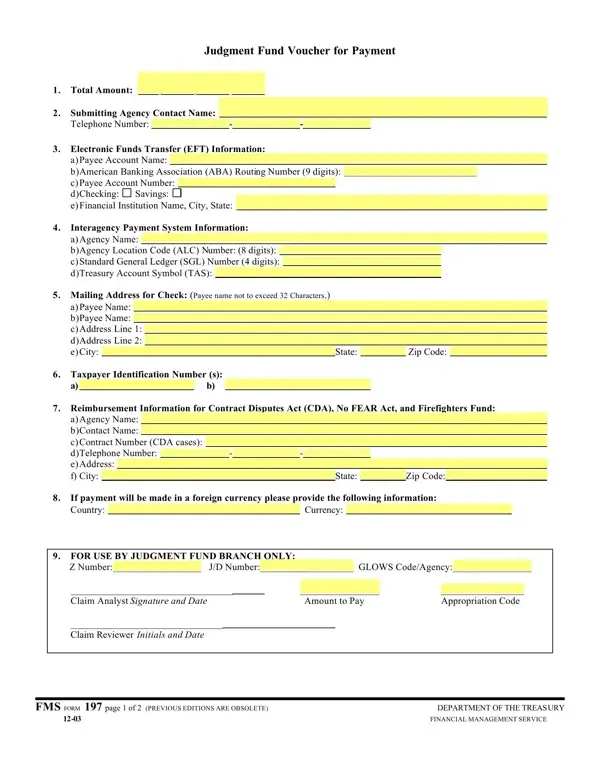
In the realm of financial transactions within the federal government, especially those pertaining to settlements and judgments, the FMS Form 197, also known as the Judgment Fund Voucher for Payment, plays a pivotal role. This form facilitates the process of making payments from the Judgment Fund, providing a structured approach for federal agencies to submit claims. It meticulously outlines the necessary information required to process payments through various means, including Electronic Funds Transfer (EFT) and checks, ensuring that all financial transactions are conducted smoothly and efficiently. The form encompasses sections for detailed payee information, agency contact details, EFT specifics, interagency payment system data, mailing addresses for checks, and taxpayer identification numbers. Additionally, it attends to special payment situations, such as those under the Contract Disputes Act, No FEAR Act, and the Firefighters Fund. Provisions for foreign currency payments are also included, highlighting the form’s comprehensive nature in accommodating diverse payment scenarios. The functionality of FMS Form 197 extends further by incorporating an agreement section for claimants, establishing their acceptance of the settlement and releasing the United States from further claims related to the matter at hand. This requirement underscores the form's dual role in both facilitating payment and legally documenting the settlement of claims against the federal government, thereby ensuring accountability and legal clarity. With its structured format and stringent requirements, the FMS Form 197 exemplifies the meticulous approach adopted by the Department of the Treasury’s Financial Management Service in managing government payments and settlements efficiently.
| Question | Answer |
|---|---|
| Form Name | Fms Form 197 |
| Form Length | 3 pages |
| Fillable? | No |
| Fillable fields | 0 |
| Avg. time to fill out | 45 sec |
| Other names | fms form 197 voucher for payment pdf, EFT, fms form 197, EDITI |