
Form 906 Closing Agreement PDF Details

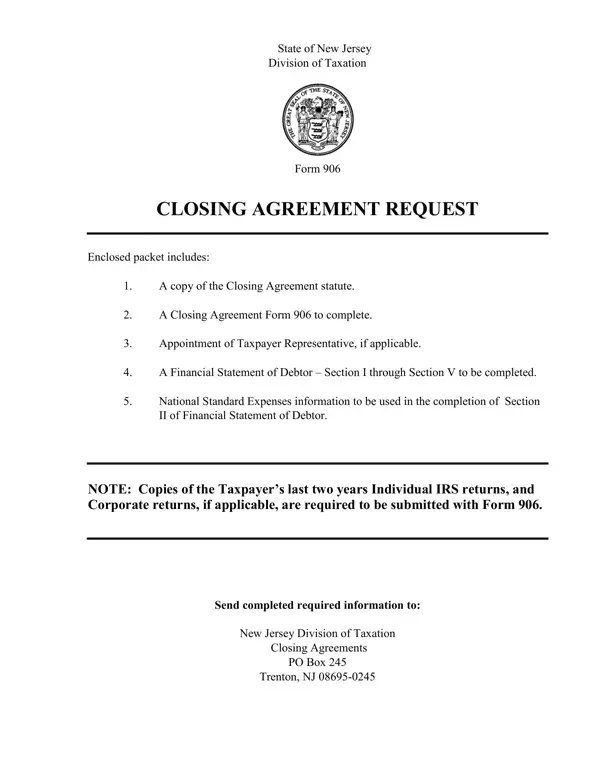
In the State of New Jersey, taxpayers seeking resolution and clarity on their tax obligations have a structured pathway to obtain a legally binding decision through the Form 906 Closing Agreement Request. This request enables individuals and entities to engage with the Division of Taxation to conclusively settle their tax liabilities for specific periods, whether before or after the agreement's date. Packed within this procedure is not just the Form 906 itself but also a comprehensive suite of documents including the statute underlying closing agreements, representation appointment forms, and detailed financial statements. Moreover, the inclusion of the last two years' IRS returns underscores the thoroughness required in this process. By submitting to the New Jersey Division of Taxation, taxpayers can journey towards potentially finalizing their tax duties, subject to conditions such as the absence of fraud or material misrepresentation. The overarching authority for these agreements, granted under N.J.S.A. 54:50-1 et seq., reflects a commitment to providing a structured and conclusive resolution mechanism. Such agreements are nuanced, allowing consideration of various tax liability components, from gross receipts to deductions, showcasing a tailored approach to each taxpayer's situation. The finality clause within these agreements, barring fraud or similar exceptions, instills a certainty beneficial for both the taxpayer and the state. However, it's pivotal to note that these agreements are also subject to evolving legal statutes, emphasizing the dynamic nature of tax law and the need for ongoing vigilance by both parties.

QuestionAnswer
Form NameForm 906 Closing Agreement
Form Length16 pages
Fillable?No
Fillable fields0
Avg. time to fill out4 min
Other names www.state.nj.ustreasurytaxationNJ Division of Taxation - Sales and Use Tax Forms

How to Edit Form 906 Closing Agreement Online for Free

Form 906 Closing Agreement can be completed online in no time. Just make use of FormsPal PDF editor to complete the job promptly. In order to make our editor better and less complicated to use, we continuously work on new features, with our users' feedback in mind. Here's what you'd want to do to get started:

Step 1: Firstly, open the pdf editor by pressing the "Get Form Button" at the top of this page.

Step 2: After you start the PDF editor, you will find the document ready to be filled out. Apart from filling out various fields, you may also do various other things with the Document, including writing your own text, editing the initial text, inserting illustrations or photos, placing your signature to the form, and a lot more.

It is actually simple to complete the pdf using out detailed guide! Here is what you need to do:

1. The Form 906 Closing Agreement necessitates specific information to be typed in. Make certain the next blanks are complete:

Best ways to fill out Form 906 Closing Agreement part 1

2. After performing this part, go on to the next step and enter the necessary particulars in all these fields - Name, Address, Telephone Number, Name, Address, Telephone Number, Tax Matters, Representative ID, Fax Number, Representative ID, Fax Number, IWe appoint the representatives, All tax matters, Specific tax matters listed below, and Type of Tax New Jersey Gross.

Tips on how to fill in Form 906 Closing Agreement part 2

Always be very attentive while filling in Tax Matters and Fax Number, because this is the part in which many people make mistakes.

3. The third part is going to be hassle-free - fill out all the blanks in The representatives isare, If you want the representatives to, attach additional information as, Notices and Communications audit, We will send original notices and, IWe do not want the Division to, representatives listed in Section, RetentionRevocation of Prior, The filing of this form, IWe do not want to revoke any, this box you must attach copies of, and Signature of Taxpayers in order to complete this process.

The filing of this form, Signature of Taxpayers, and representatives listed in Section inside Form 906 Closing Agreement

4. This next section requires some additional information. Ensure you complete all the necessary fields - This Appointment of Taxpayer, Taxpayer Signature, Print Name, Taxpayer Signature, Print Name, Date, Date, Title if applicable, Title if applicable, Acceptance of Representation and, I We accept the appointment as, Representative Signature, Print Name, Representative Signature, and Print Name - to proceed further in your process!

How one can fill in Form 906 Closing Agreement stage 4

5. This pdf must be finished with this particular part. Here you can find a comprehensive set of blanks that require accurate information for your form submission to be faultless: A request for a Closing Agreement, Social Security, Federal ID, If Corporation please provide a, Address Email Address, and for Type of Tax or Taxes and.

Stage number 5 for filling in Form 906 Closing Agreement

Step 3: After you've looked over the information in the document, click "Done" to finalize your FormsPal process. Sign up with us right now and immediately get access to Form 906 Closing Agreement, prepared for download. Every change you make is conveniently saved , which means you can edit the file at a later time if needed. FormsPal provides safe document editing without data recording or any sort of sharing. Be assured that your data is in good hands with us!