
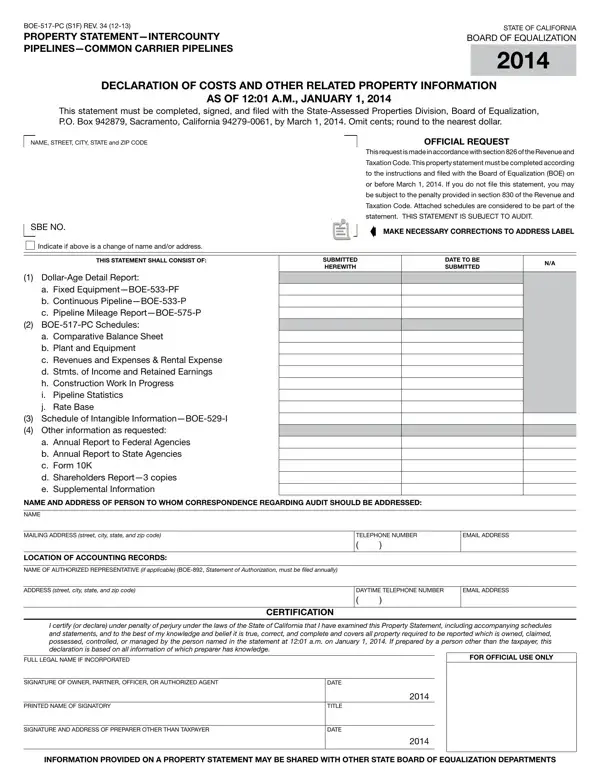
Once you open the online tool for PDF editing by FormsPal, you can fill out or edit Form Boe 517 Pc right here. We at FormsPal are focused on making sure you have the absolute best experience with our tool by consistently introducing new features and enhancements. Our tool is now much more user-friendly with the latest updates! Now, working with PDF documents is simpler and faster than ever. To start your journey, take these easy steps:
Step 1: Access the PDF file in our tool by pressing the "Get Form Button" above on this page.
Step 2: Using this state-of-the-art PDF file editor, you may do more than merely complete blank form fields. Edit away and make your documents seem sublime with customized textual content put in, or adjust the original content to perfection - all that comes along with an ability to incorporate just about any pictures and sign the document off.
This PDF form will need you to provide some specific information; to guarantee correctness, take the time to heed the subsequent guidelines:
1. Before anything else, when filling in the Form Boe 517 Pc, start in the form section containing next fields:
2. Just after this array of blanks is done, go to enter the applicable information in these: a Annual Report to Federal, NAME AND ADDRESS OF PERSON TO WHOM, NAME, MAILING ADDRESS street city state, LOCATION OF ACCOUNTING RECORDS, TELEPHONE NUMBER, EMAIL ADDRESS, NAME OF AUTHORIZED REPRESENTATIVE, ADDRESS street city state and zip, DAYTIME TELEPHONE NUMBER, EMAIL ADDRESS, CERTIFICATION, I certify or declare under penalty, FULL LEGAL NAME IF INCORPORATED, and FOR OFFICIAL USE ONLY.
When it comes to NAME AND ADDRESS OF PERSON TO WHOM and a Annual Report to Federal, be certain you review things here. Both of these are the most significant ones in the page.
3. This next portion will be focused on COMPANY NAME, SBE NO, LINE ITEM NO, FERC, ACCOUNT, ASSETS AND OTHER DEBITS, SYSTEM, BALANCE AT BEGINNING, SYSTEM, BALANCE AT END OF, CALIFORNIA BALANCE AT BEGINNING, CALIFORNIA BALANCE AT END OF, CURRENT ASSETS, Cash Special Deposits Temporary, and Total Current Assets lines thru - complete all of these blank fields.
4. This next section requires some additional information. Ensure you complete all the necessary fields - INVESTMENTS AND SPECIAL FUNDS, Investments in Affiliated, Total Investments and Special, TANGIBLE PROPERTY, Carrier Property Less Accrued, Total Tangible Property lines, OTHER ASSETS AND DEFERRED CHARGES, and Organization Costs and Other - to proceed further in your process!
5. To conclude your document, the last subsection incorporates a few extra blank fields. Filling in Total Other Assets and Deferred, TOTAL ASSETS lines, and Note Total Assets line must equal is going to conclude everything and you're going to be done in the blink of an eye!
Step 3: Soon after proofreading your fields you have filled out, click "Done" and you're good to go! Right after setting up a7-day free trial account at FormsPal, you'll be able to download Form Boe 517 Pc or send it via email immediately. The PDF document will also be readily accessible in your personal account page with your each and every modification. FormsPal is devoted to the privacy of all our users; we make certain that all personal data used in our editor continues to be confidential.
