
Form Cd 14C PDF Details

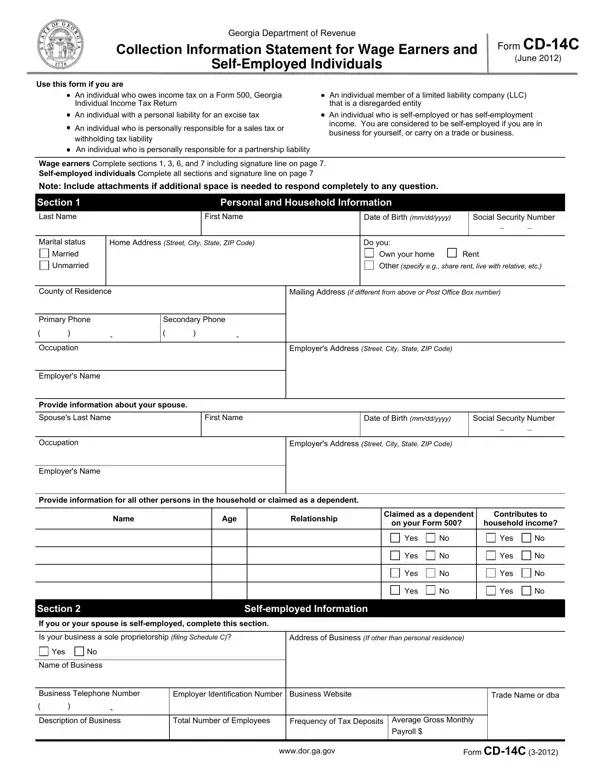
The Georgia Department of Revenue Form CD-14C, specifically designed for Collection Information, caters to wage earners and self-employed individuals grappling with personal income tax due on Form 500 and other specified tax liabilities. Created to streamline the process of gathering comprehensive financial data from individuals either employed or running their own business, this form serves as a critical instrument for those with personal responsibilities for excise, sales, withholding, or partnership liabilities, along with members of limited liability companies (LLCs) deemed disregarded entities. The structure of the form mandates complete sections based on employment status—wage earners filling out selected sections, while self-employed individuals are required to furnish details across all areas, underscoring the importance of thoroughness in providing personal, household, and business-related financial information. The introduction of sections dedicated to asset disclosures—spanning cash, investments, property, vehicles, and business assets—complements detailed income and expense records for both personal and business assessments. This comprehensive approach is designed to facilitate an accurate evaluation of an individual’s financial status, thereby aiding the Georgia Department of Revenue in making informed decisions regarding tax liabilities.

QuestionAnswer
Form NameForm Cd 14C
Form Length7 pages
Fillable?No
Fillable fields0
Avg. time to fill out1 min 45 sec
Other namesga earners self employed, cd 14c, cd 14b, georgia cd 14c

How to Edit Form Cd 14C Online for Free

When using the online tool for PDF editing by FormsPal, you can fill out or alter ga cd14c right here and now. To make our editor better and easier to work with, we continuously come up with new features, taking into account feedback from our users. All it requires is just a few easy steps:

Step 1: Simply click the "Get Form Button" in the top section of this webpage to start up our pdf editing tool. This way, you will find everything that is necessary to work with your file.

Step 2: The tool will give you the capability to change your PDF document in many different ways. Transform it by including customized text, correct existing content, and place in a signature - all within a few mouse clicks!

With regards to the blank fields of this specific PDF, this is what you should consider:

1. Start completing your ga cd14c with a selection of essential blanks. Collect all the important information and make sure not a single thing forgotten!

How one can complete cd 14b form part 1

2. Once your current task is complete, take the next step – fill out all of these fields - Name, Age, Relationship, Claimed as a dependent, Contributes to, on your Form, household income, Yes, Yes, Yes, Yes, Yes, Yes, Yes, and Yes with their corresponding information. Make sure to double check that everything has been entered correctly before continuing!

Yes, on your Form, and Yes in cd 14b form

3. This third part is straightforward - fill in all the blanks in Section Do you or your spouse, Yes Percentage of ownership, Business Address Street City State, Business Name, Business Telephone Number Type of, Business Identification Number, Partnership, Single member LLC, LLC, Corporation, Other, Section, Personal Asset Information, If any total below results in a, and Cash and Investments domestic and in order to complete this part.

Section, If any total below results in a, and Personal Asset Information in cd 14b form

Be extremely careful while filling out Section and If any total below results in a, as this is where a lot of people make mistakes.

4. This specific section arrives with the next few blanks to complete: Account Number, Bank Account Bank Name, Total value of bank accounts from, Investment Account Name of, Stocks Bonds Other, Account Number, Current Market Value, Less Loan Balance, Add lines a through c, Investment Account Name of, Stocks, Bonds, Other, Account Number, and Current Market Value.

Tips to complete cd 14b form portion 4

5. As a final point, the following last section is precisely what you'll have to finish prior to finalizing the document. The fields under consideration are the next: Retirement Account Name of, IRA, Other, Account Number, Current Market Value, Less Loan Balance, Total of investment accounts from, wwwdorgagov, Form CDC, and Add lines a through c.

cd 14b form writing process clarified (stage 5)

Step 3: Spell-check the information you have inserted in the blanks and then press the "Done" button. After getting a7-day free trial account at FormsPal, you'll be able to download ga cd14c or email it immediately. The form will also be accessible via your personal account with your each edit. FormsPal is dedicated to the confidentiality of our users; we ensure that all personal information used in our tool is kept secure.