

Form DR 2056 at a glance
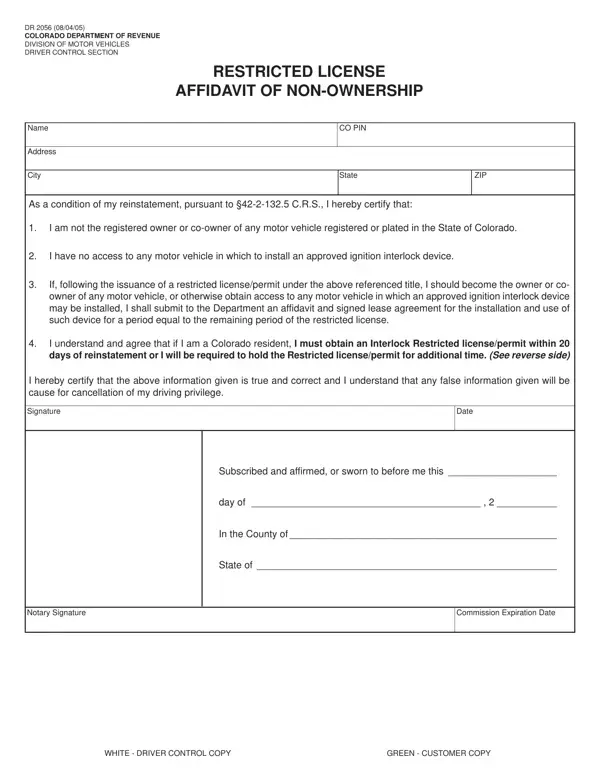
What it is: Form DR 2056 is the Restricted License Affidavit of Non-Ownership of the Colorado Department of Revenue, Division of Motor Vehicles, Driver Control Section.
Notary: Notary Seal: Subscribed and affirmed, or sworn to before me in the County of, State of, this day of, 20. Notary Signature SIGN and Commission Expiration Date.
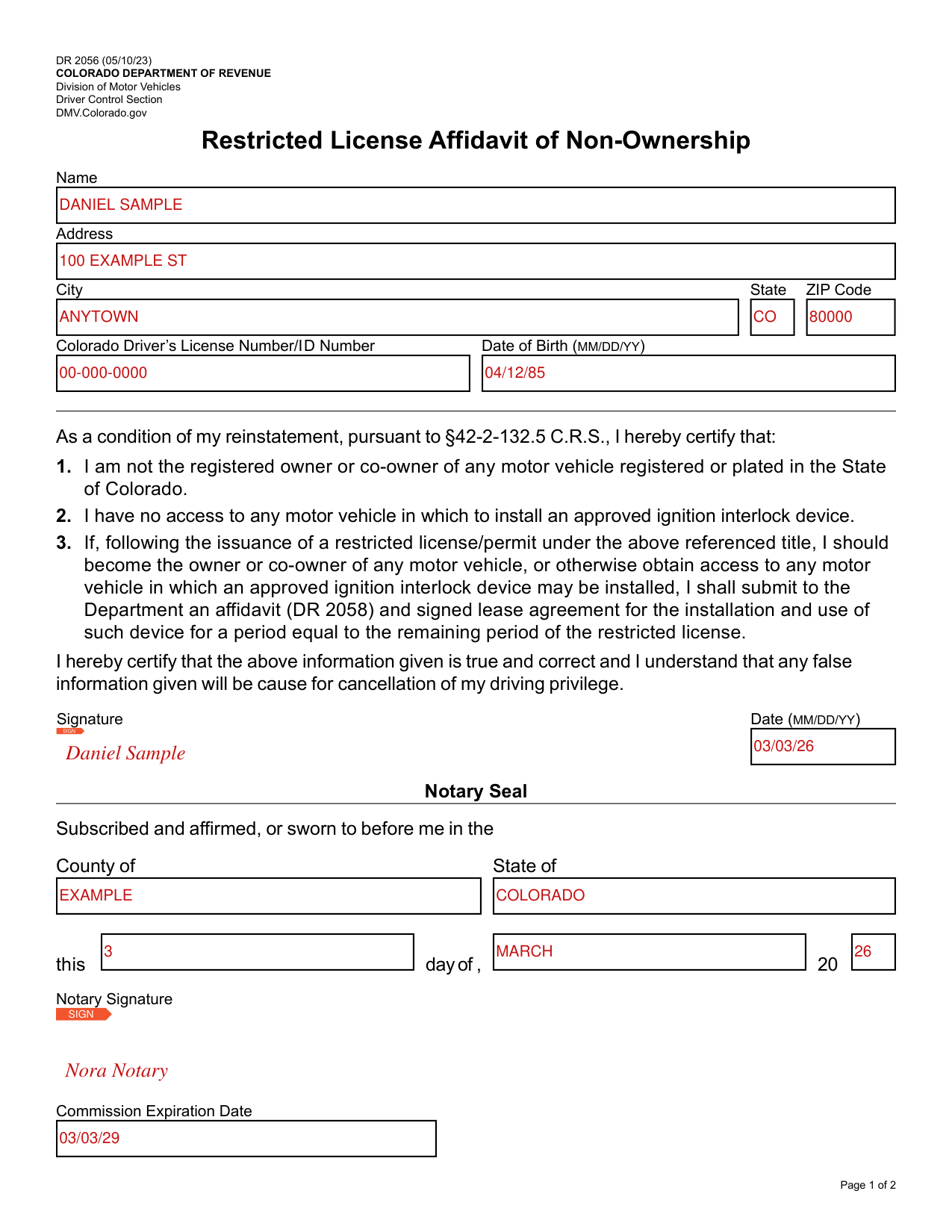
A filled-in Form DR 2056 example: a driver certifies owning no vehicle
How to fill out Form DR 2056, box by box
Name, address, driver's license number and date of birth
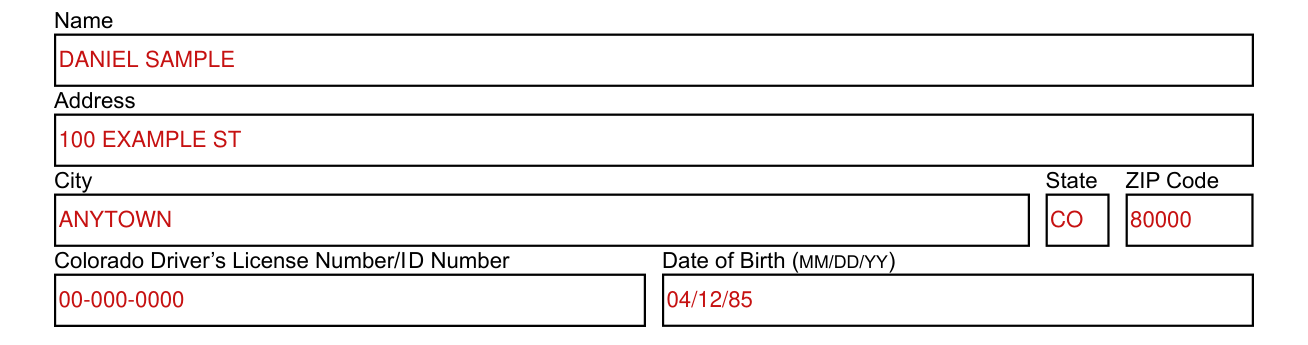
Enter your Name, Address, City, State and ZIP Code.
Enter your Colorado Driver's License Number/I D Number and your Date of Birth (MM/DD/YY).
Certification and signature
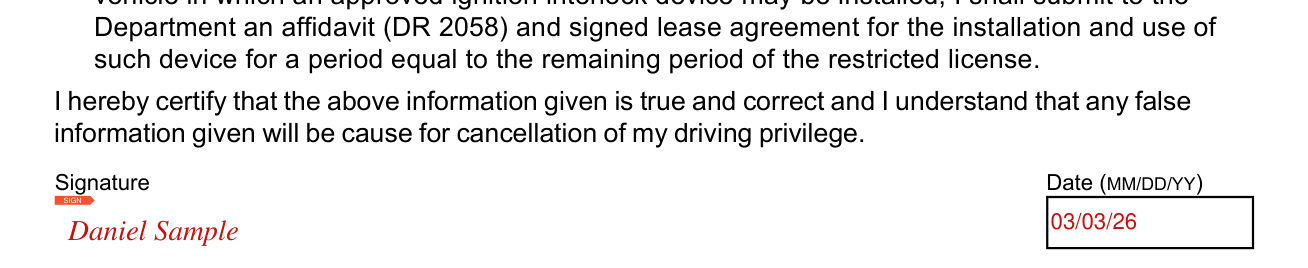
As a condition of your reinstatement, pursuant to §42-2-132.5 C.R.S., you certify that: 1. You are not the registered owner or co-owner of any motor vehicle registered or plated in the State of Colorado. 2. You have no access to any motor vehicle in which to install an approved ignition interlock device. 3. If, following the issuance of a restricted license/permit, you should become the owner or co-owner of any motor vehicle, or otherwise obtain access to any motor vehicle in which an approved ignition interlock device may be installed, you shall submit to the Department an affidavit (DR 2058) and signed lease agreement for the installation and use of such device for a period equal to the remaining period of the restricted license.
You certify that the information given is true and correct and you understand that any false information given will be cause for cancellation of your driving privilege.
Sign on the Signature line next to SIGN and enter the Date (MM/DD/YY).
Notary Seal
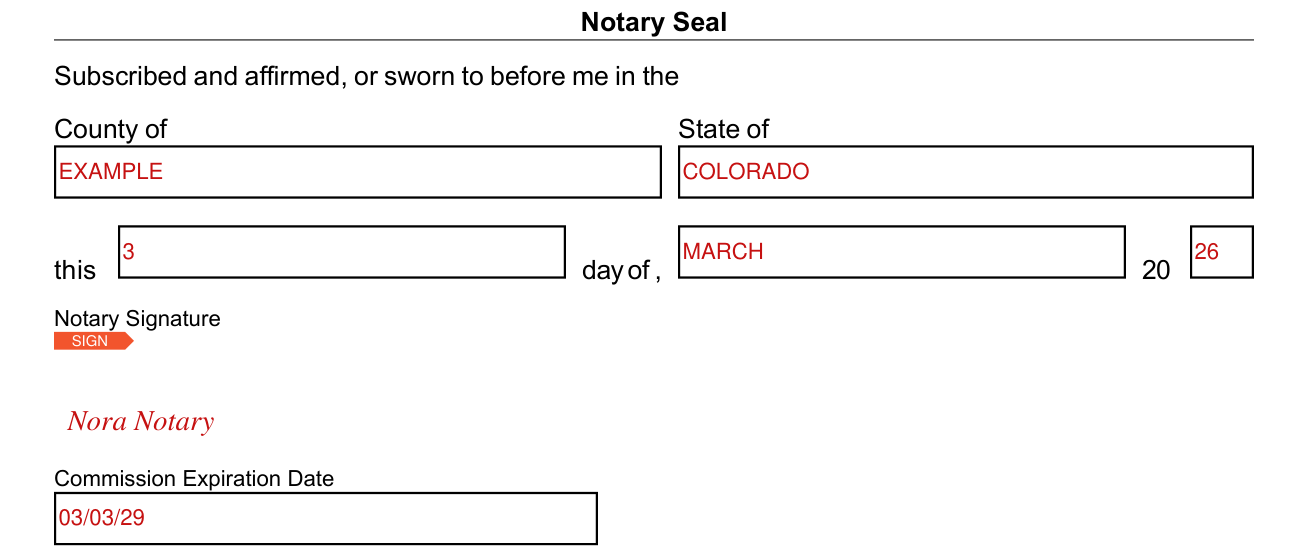
Notary Seal: Subscribed and affirmed, or sworn to before me in the County of, State of, this day of, 20.
More rules for Form DR 2056
Mandatory or voluntary restricted licenses following alcohol conviction: you must apply for, and hold, a license or permit, restricted to the use of an approved ignition interlock device, for the entire period of the license restriction, even if you do not intend to drive after your privilege is restored.
You may be required to qualify for this license by passing a written and basic drive test.
If your driving privilege was restored by providing an Affidavit of Non-Ownership, the basic drive test will be postponed until your renewal to a non-restricted license, or until you have a vehicle equipped with an approved interlock device.
During the period of license restriction (ignition interlock) you may only operate a motor vehicle equipped with an approved interlock device.
If you are contacted operating any other vehicle during the period of license restriction (ignition interlock), or if any interlock device is bypassed or otherwise tampered with, you will be subject to immediate revocation of driving privilege.
If your driving privilege was restored by providing an Affidavit of Non-Ownership, and you become an owner, co-owner or otherwise have access to a vehicle, you must submit to the Department a signed lease agreement for the installation and use of an approved ignition interlock device on such vehicle(s), for a period equal to the remaining period of the restricted (ignition interlock) license. You must also complete and have notarized the restricted license ignition interlock agreement affidavit (DR 2058).
Your period of license restriction (ignition interlock) may be extended: the Department is authorized to extend your period of license restriction if attempts to operate the vehicle following alcohol consumption are reported.
Failure to comply with an extended license restriction (ignition interlock), if ordered, or termination of any lease agreement before the end of the restricted licensing period will subject your driving privilege to an indefinite suspension.
When the period of license restriction (ignition interlock) has expired: your restricted (ignition interlock) license will be issued to expire 20 days after the interlock requirement is over.
You may apply for a non-restricted license any time after the last day of your interlock requirement. Please apply for renewal to a non-restricted license (ignition interlock device no longer required) before having ignition interlock device removed from your vehicle(s).
Common questions about Form DR 2056
Is there a penalty?
A violation of this license restriction is a class 1 traffic misdemeanor.
Sources
[1] Form DR 2056 (05/10/23), Restricted License Affidavit of Non-Ownership, Colorado Department of Revenue (the Official source link on this page).