
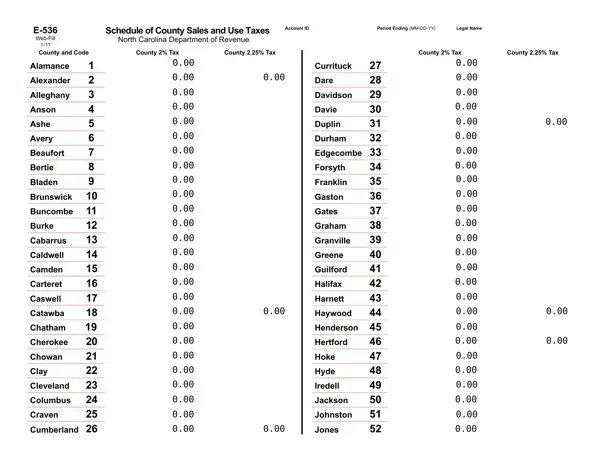

Form E-536 at a glance
What it is: Form E-536 is the Web-Fill Schedule of County Sales and Use Taxes with the County Breakdown of Tax Reported on E-500 Lines 8, 9, & 10.
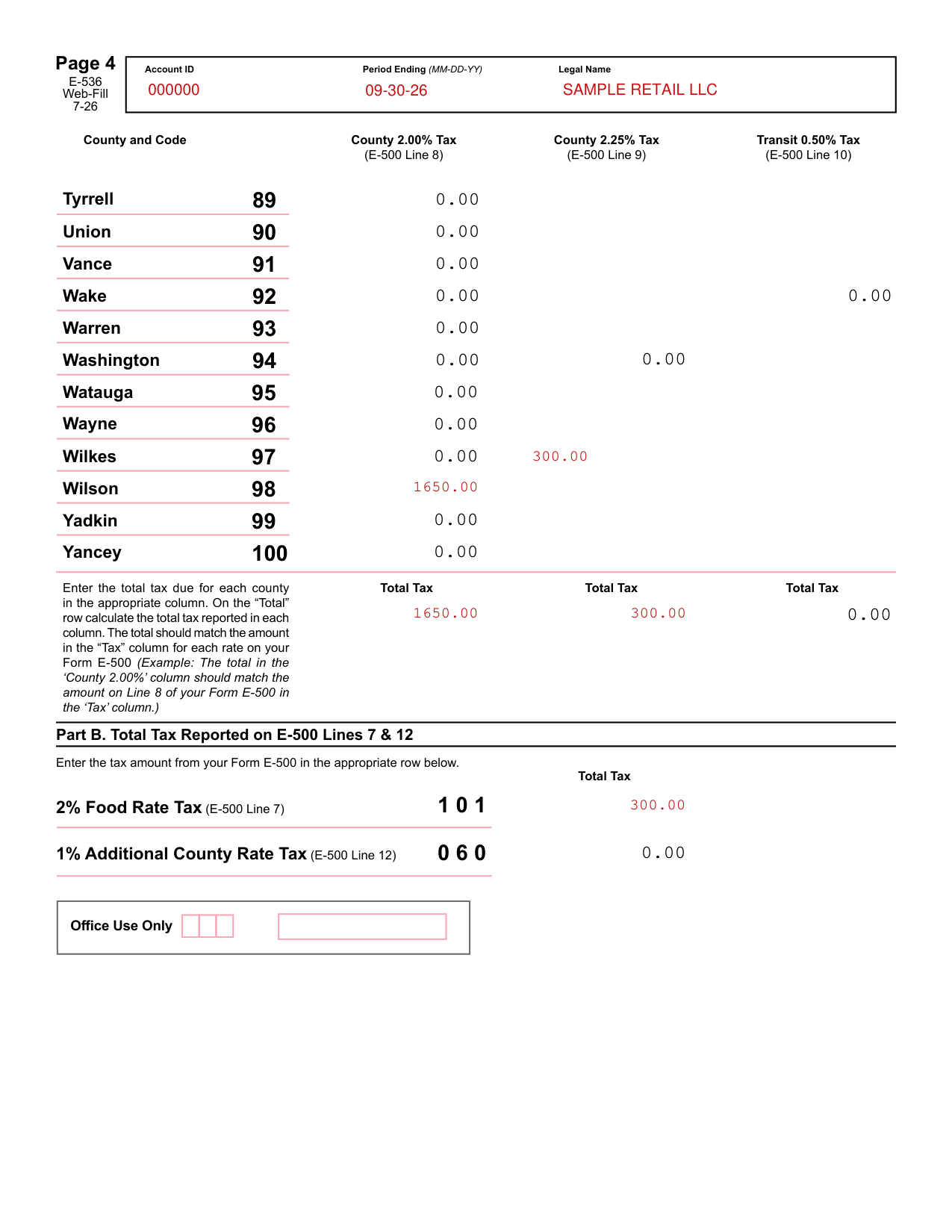
A filled-in Form E-536 example: a retailer lists two counties
How to fill out Form E-536, box by box
Account ID, Period Ending and Legal Name
Enter the Period Ending (MM-DD-YY), the Account ID and the Legal Name.
Part A. County Breakdown of Tax Reported on E-500 Lines 8, 9, & 10
Enter the total tax due for each county in the appropriate column: County 2.00% Tax (E-500 Line 8), County 2.25% Tax (E-500 Line 9) and, where the county has it, Transit 0.50% Tax (E-500 Line 10). On the “Total” row calculate the total tax reported in each column.
Check that the total matches the amount in the “Tax” column for each rate on your Form E-500. Example: The total in the ‘County 2.00%' column should match the amount on Line 8 of your Form E-500 in the ‘Tax' column.
Part B. Total Tax Reported on E-500 Lines 7 & 12
Enter the tax amount from your Form E-500 in the appropriate row: 2% Food Rate Tax (E-500 Line 7) or 1% Additional County Rate Tax (E-500 Line 12).
Completing the PDF
You complete the PDF
Save the PDF to your computer.
Use the latest version of Adobe Acrobat Reader to complete the form.
Use the print icon on the form to ensure you have completed all required fields.
Set the page scaling to “none.” The Auto-Rotate and Center checkbox should be unchecked.
Common mistake: Do not handwrite any information.
Common mistake: Do not use commas when entering amounts.
Common mistake: Do not use brackets for negative numbers. Use a minus sign to show the amount is negative.
Common mistake: Do not select “print on both sides of the paper.”
Common mistake: Do not mix form types.
Common mistake: Do not submit photocopies of returns. Submit original returns only.
Sources
[1] Form E-536 (Web-Fill 7-26), Schedule of County Sales and Use Taxes, North Carolina Department of Revenue (the Official source link on this page).