

Form H1200-EZ at a glance
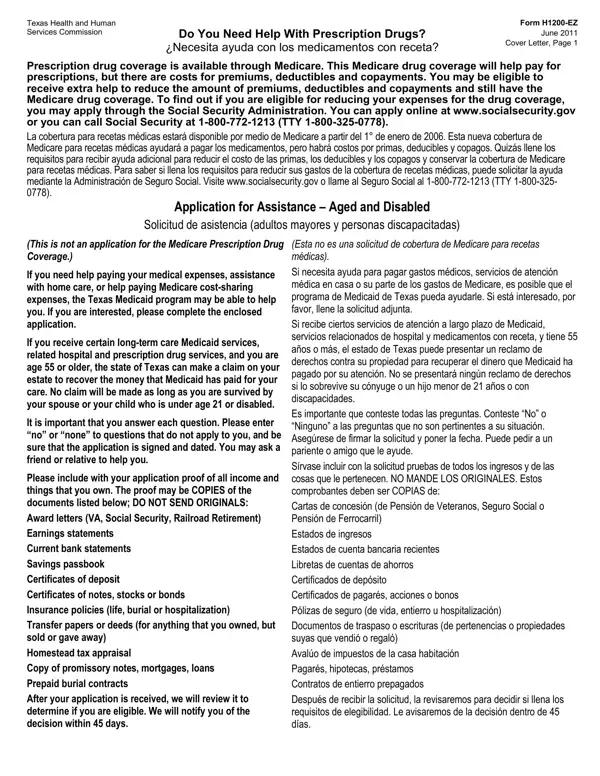
What it is: Form H1200-EZ is the August 2026 Application for Assistance, Aged and Disabled.
Who signs: The application should be signed by the applicant and his or her spouse, the guardian, power-of-attorney or responsible party.
Where and when to file: Mail the completed application in the attached envelope.
What to bring and attach to Form H1200-EZ
Include proof of all income and things that are owned with the application.
Do not send originals.
The proof may be copies of award letters such as VA, Social Security and Railroad Retirement; your last three bank statements; savings passbook; certificates of deposit; certificates of notes, stocks or bonds; insurance policies such as life, burial and hospitalization; transfer papers or deeds for anything that was sold or given away within the past 60 months; and prepaid burial contracts.
Copies of earnings statements, homestead tax appraisal, and promissory notes, mortgages, loans.
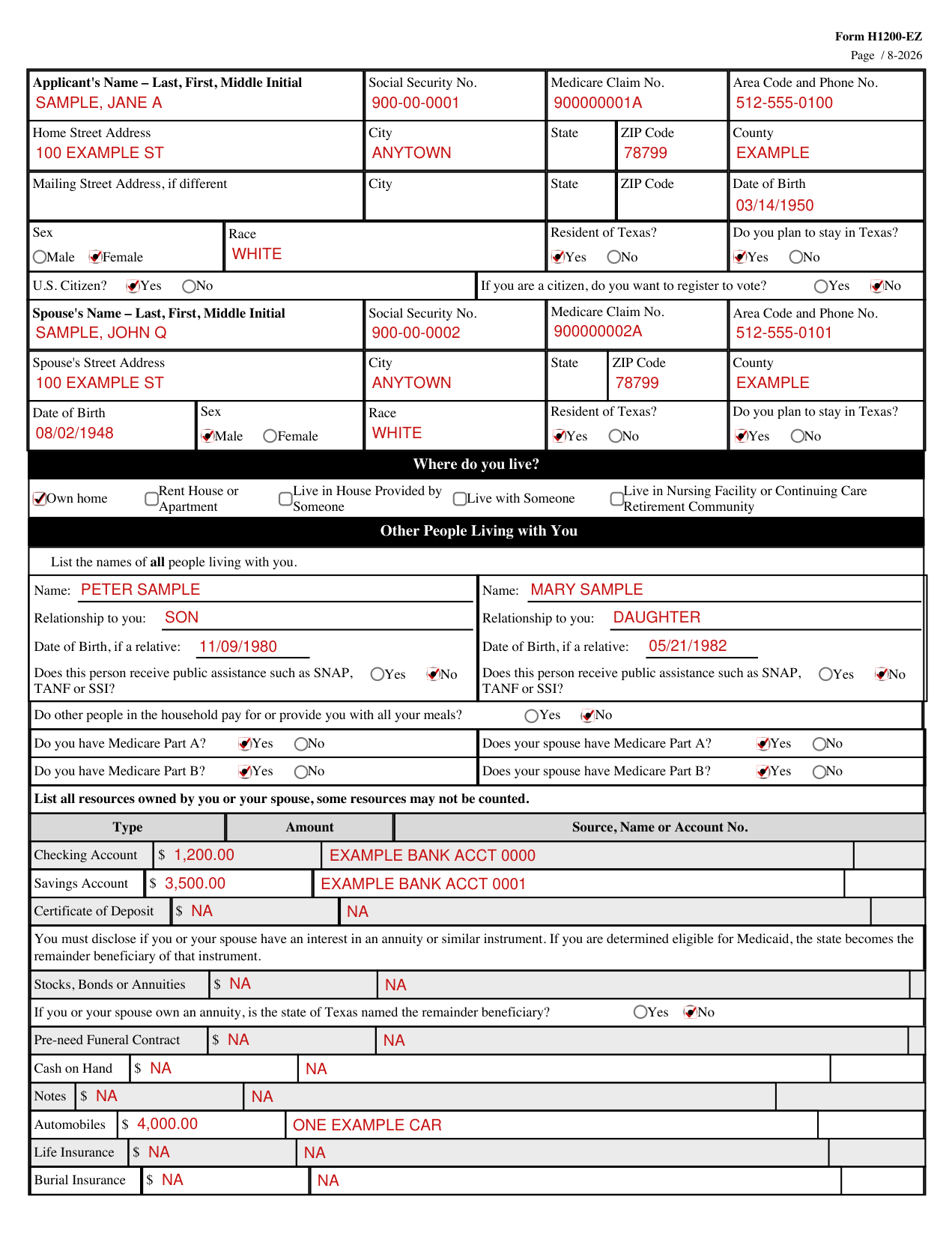
A filled-in Form H1200-EZ example: a married couple who own their home
How to fill out Form H1200-EZ, box by box
Applicant
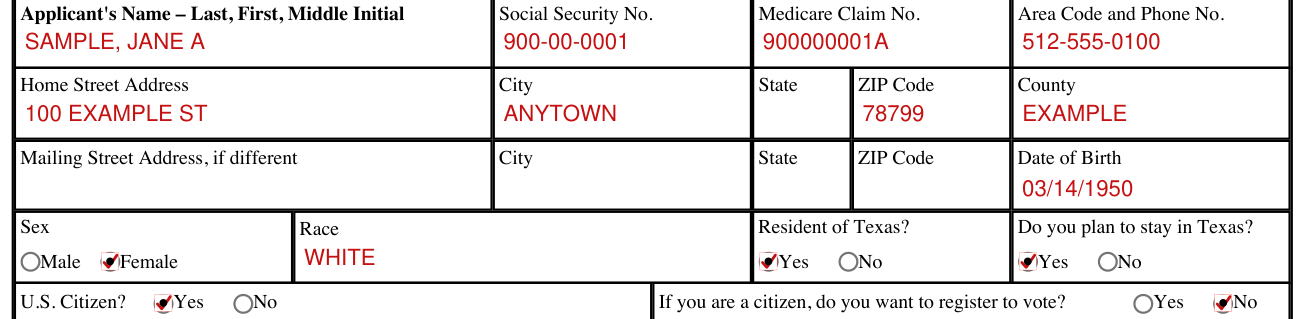
Enter the Applicant's Name (Last, First, Middle Initial), Social Security No., Medicare Claim No. and Area Code and Phone No.
Enter the Home Street Address, City, State, ZIP Code and County.
Enter the Mailing Street Address, City, State and ZIP Code if different, and the Date of Birth.
Mark the Sex: Male or Female.
Enter the Race. Mark Yes or No for "Resident of Texas?" and for "Do you plan to stay in Texas?"
Mark Yes or No for "U.S. Citizen?" If you are a citizen, mark Yes or No for "do you want to register to vote?"
Spouse

Enter the Spouse's Name (Last, First, Middle Initial), Social Security No., Medicare Claim No., Area Code and Phone No., Street Address, City, State, ZIP Code, County, Date of Birth, Race and Sex: Male or Female. Mark Yes or No for "Resident of Texas?" and "Do you plan to stay in Texas?"
Where do you live?

Check the box for where you live: Own home, Rent House or Apartment, Live in House Provided by Someone, Live with Someone, or Live in Nursing Facility or Continuing Care Retirement Community.
Submit copy of admission contract if living in a Continuing Care Retirement Community.
Other People Living with You

List the names of all people living with you. For each person, enter the Name, the Relationship to you and the Date of Birth, if a relative, and mark Yes or No for "Does this person receive public assistance such as SNAP, TANF or SSI?"
Mark Yes or No for "Do other people in the household pay for or provide you with all your meals?"
Medicare Part A and Part B

Mark Yes or No for Medicare Part A and Medicare Part B, for you and for your spouse.
Resources
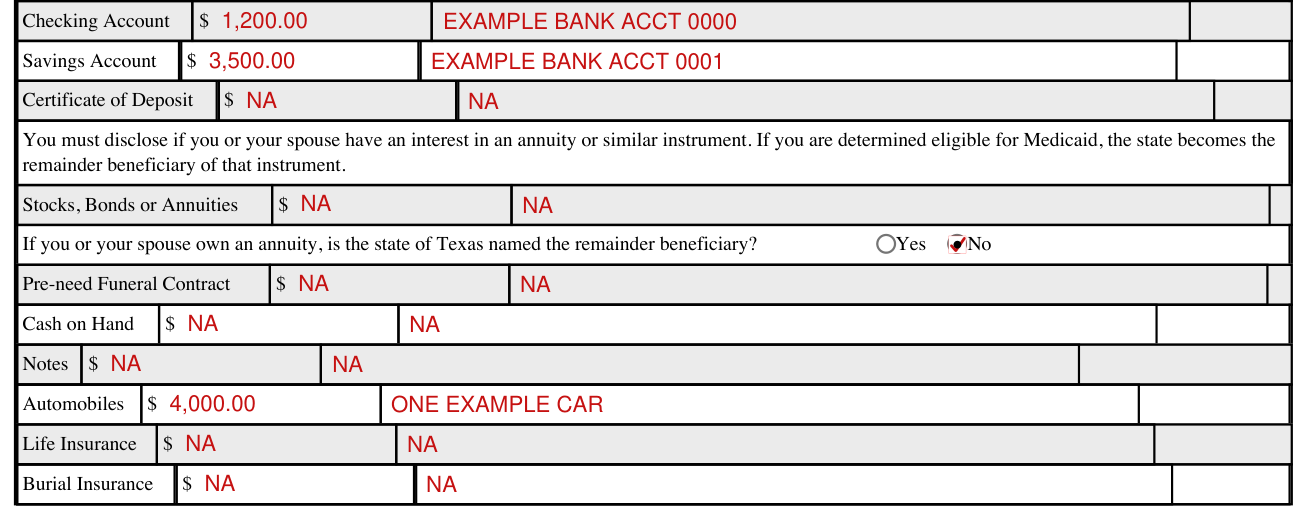
List all resources owned by you or your spouse, some resources may not be counted. For each Type, enter the Amount and the Source, Name or Account No.
You must disclose if you or your spouse have an interest in an annuity or similar instrument. If you are determined eligible for Medicaid, the state becomes the remainder beneficiary of that instrument.
If you or your spouse own an annuity, mark Yes or No for "is the state of Texas named the remainder beneficiary?"
Health or Hospitalization Insurance
Mark Yes or No for "Are you now covered or have you been covered during the past year by any insurance that is not Medicaid or Medicare, paid by you or someone else?" If Yes, enter the Name of Insurance Company, Policy No., Address of Insurance Company and Beginning Coverage Date.
Income
List all Income Available to You or Your Spouse. Some incomes may not be counted. For each Type of Income, enter the Applicant's Monthly Gross and Source and the Spouse's Monthly Gross and Source.
Person Completing Form
Enter the Name of Person Completing Form, if not client, the Relationship to Client, the Home Area Code and Phone No., the Work Area Code and Phone No. and the Street Address, City, State and ZIP Code.
Register to Vote
If you are not registered to vote where you live now, mark Yes or No for "would you like to apply to register to vote here today?"
If you do not check either box, it is determined that your decision is to currently not register to vote.
Penalty Statement
My answers to all the questions and statements I made, are true and correct to the best of my knowledge and belief.
I understand that if I get or help another person get, medical assistance by fraudulent means, I may be charged with a state or federal offense. I may also be held liable for any repayment of benefits fraudulently obtained.
I will let HHSC know within 10 days of any changes that could affect my eligibility. This includes changes in income, resources, living arrangement, property holdings or insurance, including health insurance premiums.
What you are advised and understand
I was advised and understand that my estate will be required to repay the cost of certain long-term care services and any related hospital and prescription drug services, if there is not a valid reason for exclusion.
Asset Verification Consent
I know that my signature on the application lets the HHSC get facts about things I own including money from banks, credit unions, or other financial institutions. This is so HHSC can decide if I can get Medicaid.
Signatures
Be sure this form is signed and dated before it is returned.
Sign on the Signature (Client) line and the Signature (Spouse) line, each with its Date. A responsible party signs on the Signature (Responsible Party) line with its Date and enters the Relationship to Client.
If the client cannot sign their name, two witnesses to the client making their mark (X) must sign on the lines Signature (Witness) with its Date and Signature (Responsible Party) with its Date.
More rules for Form H1200-EZ
Common mistake: Each question on the application form must be answered. Enter no, or NA for not applicable, to questions that do not apply. A question that is left blank is considered unanswered.
Prescription drugs and after the application is received
Do You Need Help with Prescription Drugs?
The attached application is not an application for the Medicare Prescription Drug Coverage.
After the application is received
After the application is received, it will be reviewed to determine eligibility. A face-to-face interview is usually not required. You will be notified of the decision within 45 days.
Common questions about Form H1200-EZ
Where do I file it?
Mail the completed application in the attached envelope.
Where to get help with Form H1200-EZ
Call 2-1-1 with any questions about the application. Call 877-541-7905 if you can't call 2-1-1 on your phone. Call 7-1-1, or 800-735-2989 if you are deaf, hard of hearing or speech impaired.
You may ask a friend or relative to help you.
Sources
[1] Form H1200-EZ (August 2026), Application for Assistance, Aged and Disabled, Texas Health and Human Services Commission (the Official source link on this page).