
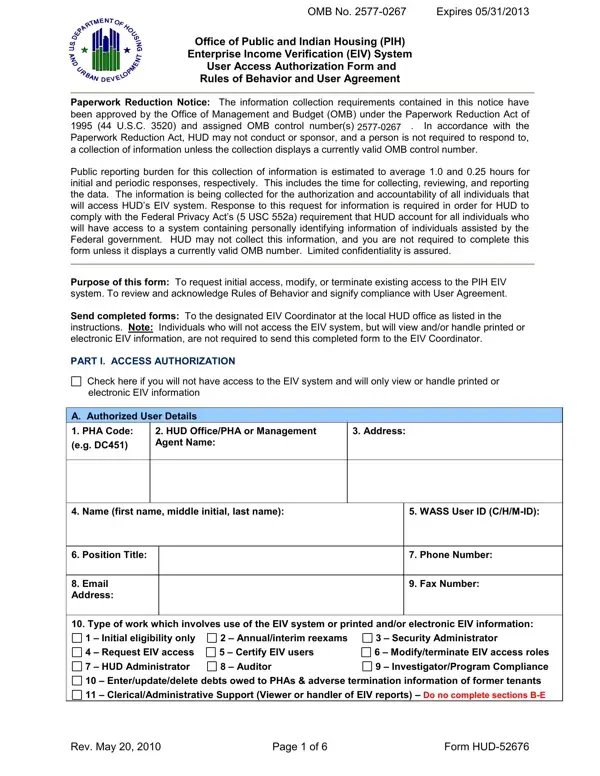

Form HUD-52676 at a glance
What it is: Form HUD-52676 is the Office of Public and Indian Housing (PIH) Enterprise Income Verification (EIV) System User Access Authorization Form and Rules of Behavior and User Agreement.
Where and when to file: Send completed forms to the designated HUD EIV Coordinator at the local HUD office as listed in the instructions. Individuals who will not access the EIV system but will view and/or handle printed or electronic EIV information are not required to send this completed form to the HUD EIV Coordinator.
Use this form to request, modify, or terminate access to the PIH EIV system, and to review and acknowledge Rules of Behavior and signify compliance with User Agreement.
Complete this form each time an individual requests initial access to the PIH EIV System, or a user's access is to be modified, reinstated or terminated. Any individual who will not access the EIV System but will view and/or handle printed or electronic EIV information must also complete it.
What to bring and attach to Form HUD-52676
You must have a WASS user ID in order to access the EIV system. If you do not have a WASS ID, you may register for one online.
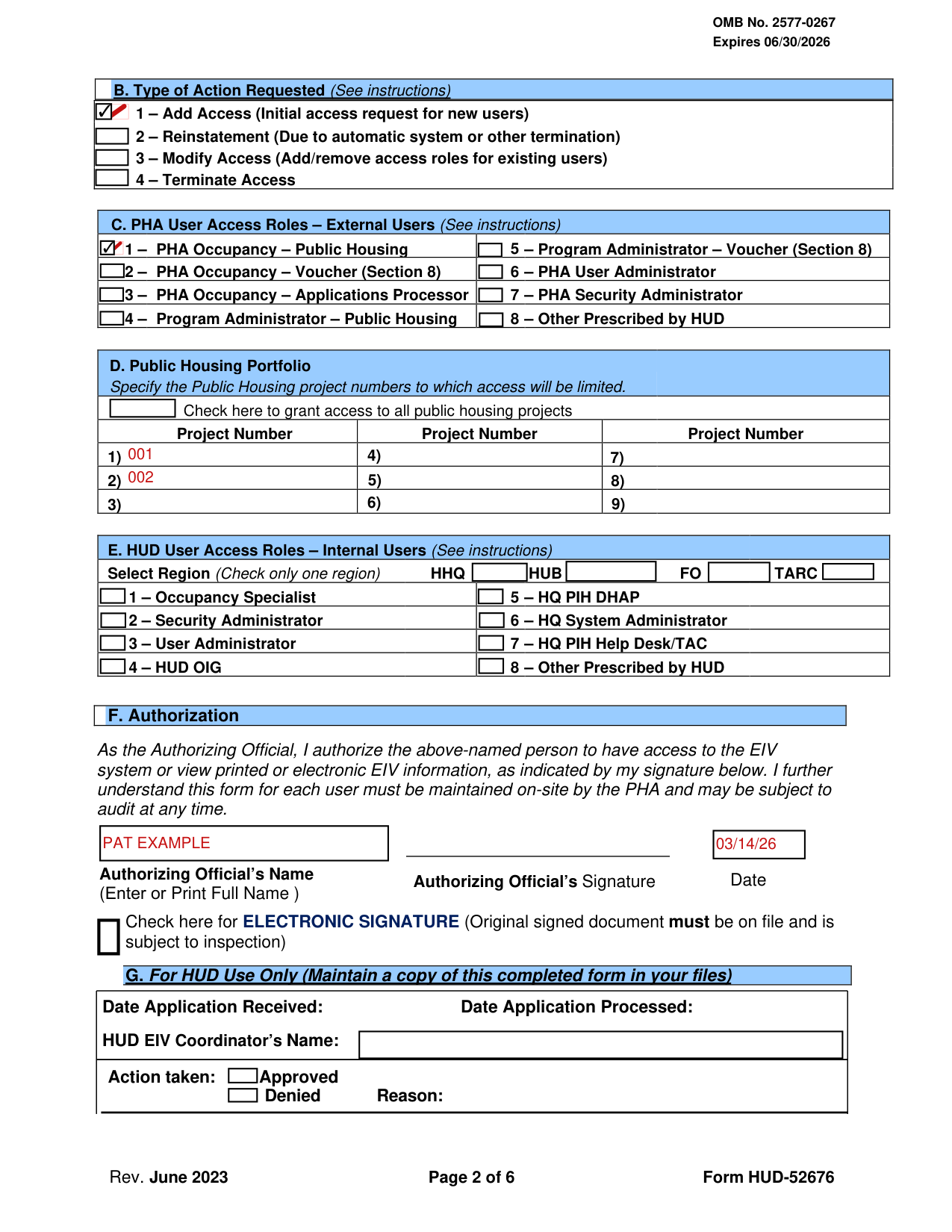
A filled-in Form HUD-52676 example: a PHA employee requests access to the EIV system
How to fill out Form HUD-52676, box by box
Section A, Authorized User Details
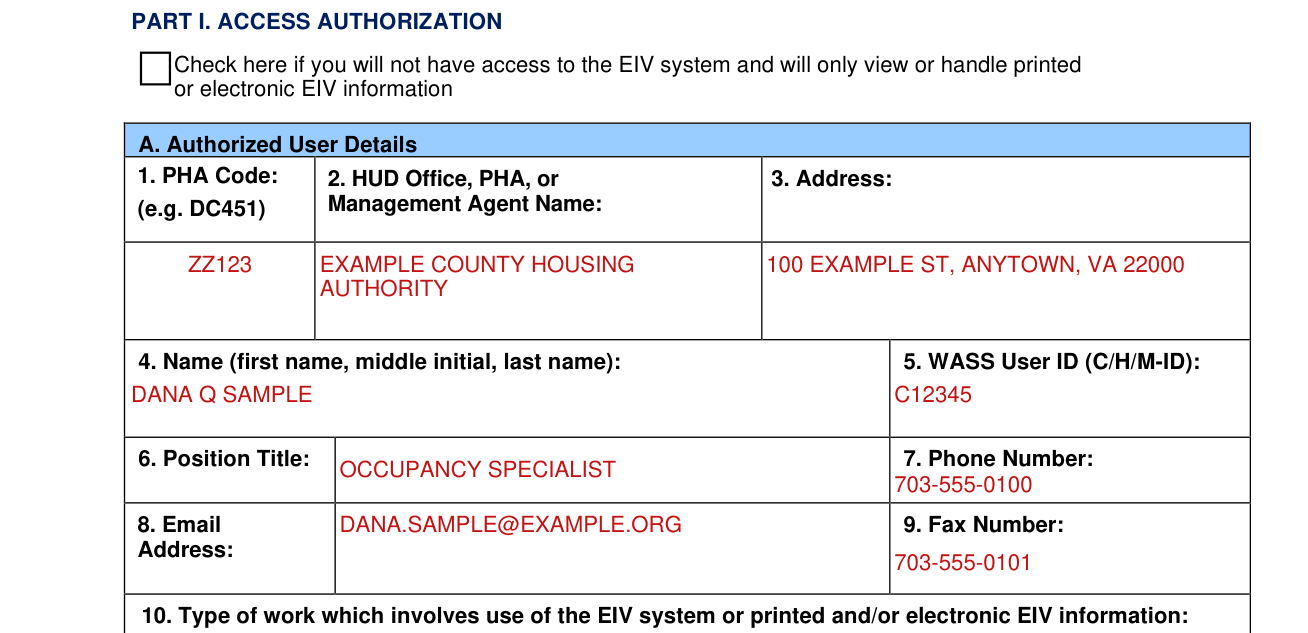
Enter your Public Housing Agency's code. The code consists of two alpha and three numeric characters. For example, DC451.
Public Housing Agencies should enter complete agency name. Do not use abbreviations. For example, District of Columbia Housing Authority, not DCHA.
Management Agents hired by the Public Housing Agency should enter their complete company name. For example, District Realty Company.
In Address, enter complete mailing address.
In Name, enter complete first name, middle initial and last name.
Enter your HUD-assigned WASS (Web Access Security Subsystems) user ID. This number consists of 6 alpha and numeric characters and begins with the letter C, H, or M.
Enter your position title. Do not use abbreviations.
Enter your complete telephone number and include extension, if applicable.
Enter your complete business email address.
Enter your fax number.
Type of work, box 10

Select the type of work which involves the use of the EIV system. Check all that apply.
The types of work are: 1, Initial eligibility only; 2, Annual/interim reexams; 3, Security Administrator; 4, Request EIV access; 5, Certify EIV users; 6, Modify/terminate EIV access roles; 7, HUD Administrator; 8, Auditor; 9, Investigator/Program Compliance; 10, Enter/update/delete debts owed to PHAs & adverse termination information of former tenants; 11, Clerical/Administrative Support (Viewer or handler of EIV reports).
If box 11 is selected, do not complete Sections B-E.
Section B, Type of Action Requested

Check box 1, Add Access, to add EIV access for initial access requests for new users.
Check box 2, Reinstatement, to reinstate EIV access for an individual who had access but was terminated as a result of either an automatic system or other type of termination.
Check box 3, Modify Access, to modify (add or remove) an existing user's EIV role assignments or public housing development assignments.
Check box 4, Terminate Access, to terminate an existing user's access.
Section C, PHA User Access Roles (External Users)

Based on the user's business needs, select the appropriate role(s) for the user.
Check box number 1 in Section C, if you work with Public Housing families and checked box number 2, 8, or 9 in Section A, Item 10.
Check box number 2 in Section C, if you work with Section 8 families and checked box number 2, 8, or 9 in Section A, Item 10.
Check box number 4 in Section C, if your Executive Director, or designee has authorized you to only enter debt and termination information of former Public Housing tenants into EIV and you checked box number 10 in Section A, Item 10.
Check box number 5 in Section C, if your Executive Director, or designee has authorized you to only enter debt and termination information of former Section 8 tenants into EIV and you checked box number 10 in Section A, Item 10.
Check box number 6 in Section C, if you checked box number 4, 5, or 6 in Section A, Item 10.
Check box number 7 in Section C, if you checked box number 3 in Section A, Item 10.
If the type of action requested (in Section B) is Modify Access, the user should check both previously assigned roles and new roles to be assigned to the user's ID.
If you select 1 and 2, 8, and/or 9 in Section A.10, you do not check box 3 in Section C.
If you select 3 and 4, 5, and/or 6, do not check both boxes 6 and 7 in Section C, unless you are a PHA with combined (Public Housing & Section 8) unit count of 250 or less. Otherwise, you may only check one box, 6 or 7 in Section C.
Section D, Public Housing Portfolio

Section D, Public Housing Portfolio, applies to only PHA users.
List the designated AMP numbers to be assigned to the user ID.
If the user is authorized to access income data of all public housing tenants, check the checkbox in this section.
Section E, HUD User Access Roles (Internal Users)

Select Region (Check only one region): HHQ, HUB, FO or TARC.
Section F, Authorization
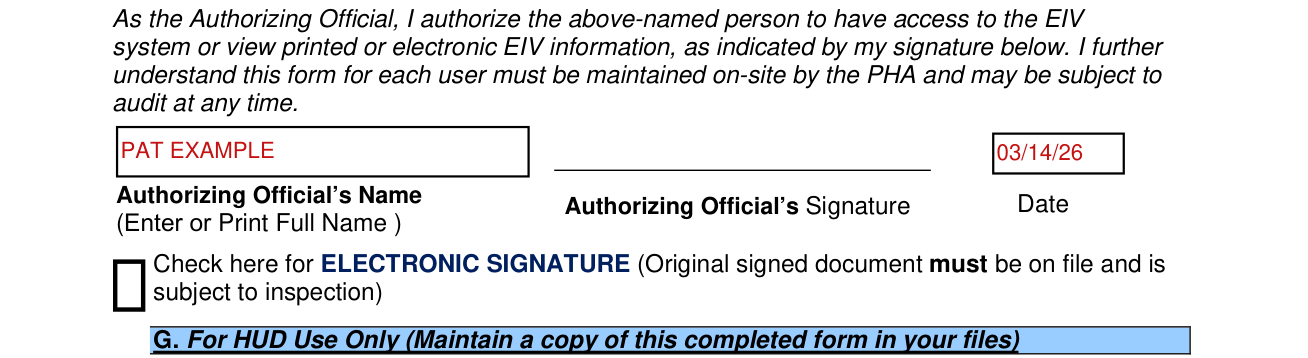
The Authorizing official or designee is required to sign and date this form to authorize a user's access request to access the EIV system or ability to view and/or handle printed or electronic EIV data.
PHAs - The Executive Director or his/her designee must sign and date this form for all PHA staff and PHA-hired management agents.
In Section F, enter or print the Authorizing Official's full name, and enter the Date.
In Section F and in Part III, check here for ELECTRONIC SIGNATURE. Original signed document must be on file and is subject to inspection.
Section G, For HUD Use Only

Section G, For HUD Use Only, is to be completed by the designated EIV coordinator in the local HUD office.
Part III, User Agreement
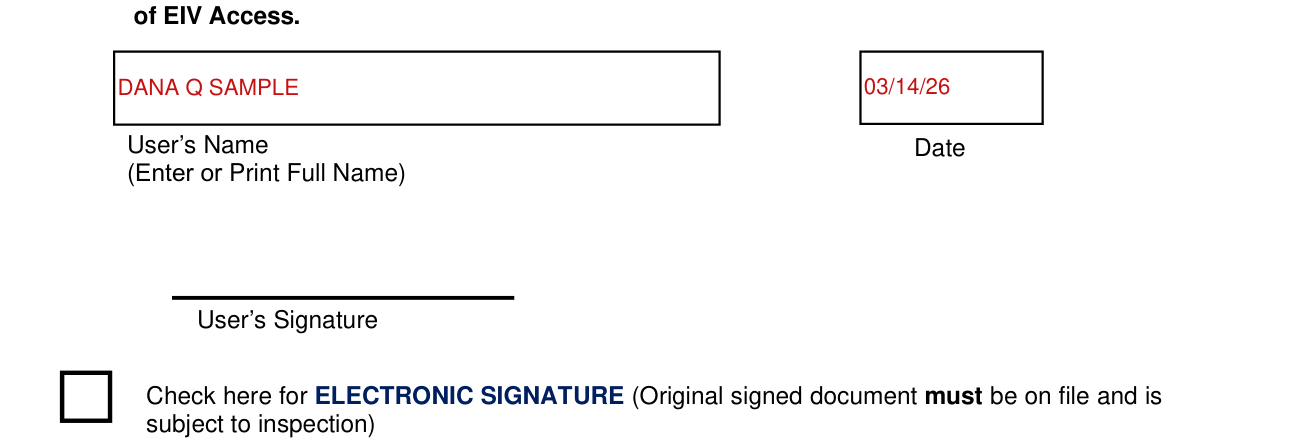
Each user who requests access to and will use the EIV system and any individual who will not access the EIV system but will view and/or handle printed or electronic EIV information is required to read all elements of Part II, Rules of Behavior.
In Part III, you certify that you have: 1. participated in the initial PIH EIV system training, and 2. within the past twelve (12) months the security awareness training, and 3. you agree to participate in annual security awareness training and 4. periodic PIH-EIV system training as required by HUD.
Failure to provide this certification or participate in training will result in denial or discontinuation of EIV Access.
In Part III, enter or print the User's Name in full, and enter the Date.
If your situation is different
If you will not have access to the EIV system
Check the box in Part I, Check here if you will not have access to the EIV system. Do not complete sections B - E. Maintain the complete form on file.
Fax, email, or mail the completed form
Do not forward this form to HUD Headquarters in Washington, DC. Only your local HUD office can process your form.
Only typewritten forms will be accepted.
You may fax, email, or mail the completed form to the U.S. Department of Housing and Urban Development in your region.
Required Training
Individuals who will not access the EIV system, but will view and/or handle printed or electronic EIV information are required to participate in only the annual Security Awareness training.
Failure to comply with the Rules of Behavior will result in sanctions
Failure to comply with the Rules of Behavior will result in sanctions. Sanctions may include temporary suspension of system access or permanent termination of all access rights.
Sources
[1] Form HUD-52676 (Rev. June 2023), Office of Public and Indian Housing (PIH) Enterprise Income Verification (EIV) System User Access Authorization Form and Rules of Behavior and User Agreement, U.S. Department of Housing and Urban Development (the Official source link on this page).