
Form I 17 PDF Details

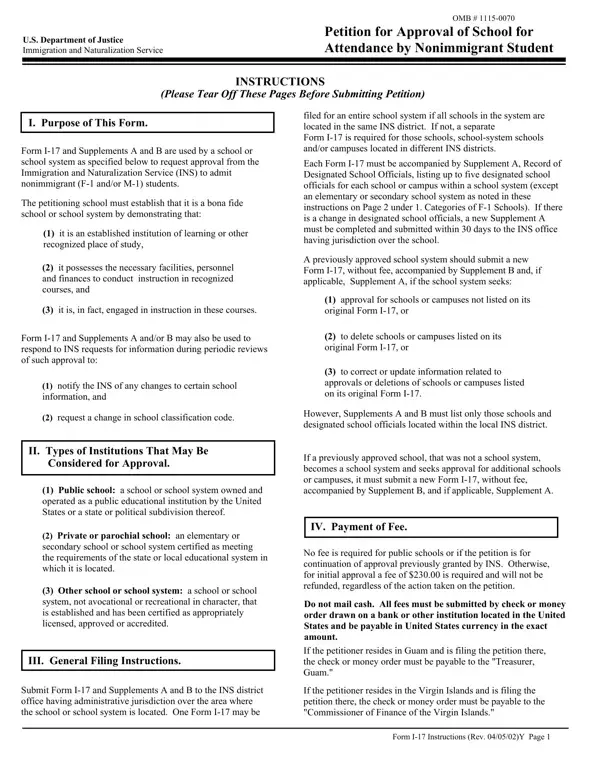
In an era where education knows no borders, the Form I-17 emerges as a critical document in the intricate dance of international academia. Crafted by the U.S. Department of Justice Immigration and Naturalization Service, this form serves as a petition for schools desiring to welcome nonimmigrant students, specifically those classified under F-1 and M-1 visas. Beyond its purpose, the Form I-17 encapsulates an extensive verification process, ensuring that institutions meet the stringent criteria of being genuine establishments of learning. These specifications include, but are not limited to, demonstrating the possession of adequate facilities, personnel, and financial resources necessary for providing recognized courses of instruction. It’s intriguing to note that the application process is tailored to include both Supplements A and B, addressing periodic reviews and modifications of a school’s status. The institutions eligible to apply span from public schools, owned and operated by governmental entities, to private or parochial schools, buttressed by state or local accreditation. This criterium extends further to encompass schools specializing in vocational or non-academic training, provided they meet certain licensing or accreditation standards. General filing instructions delineate a no-fee policy for public schools, contrasting with a required fee for others seeking initial approval. The execution of the petition varies by category of institution, each necessitating a comprehensive compilation of supporting documents. These range from certifications of ownership and operation by public entities or compliance with state education systems for private schools, to detailed catalogues illustrating a school’s physical and academic infrastructure. The culmination of this rigorous process aims at ensuring that institutions not only offer genuine instructional courses but also maintain sufficient class hours to fulfill full course study regulations. It underscores a commitment to educational integrity, ensuring that nonimmigrant students step into environments conducive to their academic and professional growth. The Form I-17, thus, stands not just as a bureaucratic requirement, but as a testament to the standards and expectations upheld within the U.S. educational landscape for international students.

QuestionAnswer
Form NameForm I 17
Form Length11 pages
Fillable?No
Fillable fields0
Avg. time to fill out2 min 45 sec
Other namesi 17 petition for approval of school for attendance by nonimmigrant student form

How to Edit Form I 17 Online for Free

Any time you wish to fill out Form I 17, you won't need to download any sort of programs - just make use of our PDF editor. Our editor is consistently evolving to provide the best user experience attainable, and that's thanks to our commitment to continuous improvement and listening closely to user feedback. Here is what you'd have to do to get started:

Step 1: Hit the orange "Get Form" button above. It is going to open up our pdf editor so that you could start filling out your form.

Step 2: As you access the online editor, you will see the form prepared to be filled in. Aside from filling out various blank fields, you could also do several other actions with the PDF, namely putting on custom words, editing the original text, adding images, signing the form, and more.

In order to finalize this PDF form, ensure you provide the information you need in every single field:

1. It is advisable to fill out the Form I 17 correctly, hence be attentive while working with the sections that contain all these blank fields:

Filling in part 1 of Form I 17

2. Soon after performing the previous part, head on to the next stage and fill out all required details in all these blanks - Semesters, Trimesters, Quarters Other explain, Provide the date and month, If there is no beginning, Date school was established ie, Location of school if different, Name address and telephone number, Petition is for, Initial approval, Continuation of approval Please, i Date of original approval, The school operates under the, The school has been approved by, and ii INS school code.

Step no. 2 in filling in Form I 17

In terms of Initial approval and Date school was established ie, ensure that you don't make any mistakes in this current part. These are considered the most significant fields in this file.

3. The following step is all about Received, RetdTrans Out, Trans In, Completed, Continued on next page, and Form I Rev Y Page - complete every one of these fields.

Part no. 3 in filling out Form I 17

4. This next section requires some additional information. Ensure you complete all the necessary fields - Nature of subject matter taught, Liberal Arts ie those fields of, Fine Arts ie those that exist, Professional Studies eg, Religious, Language, Vocational or Technical Training, Other Explain, List the degrees available from, Check as appropriate and explain, If the school is engaged in, does, does not, qualify its graduates for, and schools of higher educational level - to proceed further in your process!

Part no. 4 for submitting Form I 17

5. To conclude your form, the particular subsection features a few additional fields. Completing divinity degrees, Its degrees, are, are not, transferable to institutions of, If the school is engaged in, does, does not qualify its graduates for, Sessions are held as follows a, Day only, Night only c, Day and night, Requirements for admission, Courses of study and time, and Requirements for graduation is going to wrap up the process and you're going to be done very fast!

Part no. 5 for completing Form I 17

Step 3: Reread everything you have typed into the form fields and then click the "Done" button. After registering a7-day free trial account with us, you will be able to download Form I 17 or email it immediately. The PDF document will also be at your disposal through your personal account menu with your edits. FormsPal ensures your data privacy with a secure system that in no way saves or shares any sort of sensitive information used in the file. Be assured knowing your documents are kept safe any time you use our editor!