
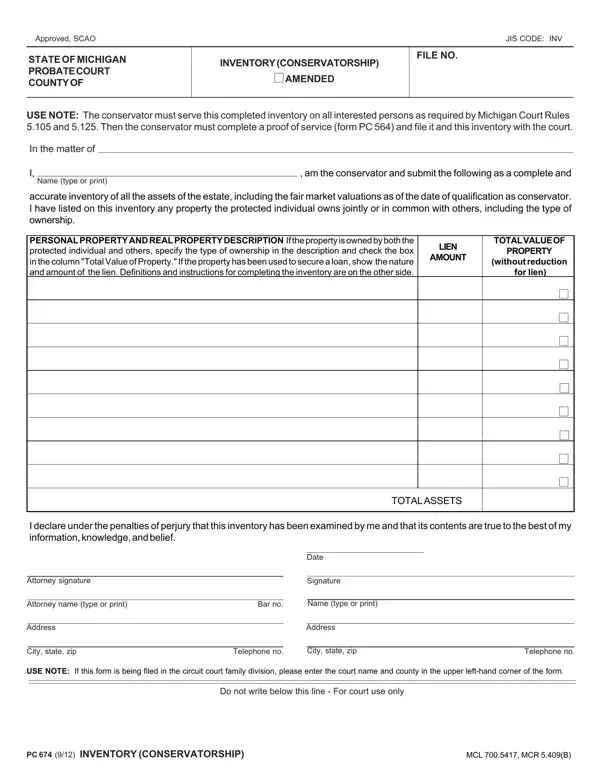
When someone is appointed as a conservator, they are tasked with the responsibility of managing another person’s financial affairs due to incapacity or disability. In Michigan, one critical step in this role involves completing the PC 674 form, an Inventory for Conservatorship. This form serves as a comprehensive list detailing all assets within the estate of the person being looked after. From real estate to personal belongings, every item and its fair market value as of the conservator's appointment date must be recorded. It's crucial for the conservator to also note any assets that are co-owned, specifying the nature of this shared ownership, and whether any items listed have been used as collateral for a loan. Beyond its role in documentation, the PC 674 form is essential for maintaining transparency among all interested parties, necessitating its sharing followed by a formal Proof of Service submission. This ensures everyone entitled gets a clear picture of the protected individual’s financial standing, fostering a sense of accountability and trust in the conservatorship process. Instructions provided alongside the form guide conservators on correctly cataloging both real and personal property, mention of potential appraisal requirements, and emphasize the importance of detailing debts against the estate, making it an indispensable tool in the caretaking toolkit.
| Question | Answer |
|---|---|
| Form Name | Form Pc 674 |
| Form Length | 2 pages |
| Fillable? | No |
| Fillable fields | 0 |
| Avg. time to fill out | 30 sec |
| Other names | michigan form inventory, pc 674, pc scao, pc674 |