Please rate Horse Training Contract

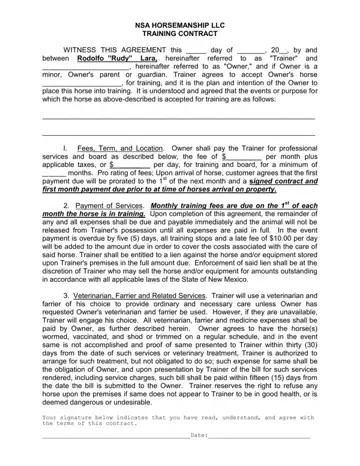
Entering into a horse training contract is a significant step for horse owners, encapsulating a broad scope of terms that outline the responsibilities and expectations for both the trainer and the owner. Under the careful guidance of NSA Horsemanship LLC, and led by Rodolfo “Rudy” Lara, the contract is comprehensive, addressing logistics such as fees, duration, care standards, and the specific training to be provided. It meticulously details payment obligations, including how fees are calculated on a monthly or daily basis, late payment penalties, and the conditions under which a lien might be placed against the horse for unpaid expenses. The agreement doesn't shy away from the realities of equine care, mandating arrangements for veterinary and farrier services, and explicitly stating how emergencies and unforeseen events, such as the illness or death of the horse, will be handled. Importantly, it outlines the standard of care provided, the assumption of risk by the horse owner, and the protocols for any potential legal claims. Beyond the essentials of training and care, it also touches on additional provisions like the right of lien for unpaid accounts, the storage of personal property on the trainer’s premises, and even the use of media involving the horse. Furthermore, it encourages regular owner visits to gauge the horse's progress, underscoring the collaborative spirit of the training engagement. This contract not only aims to protect the interests of both parties involved but also ensures the welfare and proper management of the horse throughout its training journey.
| Question | Answer |
|---|---|
| Form Name | Horse Training Contract |
| Form Length | 7 pages |
| Fillable? | No |
| Fillable fields | 0 |
| Avg. time to fill out | 1 min 45 sec |
| Other names | horse training agreement contract, trainer horse agreement, horse training contract template, horse trainer contract |
Horse Training Contract isn’t the one you’re looking for?
Please rate Horse Training Contract
