
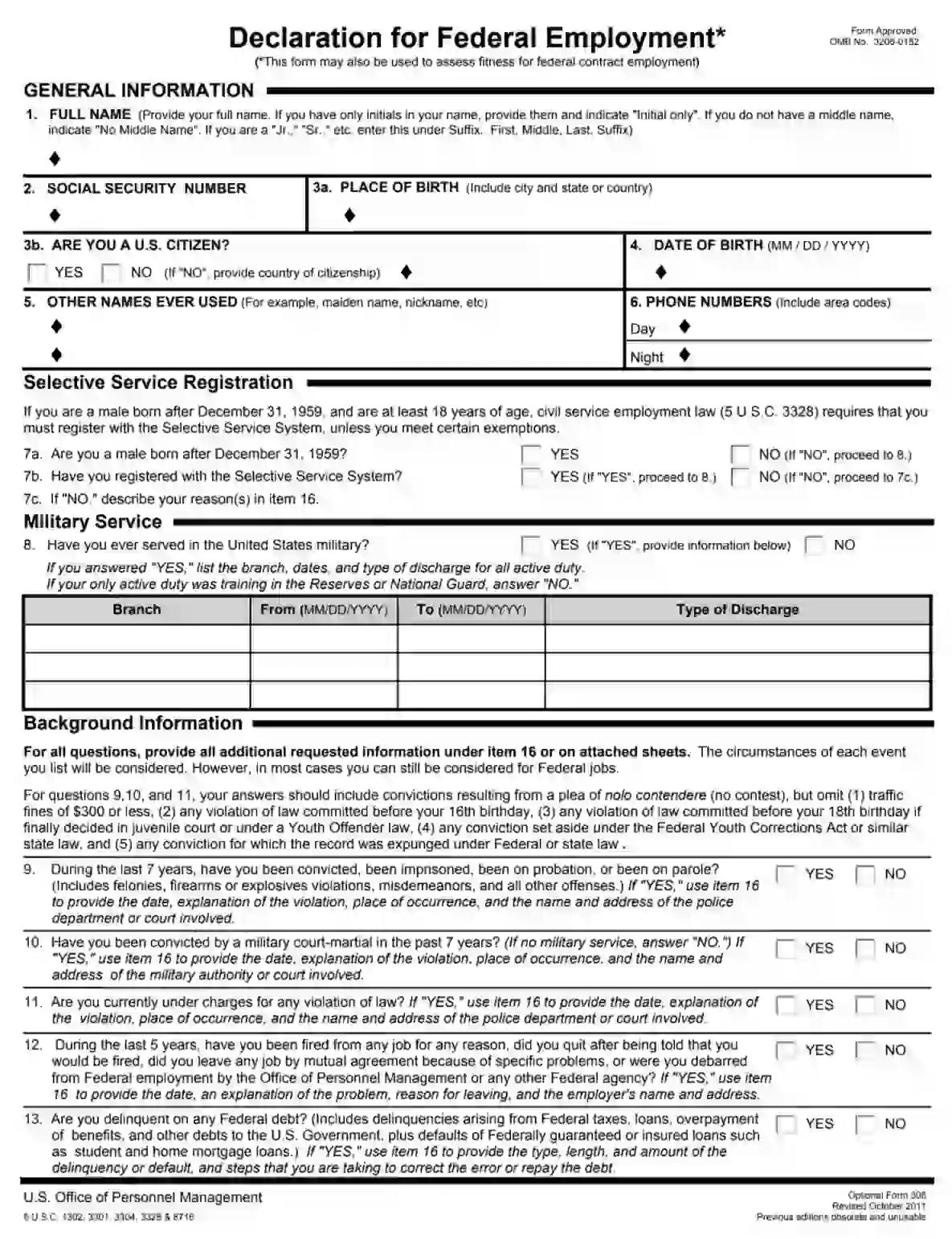
OPM Optional Form 306 is a standard form used by candidates applying for federal employment or federal contract roles to declare their eligibility and suitability for the position. This form collects comprehensive personal information, including full name, Social Security number, citizenship status, military service, and background details such as past convictions or terminations from employment. It also inquires about potential conflicts of interest through questions about relatives working in the federal government. The purpose of the form is to assess a candidate’s fitness for federal employment, ensuring compliance with federal hiring standards and regulations.
Other Employment Forms
Look at some other employment forms available for editing through our software. Besides that, keep in mind that you can actually upload, fill out, and edit any PDF document at FormsPal.
The OF-306 contains comprehensive data about the applicant, short instructions, and privacy policy. Make sure you read the paragraphs attentively to avoid problems during the employment process. If you get appointed for the position during the application procedure, please, adjust the submitted data.
We empower you to generate and download the respected OF-306 template using our latest software. Fill in the document online instantly or print it out and complete the form manually. Please, remember to either use dark ink or type the letters in black.
The declarants should identify themselves by entering the general info in the corresponding lines. Here, you need to define the following:
Please note that abbreviated addresses and the absence of ZIP may slow down the appointment procedure.

Conclude the first part of the OF-306 template by submitting your contact phone number.

This section covers question 7 (a, b, c). Only men of 18 years and older but born after December 31, 1959, shall complete it. Answer the questions by selecting the appropriate alternative.
Ladies should skip this unit and proceed to the next question instantly.

Here, you should select one of the two variants. If you do have any military background, please, enter the required data in the table. You should enter the following:
In case you have never been enlisted, checkbox the “No” option and proceed to the next section.

Here, the declarant should answer suggested “Yes” or “No” questions and specify details upon the request.

You may use the additional space under unit 16 or submit the inquired data in attachments.

If you decide to use extra sheets, select traditional letter sheets of 8,5 x 11 inches, number every piece, and include your name and SSN.
In unit 14, you should answer whether your relatives are currently employed by any governmental organizations. Should you reply “Yes,” provide additional info in the Additional Space section.

Unit 15 requires data about any kind of pension you receive or have applied for. Please check the box with the applicable variant.

To authorize the document, you need to append the signature and enter the current calendar date. The signature should be executed in ink only. It is advisable that you re-read the paper before endorsing the document. It will protect you from potential mistakes and ensure the data reported is up to date.
This unit provides two alternatives: 17a for applicants and 17b for appointees. While applying for the position, you should select the “Applicant’s Signature” section and place your signature.
If you have already been assigned for the position, you should find the “Appointee’s Signature” line and complete certification. It is vital not to sign this section until approved for the position. After getting hired, the declarant needs to check the document once again and append the appointee’s signature only if everything is true-to-fact. Should anything change during the application procedure, the declarant must update the submitted data.

Please, leave the “Appointing Officer” slot empty. Only the official supervisor needs to fill in this section.

This appointee questionnaire is designed for individuals who have already been appointed for government services. Answer the three questions by selecting the appropriate alternative and explain the choice (if required) in the extra “continuation space” section of unit 16.

We recommend that you make full copies of the OF-306 document and its attachments for the record. It is a good idea to have a copy at hand in case any misunderstanding occurs.