
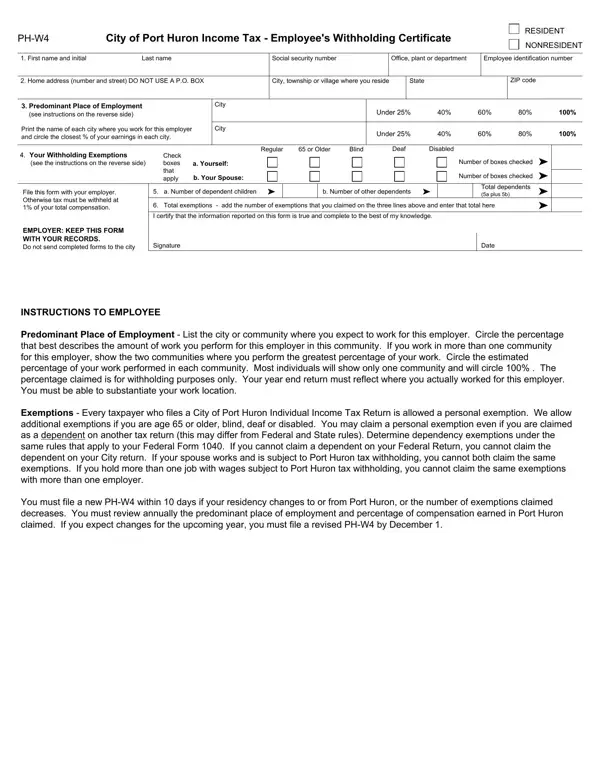
Navigating through the intricacies of tax documentation can often feel like a daunting task, yet understanding the purpose and details of specific forms like the PH-W4, City of Port Huron Income Tax - Employee’s Withholding Certificate, is crucial for both residents and nonresidents working within the area. This form serves as a pivotal tool in ensuring that the tax withheld from an employee's income aligns accurately with their personal financial situation. It comprehensively gathers essential information such as the filer's name, social security number, home address, and details about employment within Port Huron. Additionally, it requires employees to list their predominant place of employment and to estimate the percentage of work performed within the city, which determines the portion of income subject to local tax withholding. The form further delves into more personalized terrain, asking for details on withholding exemptions which could include personal status, age, and any disabilities, along with dependent information. This aids in tailoring the withholding tax to the filer's specific circumstance, potentially influencing the individual's net income. Moreover, it emphasizes the importance of updating the form in response to significant life changes such as a change in residency or exemptions status. Navigating this document accurately not only aids in compliance with local tax regulations but also helps in avoiding under or over-withholding of taxes, underscoring the PH-W4’s role in the financial well-being of Port Huron's working residents.
| Question | Answer |
|---|---|
| Form Name | Ph W4 Form |
| Form Length | 1 pages |
| Fillable? | No |
| Fillable fields | 0 |
| Avg. time to fill out | 15 sec |
| Other names | city of port huron income tax, exemption, annually, decreases |
Ph W4 Form isn’t the one you’re looking for?