
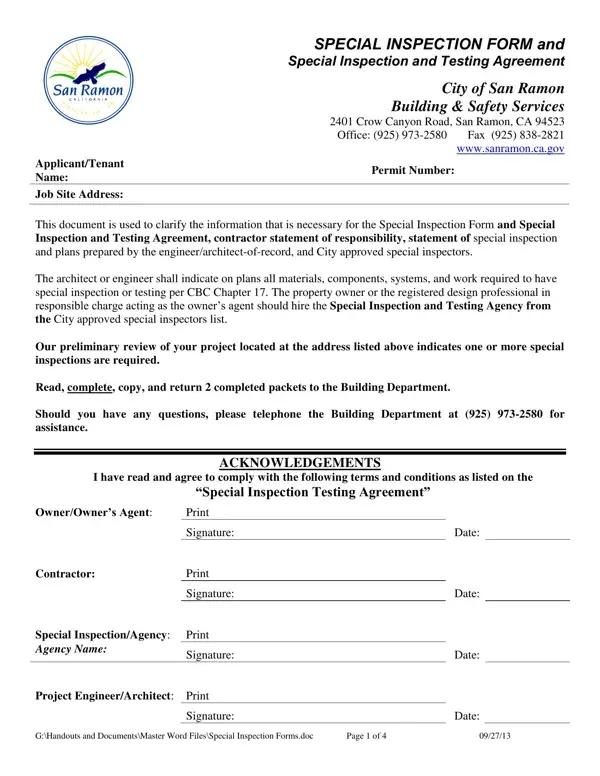
In the realm of construction and safety, ensuring that buildings meet stringent codes and standards is paramount. The Special Inspection Form, alongside the Special Inspection and Testing Agreement, serves as a critical tool in this endeavor, especially within the jurisdiction of San Ramon, CA. This document, pivotal for both the City of San Ramon Building & Safety Services and project participants, outlines a detailed procedure for inspections and tests required by the California Building Code (CBC) Chapter 17. It implicates numerous stakeholders in the process, including property owners, contractors, architects, engineers, and specially designated inspectors. Their responsibilities range from acknowledging the need for special inspections, hiring City-approved inspection agencies, to adhering to the inspections schedule set forth by the document. The form meticulously details various types of inspections - from soil and steel construction to seismic resistance and spray fire-resistive materials, requiring specific acknowledgment from the involved parties before a construction permit is issued. Additionally, it sets forth guidelines for continuous onsite presence of inspectors, reporting of nonconforming items, and the eventual submission of a comprehensive final report asserting compliance. This form not only underscores the collaborative effort required to uphold building safety standards but also delineates the structured oversight necessary for complex construction projects, ensuring all work is executed to the highest degree of safety and integrity.
| Question | Answer |
|---|---|
| Form Name | Special Inspection Form |
| Form Length | 4 pages |
| Fillable? | Yes |
| Fillable fields | 153 |
| Avg. time to fill out | 31 min 40 sec |
| Other names | inspection form special, form inspection special, form san ramon, special inspection form |
Special Inspection Form isn’t the one you’re looking for?