Please rate Texas Form Clm 2

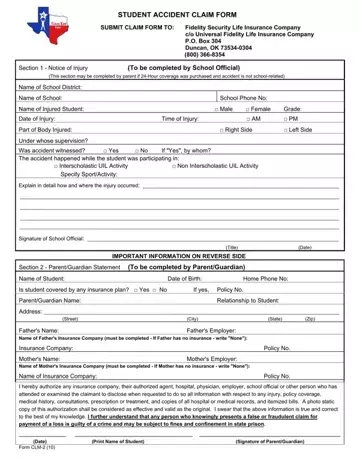
Navigating through the aftermath of a student accident within Texas schools can be daunting for parents and school officials alike. The Texas CLM 2 Form serves as a vital tool for initiating the process of claiming accident benefits. Developed for use by Fidelity Security Life Insurance Company and managed through Universal Fidelity Life Insurance Company, this form ensures that necessary information is collected and reported efficiently. Section 1 requires input from school officials (or parents, under specific circumstances) detailing the student's name, the nature of the injury, and context of the incident, amongst other details. Meanwhile, Section 2 shifts focus towards the parent or guardian, asking for student insurance coverage details, authorizations for information release, and a sworn statement regarding the accuracy and honesty of the provided information. Additionally, the form lays out clear instructions for filing the claim, emphasizes the importance of speedy submission—within 90 days post-incident—and outlines the process for dealing with other insurances. It’s underscored by a stern warning against the submission of fraudulent claims, reiterating the legal consequences involved. Moreover, the document introduces the Texas Kids First Provider Network as an innovative solution aimed at easing the financial and administrative burden on families, suggesting a streamlined approach for accessing medical care and claiming benefits in the unfortunate event of a student accident.
| Question | Answer |
|---|---|
| Form Name | Texas Form Clm 2 |
| Form Length | 2 pages |
| Fillable? | No |
| Fillable fields | 0 |
| Avg. time to fill out | 30 sec |
| Other names | Student Insurance Claim Form 2012 2013 fidelity security life insurance company 73534 form |
Texas Form Clm 2 isn’t the one you’re looking for?
Please rate Texas Form Clm 2
