
Va Form 4659 Fillable PDF Details

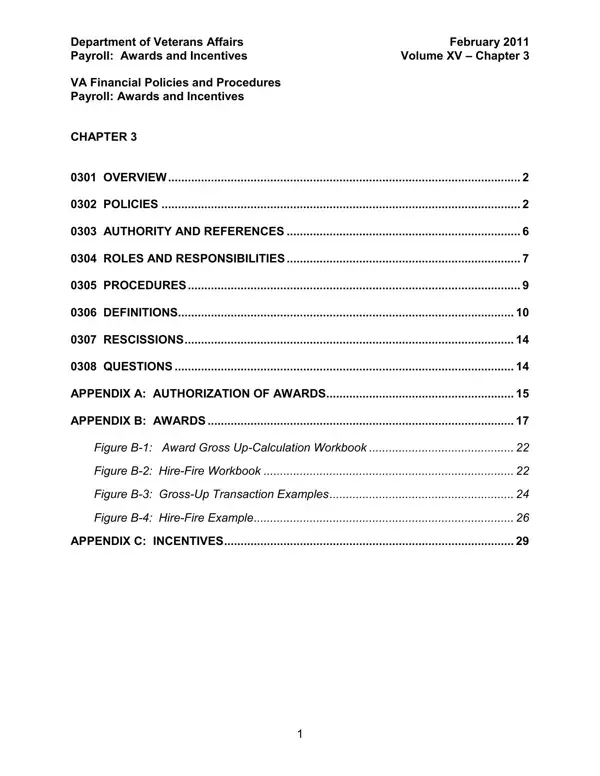
In an effort to recognize and reward the hard work and achievements of its employees, the Department of Veterans Affairs (VA) has established a comprehensive framework of financial policies and procedures through its VA 4659 form, as outlined in the February 2011 edition of its payroll: Awards and Incentives guide. These policies are specifically designed to address the array of awards and incentives offered to VA employees, former employees, volunteers, and even participants of the without compensation program, highlighting the VA's commitment to acknowledging contributions that benefit not only the VA itself but the Federal Government as a whole. The framework covers a broad spectrum of awards, including monetary, non-monetary, and honorary awards, as well as incentives aimed at recruitment, relocation, retention, and the voluntary separation of employees. It emphasizes compliance with the Government Employees' Incentive Awards Act (GEIAA) while offering detailed guidance on the nomination process, the tax implications of awards, and the authorization and approval mechanisms for these recognitions. Additionally, the guidelines delve into specific incentives like the Home Marketing Incentive Program and student loan repayments, reflecting the VA's holistic approach to employee compensation and morale. Notably, the policies also outline the roles and responsibilities of various stakeholders in implementing these awards and incentives, ensuring a structured and transparent approach to employee recognition.

QuestionAnswer
Form NameVa Form 4659 Fillable
Form Length45 pages
Fillable?No
Fillable fields0
Avg. time to fill out11 min 15 sec
Other namesva incentive awards recommendation and approval, 4659 fillable form, va form 4659 incentive awards, form 4659

How to Edit Va Form 4659 Fillable Online for Free

When working in the online PDF editor by FormsPal, you may complete or modify va4659 right here. Our professional team is continuously working to enhance the tool and make it even faster for users with its extensive features. Unlock an endlessly innovative experience today - take a look at and discover new possibilities as you go! All it requires is a few basic steps:

Step 1: Open the PDF form in our tool by clicking the "Get Form Button" at the top of this webpage.

Step 2: The tool provides you with the ability to customize most PDF documents in various ways. Change it by writing any text, correct existing content, and put in a signature - all when you need it!

Be mindful while filling out this document. Make sure each and every blank field is completed correctly.

1. When completing the va4659, ensure to complete all essential blank fields in the associated form section. It will help to expedite the process, which allows your information to be handled efficiently and correctly.

Writing segment 1 in va 4659

2. After completing the previous section, head on to the subsequent stage and fill in the necessary particulars in these fields - APPENDIX B AWARDS, Figure B Award Gross UpCalculation, Figure B HireFire Workbook, Figure B GrossUp Transaction, Figure B HireFire Example, and APPENDIX C INCENTIVES.

Filling in segment 2 of va 4659

3. Throughout this part, look at AUTHORITY AND REFERENCES USC. These need to be taken care of with utmost attention to detail.

Part no. 3 for completing va 4659

Be very mindful when filling in AUTHORITY AND REFERENCES USC and AUTHORITY AND REFERENCES USC, because this is where many people make mistakes.

4. This next section requires some additional information. Ensure you complete all the necessary fields - AUTHORITY AND REFERENCES USC - to proceed further in your process!

Stage no. 4 in submitting va 4659

5. The last section to submit this document is essential. Make sure that you fill in the appropriate form fields, such as February Volume XV Chapter, and Department of Veterans Affairs, prior to finalizing. Failing to accomplish that could contribute to a flawed and probably nonvalid document!

Step no. 5 of completing va 4659

Step 3: Immediately after going through your fields and details, press "Done" and you are good to go! Obtain the va4659 once you sign up for a 7-day free trial. Immediately access the document in your personal account, along with any modifications and changes being conveniently kept! We do not share any information that you provide when filling out forms at our website.