
Wis Dsps Form PDF Details

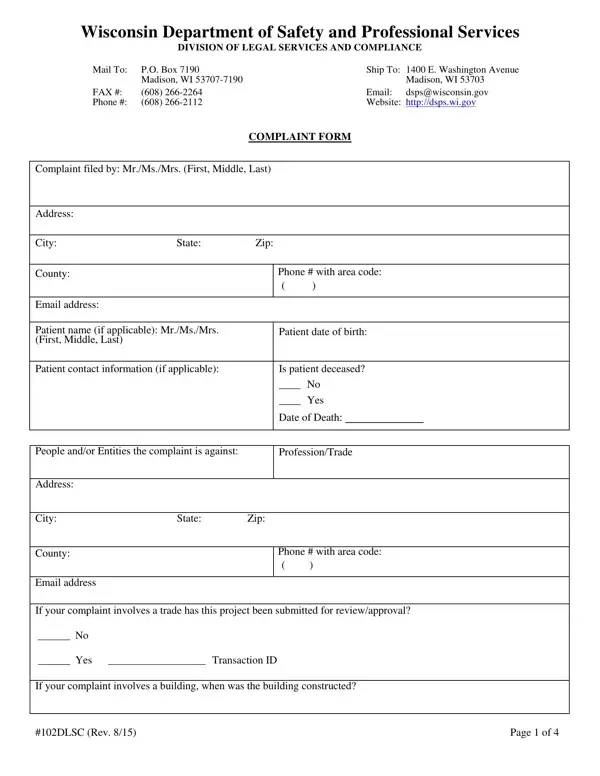
When individuals believe that a professional in Wisconsin has not lived up to their obligations or standards, the Wisconsin Department of Safety and Professional Services (DSPS) provides a structured way to file a complaint through the Wis DPS form. This form serves as a crucial tool for law enforcement and compliance within the state across various professions. Whether the concern involves healthcare providers, tradespeople, or any other licensed professional, the form facilitates a systematic process to investigate and resolve complaints. Not only does it require detailed information about the incident, including dates, locations, and attempts at resolution, but it also seeks specifics about the complainant and the accused. In addition, it has provisions for health care-related grievances, requiring a separate authorization form to access and discuss medical records pertinent to the complaint. Completing this form kicks off a process aimed at ensuring accountability and professionalism within Wisconsin's workforce, guided by the Division of Legal Services and Compliance's oversight. It underscores the state's commitment to maintaining high standards in professional services and safeguarding the public's welfare.

QuestionAnswer
Form NameWis Dsps Form
Form Length4 pages
Fillable?No
Fillable fields0
Avg. time to fill out1 min
Other namesWashington, 102DLSC, wi dsps powts forms, DHS

How to Edit Wis Dsps Form Online for Free

It is possible to complete 102DLSC without difficulty with our PDFinity® online tool. We are aimed at making sure you have the perfect experience with our editor by regularly introducing new capabilities and upgrades. Our editor has become a lot more helpful thanks to the latest updates! Currently, editing PDF forms is a lot easier and faster than ever before. With some easy steps, you are able to begin your PDF editing:

Step 1: Simply hit the "Get Form Button" at the top of this site to open our pdf editing tool. There you will find all that is required to fill out your file.

Step 2: Once you open the online editor, you will find the document ready to be completed. Other than filling in different blanks, you can also do some other things with the form, namely adding custom textual content, changing the initial text, inserting illustrations or photos, signing the PDF, and much more.

Pay attention when completing this pdf. Ensure every single blank field is filled in properly.

1. The 102DLSC needs specific details to be inserted. Be sure that the next blanks are filled out:

Washington writing process described (portion 1)

2. Immediately after the first part is done, go on to enter the applicable details in these: FAX Phone, PO Box Madison WI, Ship To E Washington Avenue Email, Madison WI dspswisconsingov, AUTHORIZATION FOR RELEASE OF, Completion of this form is, Patients Name, Patients Date of Birth, I hereby authorize, and all staff or employees of that, and This disclosure is being made for.

PO Box  Madison WI, AUTHORIZATION FOR RELEASE OF, and I  hereby authorize inside Washington

In terms of PO Box Madison WI and AUTHORIZATION FOR RELEASE OF, make sure that you review things in this current part. The two of these are the key ones in the PDF.

Step 3: Make certain your details are right and then press "Done" to finish the project. Acquire your 102DLSC once you join for a 7-day free trial. Instantly get access to the document within your FormsPal cabinet, with any edits and changes conveniently preserved! With FormsPal, you can fill out documents without worrying about personal data incidents or data entries getting shared. Our protected platform helps to ensure that your private information is stored safely.