
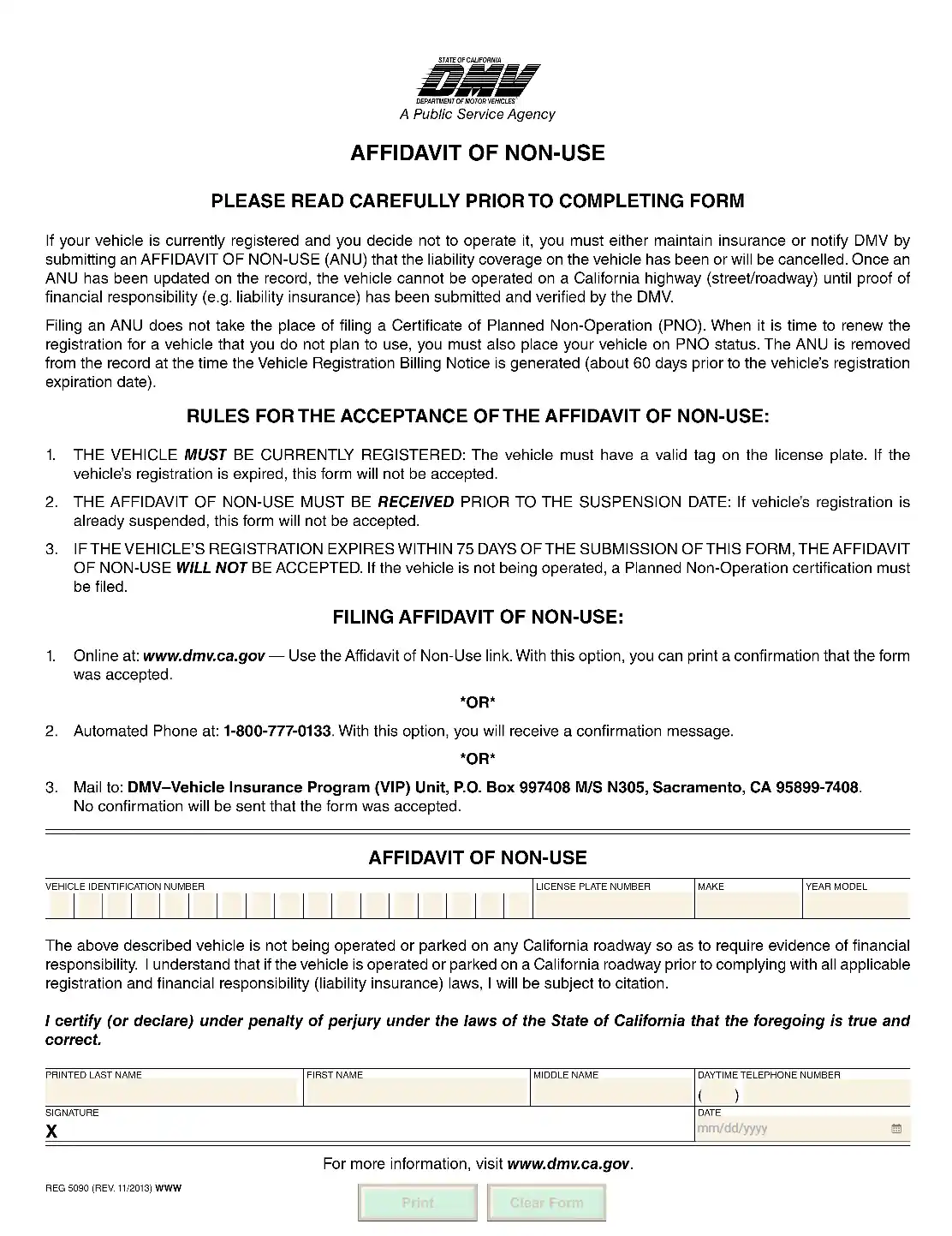
A California affidavit of non-use (ANU) allows the car owner to cancel the insurance responsibilities for non-operating motor vehicles without being fined or blacklisted. If the DMV of CA accepts the request, the disclosed automobile or another type of motor vehicle cannot be driven or parked on the state’s roads. An ANU is a short form that you fill out and send to the California DMV.
Last Updated: October 2026. This guide is reviewed and updated regularly to reflect current law. If you notice an error or outdated information, please contact us.
The printable affidavit form makes it possible for the car owners to officially skip paying for the insurance plans if the subject vehicles are not being used on California roadways. It effectively means that the automobiles and other motor vehicles under discussion cannot be driven or parked on the state’s motorways.
As a matter of fact, all motor vehicles operated in California must be protected by an insurance plan. Otherwise, the owners might become subject to penalties and fines. The ANU measure both protects one’s funds and releases from insurance liabilities when the non-operation status is not applicable.
A non-operation status on a motor vehicle requires that the claimant follows a rather strict application procedure. The drivers get a certain period to manage their requests: the inherent papers must be submitted either 70 days before or 90 days after the registration insurance policy is terminated, leading to the registration suspension.
Unlike the non-registration procedure, the affidavit of non-use opportunity expands the period of limitation for filing the required data. Particular demands must still be accommodated in the process.
The California DMV advances specific requirements that allow or bar applicants from submitting an ANU form. If you decide to file the paper with the referenced department, you must follow the below-listed criteria:
The California DMV offers several methods to submit the completed ANU documentation. Pick the method that suits you, and keep the confirmation or a copy of what you send for your records.
The applicants are empowered to file the affidavit of non-use online using the link provided on the California DMV official web portal. If you decide to use this means, you are also empowered to print out the confirmation note stating that the request has been accepted.
Use the address indicated on the ANU application template to send your request by mail.
Vehicle owners who wish to request an ANU confirmation may apply by phone, indicated on the official affidavit form. If they disclose the info via phone, they obtain a confirmation notification. To manage the matter successfully, make sure you have the license plate number, VIN’s last five characters, and insurance policy data on hand.
Gather your details first, so you can complete the form in one sitting. Open your vehicle registration and your insurance policy, then check each item below before you start filling in the boxes.
The official form is short, so it is quick to fill in once you have your details ready. It has two parts, a section with the basic rules and a section you fill in. Read the rules first to see what the DMV asks for, then find the fill-in section below the double line.
You can fill in the PDF on screen with the FormsPal PDF editor, or print the form and write by hand. The illustrated steps below walk you through each box.
Enter the vehicle identification number. Use the first empty boxes to enter your motor vehicle’s identification data or VIN.

Add the license plate number. Proceed to enter the vehicle’s license plate data. As you remember, you can only complete a DMV non-operational form if the auto is appropriately registered and the registration is valid over the non-operating period.

Add the make and year model. Fill in the last two vehicle boxes with the make and the year model. Then move on to the owner’s boxes.

Identify the owner. Use the next three boxes to enter the owner’s last, first, and middle names.
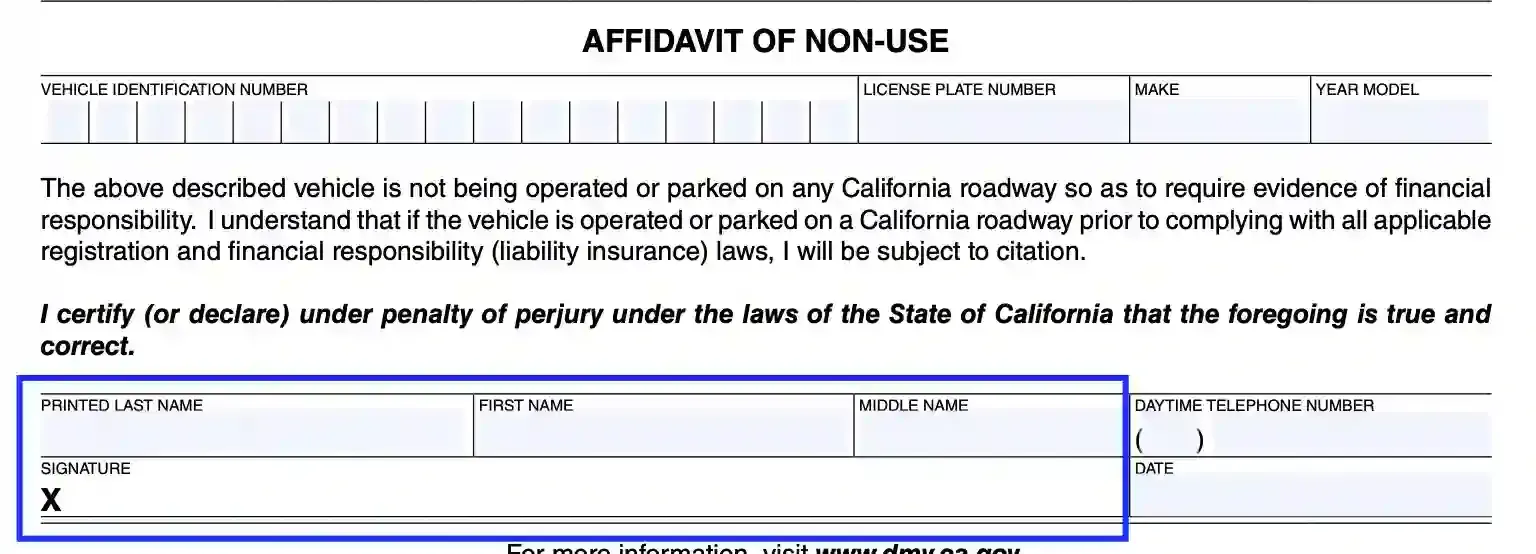
Add the owner’s contact details. Enter your contact phone number. The DMV representatives may use this info to reach you if any emergency occurs.

Certify the form. The last step is the certification box. The applicant should append their signature and place the current calendar date.
By accomplishing these actions, you certify that all disclosed information is authentic and genuine. Otherwise, the claimant is likely to become subject to fines or other penalties.

A small typo in the VIN or the plate number is easy to make, so read each box back once before you move on. It also helps to keep your vehicle registration papers and your insurance policy within reach while you fill in the form.
Have the license plate number, the last five characters of the VIN and your insurance policy details ready. The form also asks for the make and year model of the vehicle, your name and a phone number.
Yes. Fill in the PDF on screen with a PDF editor, or print the form and write by hand. Then sign and date it.
Run through this quick checklist, then sign and date the form.
Keep the confirmation note or a copy of what you sent. Store it with your other vehicle papers so you can find it later.
The mailing address is printed on the ANU form itself. You can also check the DMV website for the latest version of the form before you send your request.
Start again on a clean copy instead of crossing out boxes. If you work in the PDF on screen, change the entry before you print the page.
Copy it from your vehicle registration papers or your insurance documents, one character at a time. Then read it back once before you move on to the next box.
Check your insurance policy documents or ask your insurance company for the missing detail. Then come back to the form and finish it in one sitting.
Once your details are in front of you, the six steps above are quick to complete. Take a few extra minutes to read every box back before you sign.
Pick the option that fits your schedule. Whichever way you choose, keep a record of the request together with your other vehicle registration papers.
General information, not legal or tax advice.
