
Updated:
An Ohio affidavit is a written statement of facts, signed under oath. This page covers Ohio affidavit forms by purpose, the parts every affidavit includes, and signing steps. Ohio residents need one when a court, employer, school or agency asks for sworn facts.
Key facts
Build Your Document
Answer a few simple questions to make your document in minutes
Save and Print
Save progress and finish on any device, download and print anytime
Sign and Use
Your valid, lawyer-approved document is ready
Ohio affidavit forms come in several types, each built for one purpose, such as a financial affidavit, an affidavit of domicile, an affidavit of heirs or an affidavit of residency.
Each type asks for different facts. An affidavit of residency states where the affiant lives and since when. An affidavit of heirs names the family members of a person who has died. A financial affidavit lists income, expenses, debts and assets.
Some Ohio offices publish their own official affidavit forms for their own programs. The form below is one of them.
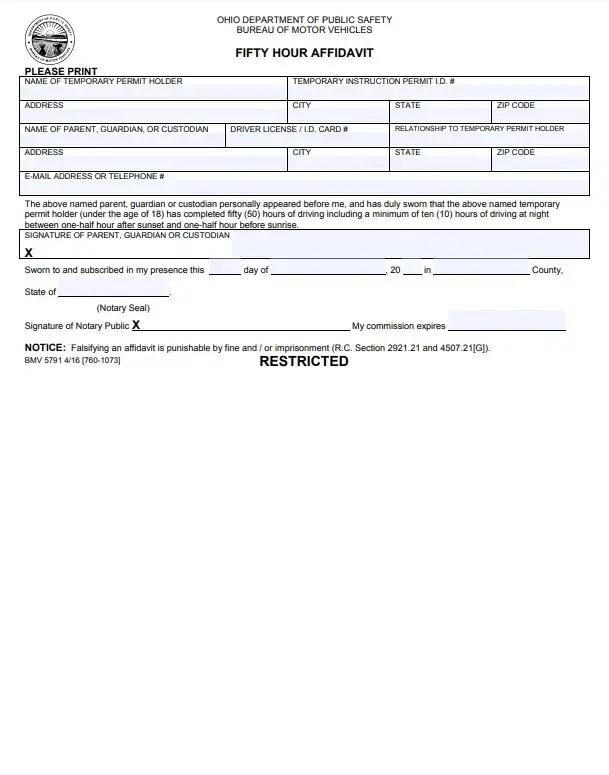
The Ohio 50-Hour Affidavit is the official form that documents a new driver's supervised driving practice for an Ohio driver's license application. It belongs to the state's Graduated Driver Licensing (GDL) program for young drivers.
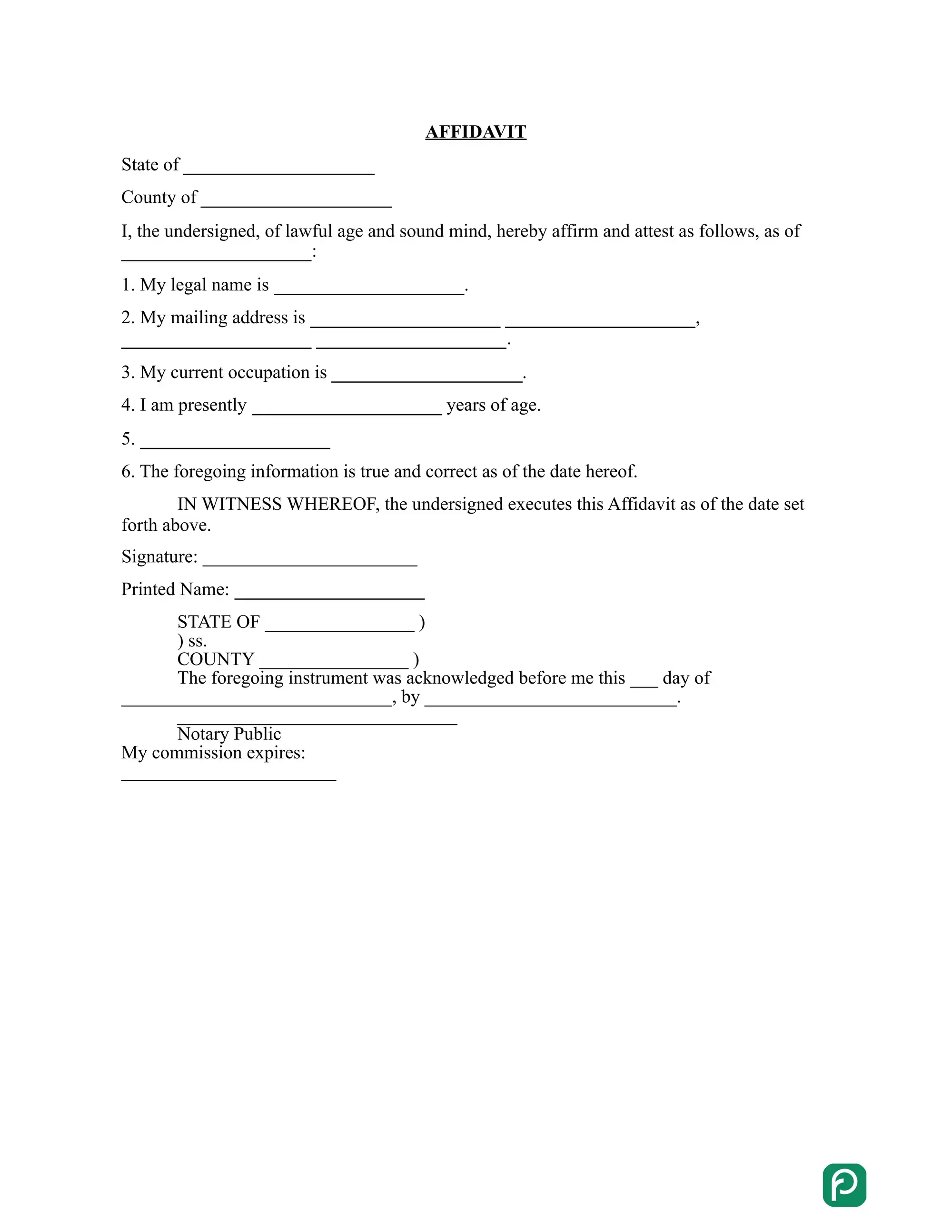
An Ohio affidavit is a sworn written statement in which one person, the affiant, sets out facts and swears before an officer that they are true.
The oath sets an affidavit apart from a letter or an ordinary signed note. They are commonly used to provide evidence in court or administrative hearings. Most affidavits are short, with the affiant's details at the top, the facts in numbered paragraphs and a signature line at the end.
Because the document only holds facts, clear and specific wording matters more than length. The affiant writes what they know themselves and leaves out guesses and opinions.
An affidavit form comes from the office that asked for it, or from a general template filled in with the affiant's own facts.
Courts and agencies in Ohio publish their own forms for their own cases and programs, and those forms are the ones to use there. A general statement, such as proof of residency or an account of an event, fits a blank affidavit template. Affidavit forms for other places are on the affidavit forms page.
An Ohio affidavit includes five parts: a title or case caption, the affiant's details, the numbered facts, the oath with the signature, and the jurat.
The caption names the court, the parties and the case number when the affidavit goes into a court case. An affidavit outside a case carries a plain title, such as Affidavit of Residency.
The affiant's section gives the full legal name and address of the person making the statement. Some forms also ask for an age or an occupation, or how the affiant knows the facts, for example as a landlord, a neighbor or a relative.
The statement of facts holds one fact per numbered paragraph, written in the first person. Each fact is something the affiant saw, heard or did. Exact dates, places and amounts make each paragraph easy to check.
The oath clause is the line in which the affiant swears or affirms that the statements are true. The affiant signs below it, in front of the officer who gives the oath.
The jurat is the officer's block at the end of the document. It states that the affiant swore to the statement and signed it, and it carries the date, the county, the officer's signature and, for a notary public, the seal.
An exhibit is a paper attached to the statement, such as a lease, a receipt or a photo. The affidavit names each exhibit by letter, as Exhibit A or Exhibit B, in the paragraph that relies on it.
An online affidavit is a template filled in on screen, then printed and signed under oath in front of a notary public or another officer.
An Ohio affidavit becomes a sworn statement at the signing, when the affiant takes an oath before a notary public or another officer who gives oaths.
The officer checks the affiant's identity, gives the oath and completes the jurat.
An affidavit for an Ohio court case usually comes as the court's own form, with a caption for the case and the fields the clerk expects. The clerk of the court can say which form a filing uses.
A poverty affidavit is a sworn statement of income, assets and expenses that asks a court to accept a case without the usual deposit for court costs. Courts also call it an affidavit of indigency. Each court keeps its own version, so ask its clerk for the form.
A student affidavit is a statement a school or program asks for, such as proof of residency for enrollment or proof of completed driving practice. The school names the form it accepts.
A good affidavit statement is short, specific and written in the first person. Each one covers a single fact, so the reader can follow your account without guessing. The examples below use made-up names and addresses to show the difference.
| Vague | Specific |
|---|---|
| I live nearby and saw the car recently. | I live at 123 Main Street. On June 3, I saw a blue car parked in front of my house at 6 p.m. |
| The package arrived late. | The package ordered by Anna Baker arrived on June 10, five days after the date in the confirmation email. |
A final check of the document catches most mistakes before the oath, while they are still easy to fix. Read the document from top to bottom and compare each detail with your records.
Yes, an affidavit can be written online and printed. The oath and the signature then take place before a notary public or another officer, in person or through an online notary service the receiving office accepts.
An affidavit is a statement sworn before an officer who gives oaths, and a notary public is the officer most people use. Ask the office that will receive it whether another officer, such as a court clerk, may give the oath instead.
An affidavit is one kind of sworn statement: a written one, signed under oath before an officer. A statement signed without an oath is a declaration or a letter, and some offices do not take it in place of an affidavit.
The affiant signs it: the person who knows the facts first hand. When several people know the facts, each one signs a separate affidavit.
Start with the reason you need the statement. If a school, employer or office asked you for the document, ask them which type they want, then choose the matching template.
Have the full names and addresses of everyone named in the affidavit, the dates involved and the facts you want to state. Keep any related papers nearby so you can copy details correctly.
Keep the signed original in a safe place with your other important papers. Store a scan or a photo of it where you can find it quickly.
General information, not legal or tax advice.
