
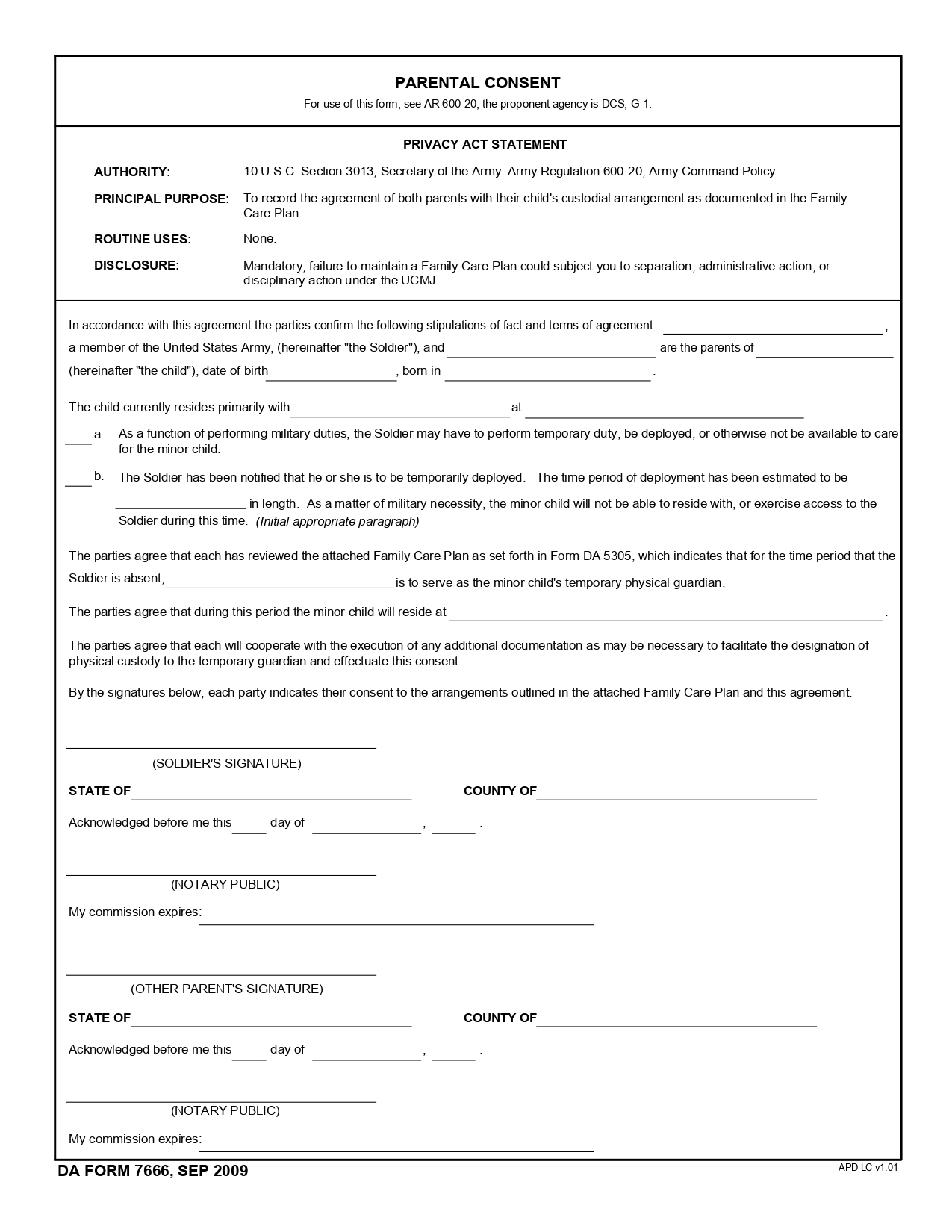
The DA Form 7666, also called the Army Parental Consent, is a military parental consent form. It records the arrangements for a kid’s care while a parent is away on duty. Fill in the fillable PDF online, then print the consent form for signing.
Last Updated: October 2026. This guide is reviewed and updated regularly to reflect current law. If you notice an error or outdated information, please contact us.
This military consent form is built for service members and their households. Two parents complete it together, and it names the person who looks after the kid during the absence. The form is one of the pages that make up a Family Care Plan.
For one, if you are a soldier of the US Army who has a spouse and a kid (or kids), your family shall develop the Family Care Plan (also known as FCP) that contains essential details about the soldier’s family care in different scenarios. According to the US Army rules, generally, each soldier must have an FCP if they are married or have a kid (or kids).
Each FCP consists of various legal forms prepared by the soldier and their legal partner. The DA Form 7666 (also called the Army Parental Consent) is on the list of these forms.
The document proves the parents’ arrangements regarding their child. The form must be signed by both parents and shows that they are on the same page regarding their kid’s custody described in their Family Care Plan. In case the soldier is absent and cannot take care of their child for a certain period, the guardian appointed by the form will substitute.
These short definitions explain the words you will meet on the page, so each line is easy to fill in.
The parental consent form is brief, so a few minutes of preparation make it quick to complete. Gather the information below before you open the PDF, and keep it next to you while you work.
Check every name and date for accuracy, and make sure each one matches the IDs of the people who will sign. A spelling difference is easy to fix before you print.
The form itself is quite brief; it has only one page and does not require much data from signatories. Basically, you only need your and your partner’s names, your kid’s date and place of birth, and details about the guardian and the current duty. Our instructions below will explain what and where to write.
Start by opening the blank form in its PDF version. You can download it from the US Army official site, but finding the right page can take a while. FormsPal’s form-building software lets you fill in the consent form template online instead.
If you have more than one child, you shall create a separate document for each kid. Print the needed number of copies or start filling out the form using your laptop.
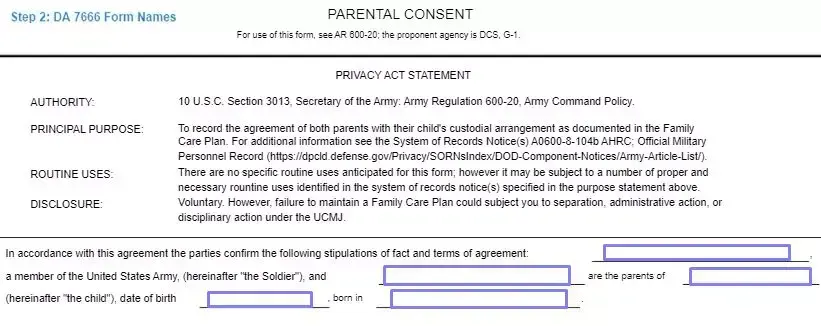
Read the Privacy Act Statement under the Headline
The first thing you see below the headline of this template is a set of statements about the document. Read them thoroughly before you start filling out the form.
Introduce Yourself, Your Spouse, and Your Child
The first part of the document has empty lines for your name, your spouse’s name, and your child’s name.
The first line is for the US Army member, the second line is for their spouse, and the third is for the child. Next to the child’s name, also enter their date of birth and place of birth.
Describe the Current Child’s Residence Situation
Below, explain where and with whom your kid lives now. Enter the primary parent’s name and location on the lines provided.

Mark the Option for Current Duty or Deployment
Next, you will see two options (“a” and “b”) that describe the current duty: either deployed or on temporary duty.
The parent who is a soldier must read both statements carefully and select the one that fits their current situation. If the parent is deployed and the deployment period is known, the parent shall enter the period in the relevant line of option “b.” The chosen option must be marked with the soldier’s initials.

Indicate the Guardian
In this step, name the guardian who will look after your kid during the absence. Add the full name and the address where your kid would stay.

Sign the Form
Please pay attention that by signing the form, you express your agreement not only with the form’s content but also with the Family Care Plan developed before, together with your partner.
The soldier should be the first signatory of the form. Sign on the line provided, then pass the form to your spouse so they can add a signature too.
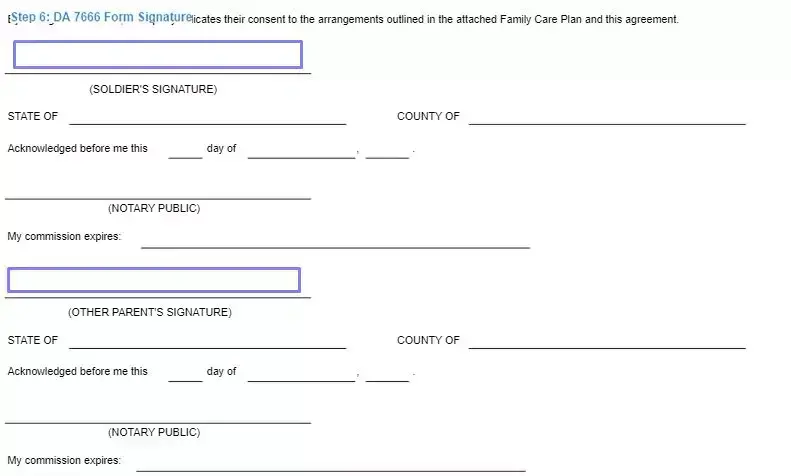
Notarize the Form
The DA Form 7666 is one of the legal documents in the US that must be notarized. After the form is signed by both of you, give it to the notary public for verification. The form becomes valid only after the notary signs and seals both parents’ signatures.
These short answers cover common questions about the parental consent form, from choosing a guardian to filling in the PDF on your computer. Read the steps above first, then use these tips.
DA Form 7666 names the person who looks after a kid while a parent is away on duty. It belongs to the FCP, which holds the other arrangements for the household.
Yes. You have two ways to complete the form, online or on paper:
The consent form asks for names, birth details, where the kid lives now and the name of the person who will look after the kid. The steps above show each line in order.
Pick an appropriate person, someone you trust who knows your kid well. Talk with that person before you write the name on the form, and add the full name exactly as it appears on their ID.
Yes. After you fill in the PDF online, save the file to your device. You can then send it by email to the person you named, or print it for the visit to the notary. Keep the original PDF file untouched, so you can open it again later if a line needs a change.
A military household can be called away on short notice, so a plan for the kid is best prepared beforehand. This consent form puts the plan on paper in one clear place. It also helps to keep related forms and custodial papers in the same folder, which makes them easy to find quickly.
Store a printed copy with your FCP papers. It also helps to share a copy with the person you named, so they know the plan.
General information, not legal or tax advice.
