
Updated:
The Massachusetts DNR form is a Do Not Resuscitate order. It tells emergency and hospital staff that the patient does not want CPR if their heart or breathing stops. Download the PDF, fill it in step by step, or create your own copy online.

Build Your Document
Answer a few simple questions to make your document in minutes
Save and Print
Save progress and finish on any device, download and print anytime
Sign and Use
Your valid, lawyer-approved document is ready
This order acknowledges medical staff that the patient (or their health proxy, parent) does not desire to use cardiopulmonary resuscitation (CPR) if the health indicators deteriorate. If the form is signed, the hospital personnel will be informed about that fact. However, if the patient or their representative revokes the DNR form, the request will be canceled, and the life of the said patient will be supported in the worst cases.
Knowing exactly which treatments the order covers helps patients and families talk with the physician. The form covers situations of the patient’s cardiopulmonary attack. It restrains the Massachusetts Medical Association and EMS staff (emergency medical services) from giving the patient such treatment as:
However, the DNR form cannot stop the physicians from providing life-sustaining types of equipment (artificial subsistence and/or hydration, vitamins), treatments to reduce pain, delays in breathing, or bleeding (including internal bleeding), which are meant to make the death of the patient more comfortable.
The patient needs to consult with their primary physician. The question to ask is whether there are more risks or benefits of signing the form, thus, whether it is better to try to save one’s life or not. Note that each DNR form still provides comfortable health conditions.
If the patient is unable to sign the printable DNR form (or even decide about its completion independently), these decisions are made by their representative (parent, medical attorney). In Massachusetts, the form should be signed by both the physician and the patient (or by a representative on their behalf). Be careful to check the documentation with the local legislation.

These steps follow the PDF this page hands out. Download it from the link near the top of the page, then print it and write by hand. You can also type into it with the online PDF editor. Complete the parts in order, from top to bottom. Most steps have a picture of that part of the form.
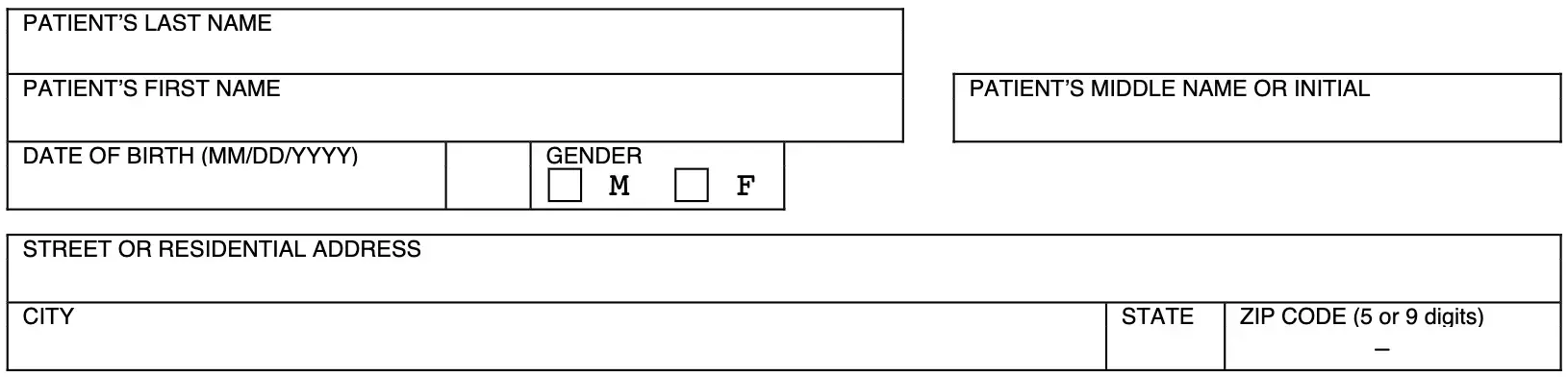


When the form is complete, keep it in a location where family members and medical staff can find it quickly. The steps below cover the original, the hospital copy and the people close to the patient, so everyone knows where the document is.
The patient, guardian or health care agent completes the top of the form and the statement section. The physician, nurse practitioner or physician assistant completes the verification section and the optional bracelet inserts.
Yes. Download the PDF and type into it, or print it and write by hand. You can also answer a few questions with the Create My Document button at the top of the page.
The bottom of the form has four optional bracelet inserts. Each one is filled in, signed, torn off, folded, trimmed and slipped into a bracelet.
The physician's section has a choice for whether the order has an expiration date, and a line for the date if there is one.
Keep the signed original in a safe place at home and tell close family members where to find it.
General information, not legal or tax advice.

Last Updated: October 2026. This guide is reviewed and updated regularly to reflect current law. If you notice an error or outdated information, please contact us.