
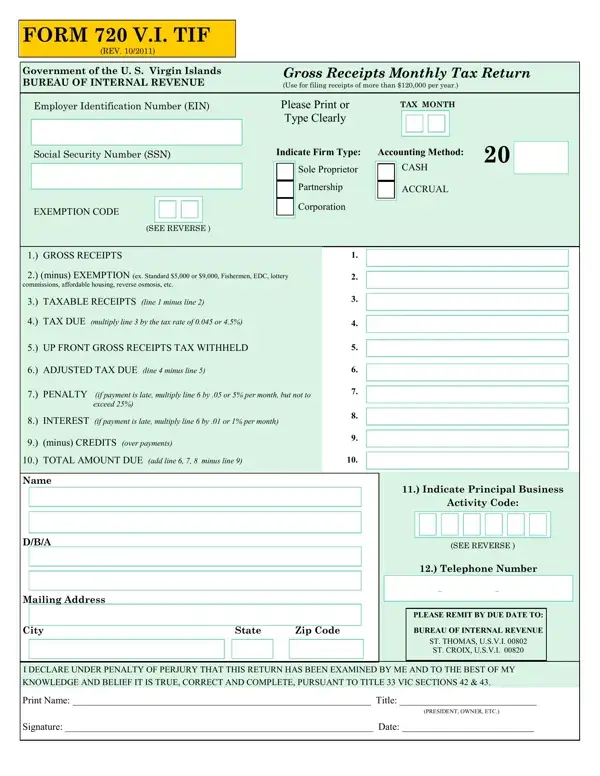
The Form 720 V.I. TIF, revised in October 2011 by the Government of the U.S. Virgin Islands, serves businesses in this jurisdiction with gross receipts exceeding $120,000 annually. Structured by the Bureau of Internal Revenue, this document mandates monthly reporting, capturing gross receipts, applicable exemptions, taxable receipts, and the 4.5% tax due. Exemption categories include standard, fishermen, EDC, and others. The form requires declaring the employer identification number (EIN), business structure (sole proprietorship, partnership, or corporation), and accounting method (cash or accrual). Instructions also address principal activity codes and tax increment financing (TIF) strategies for specific industry sectors.
Returns are due by the last day of the month following the reporting period. Late submission results in penalties and interest charges. Businesses also subject to federal excise taxes may need the IRS Form 720. Additional USVI filings, such as the USVI Form 1088, may apply depending on your business activities and gross receipts thresholds.
| Question | Answer |
|---|---|
| Form Name | 720 Vi Tif Form |
| Form Length | 2 pages |
| Fillable? | No |
| Fillable fields | 0 |
| Avg. time to fill out | 30 sec |
| Other names | vibr 720b form, viirb 721vi forms, 720 vi form, viirb 720 |