
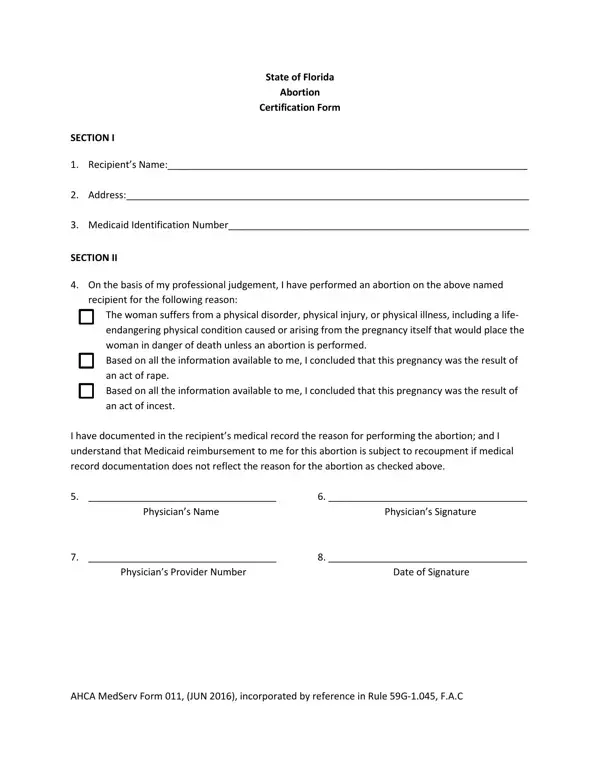
The Florida Abortion Certification Form is issued by the Agency for Health Care Administration (AHCA) and has been required since August 2001. It applies to abortion services for patients seeking Medicaid assistance in Florida.
To complete the form, the physician must provide the patient's full name, home address, and Medicaid Identification Number. Florida Medicaid covers abortion services only in three situations: when the pregnancy poses a significant risk to the patient's life or health, when it resulted from rape, or when it resulted from incest. The physician must state which condition applies and document it in the patient's medical record.
The physician's own information is also required: name, Medicaid Provider Number, signature, and the date of signature. Florida law requires that the grounds for each procedure be retained in the patient's permanent medical record as a prerequisite for reimbursement.
Related Florida forms available on FormsPal include the Florida Health Care Surrogate Form and the Abortion Paper Form. These documents may be needed alongside the certification form depending on the patient's situation.
| Question | Answer |
|---|---|
| Form Name | Abortion Paperwork Florida Form |
| Form Length | 1 pages |
| Fillable? | No |
| Fillable fields | 0 |
| Avg. time to fill out | 15 sec |
| Other names | real abortion discharge papers, abortion papers, get the real abortion discharge papers florida form, florida paperwork to file show cause order form |
Abortion Paperwork Florida Form isn’t the one you’re looking for?