
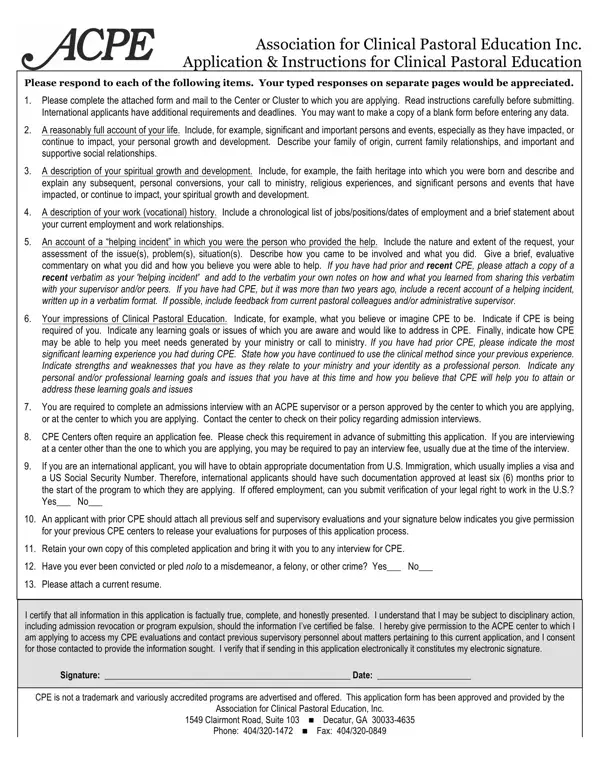
The Association for Clinical Pastoral Education Inc. Application and Instructions for Clinical Pastoral Education is a comprehensive tool designed to help candidates present their qualifications, experiences, and goals for a CPE program. Applicants provide detailed information across several key areas: personal background, spiritual growth history, and work history in ministry or hospital volunteer settings. The form requires a reflective account of a helping incident, revealing the applicant's practical pastoral care skills. Candidates must also describe their specific CPE learning goals and professional development objectives. The form addresses the admissions interview process and provides guidance for international applicants on visa and documentation requirements. Applicants with previous CPE units must attach supervisor evaluations and, if applying for a residency program, include the relevant program documentation. A current resume and three references (academic, denominational, and personal) complete the application package. Accuracy and honesty throughout the form are essential, as all information is verified by ACPE-accredited centers during the admissions review.
| Question | Answer |
|---|---|
| Form Name | Acpe Application Form |
| Form Length | 2 pages |
| Fillable? | No |
| Fillable fields | 0 |
| Avg. time to fill out | 30 sec |
| Other names | application pastoral, acpe application, acpe application cpe, cpe application form |
Acpe Application Form isn’t the one you’re looking for?