
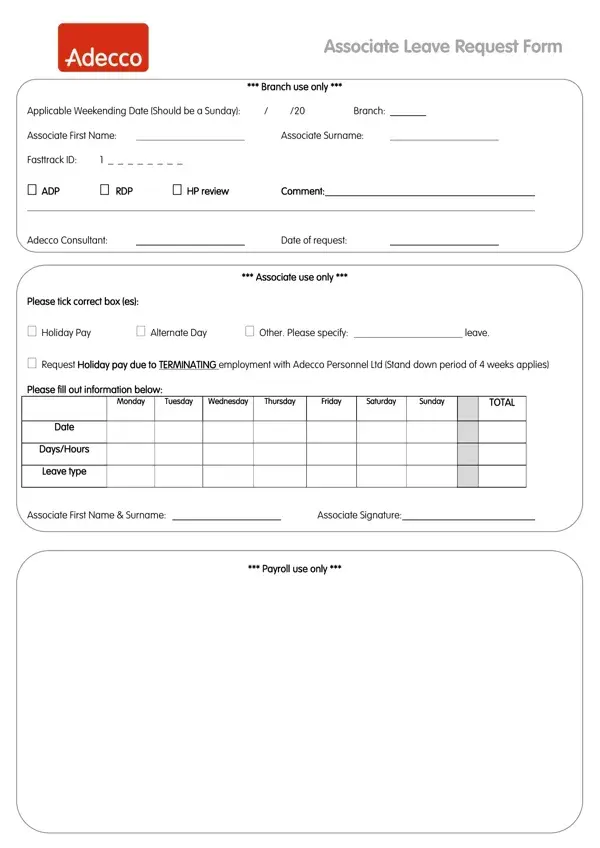
The Adecco Leave Request form is divided into three sections that together create a complete record of an associate's time-off request. Understanding each section helps associates complete the form correctly and avoid processing delays.
The associate section is where you enter your full name, Fasttrack ID, and the dates of your requested leave. You must also indicate the type of leave, choosing from holiday pay, alternate day, or another approved reason. If selecting another reason, such as the termination of employment with Adecco Personnel Ltd, provide a brief written description. Sign and date this section before handing the form to your consultant.
The branch use section is completed by your Adecco branch consultant after you submit your request. It records the applicable week ending date, the branch name and location, and the consultant's name. Associates do not fill in this section. The consultant also confirms that the leave has been reviewed and approved before it moves to payroll.
The payroll processing section captures the financial details of your leave, including any holiday pay amounts and adjustments. This ensures that the payroll department has accurate information to process payments without errors or disputes. Associates requesting unpaid leave or an extended absence should use the Leave of Absence Request Form instead.
| Question | Answer |
|---|---|
| Form Name | Adecco Leave Request Form |
| Form Length | 1 pages |
| Fillable? | No |
| Fillable fields | 0 |
| Avg. time to fill out | 15 sec |
| Other names | Applicable, Weekending, HP, specify |
Adecco Leave Request Form isn’t the one you’re looking for?