
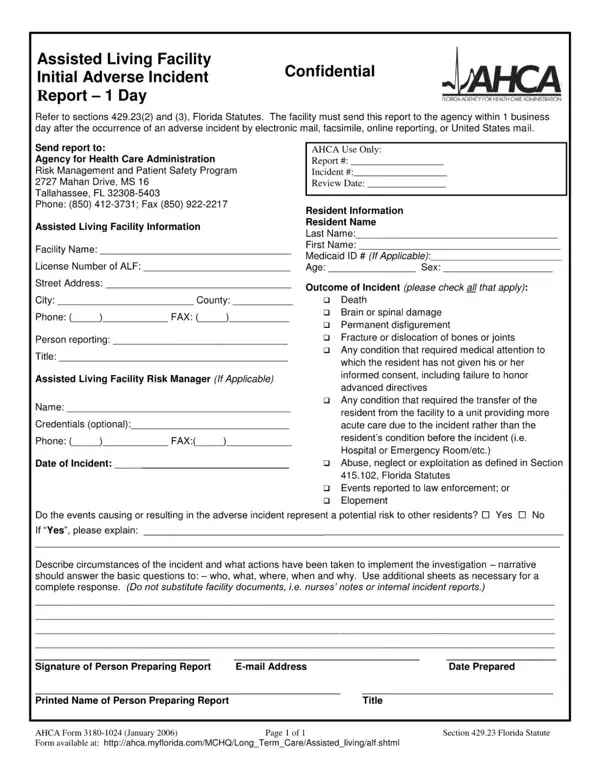
The AHCA Form 3180 1024 is Florida's official transfer and discharge notice required by the Agency for Health Care Administration for all licensed long-term care facilities. Nursing homes, skilled nursing facilities, intermediate care facilities, and assisted living facilities must complete this form before transferring or discharging a resident from care.
Any Florida-licensed long-term care facility regulated by AHCA is required to use this form. This includes nursing homes, skilled nursing facilities, assisted living facilities, and intermediate care facilities for the developmentally disabled. The form protects residents' rights by ensuring they receive formal written notification before any transfer or discharge. For other related AHCA compliance forms, see AHCA Form 3110 1023 and the AHCA 1823 Form.
Florida law requires the facility to provide written notice at least 30 days before the planned transfer or discharge. For emergency transfers, the notice must be given as soon as reasonably possible. The completed form must include the specific reason for the transfer or discharge, the planned effective date, and information about the resident's right to appeal the decision to AHCA. Failure to comply with notice requirements can result in regulatory action. Related forms include AHCA Form 3170 and AHCA Form 3020.
Facilities should verify the effective date is at least 30 days from delivery of the notice, that the reason for transfer is clearly stated, and that the form includes complete appeal rights information. Residents who receive this notice have the right to file an appeal. Incomplete or inaccurate forms may delay the process and create compliance risk. Review similar AHCA transfer forms such as the AHCA 5000-3008 Form for additional administrative guidance.
| Question | Answer |
|---|---|
| Form Name | Florida AHCA 3180-1024 Adverse Incident Report |
| Authority | Florida Agency for Health Care Administration (AHCA) |
| Who Completes It | Long-term care facility administrator |
| Required Notice Period | 30 days (or as soon as possible in emergencies) |
| Form Length | 1 pages |
| Fillable? | Yes (online via FormsPal) |
| Avg. time to fill out | 15 min |
| Other names | ahca transfer discharge form, florida ombudsman notice of emergency discharge form, ahca nursing home transfer and discharge form, ahca transfer and discharge notice regulation |
Ahca Form 3180 1024 isn’t the one you’re looking for?