
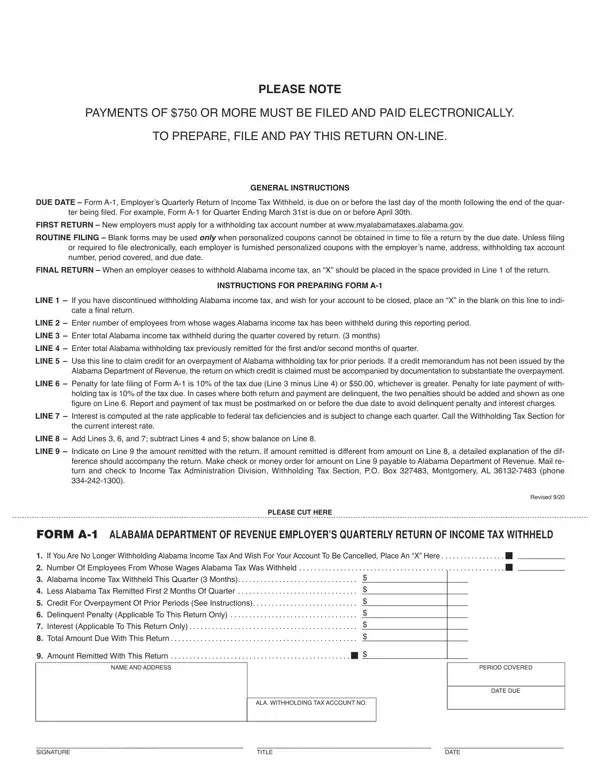

Form A-1 at a glance
What it is: Form A-1 is the Alabama Department of Revenue Employer's Quarterly Return of Income Tax Withheld.
Where and when to file: To prepare, file and pay this return on-line, go to MYALABAMATAXES.ALABAMA.GOV.
A filled-in Form A-1 example: an employer files the quarterly return
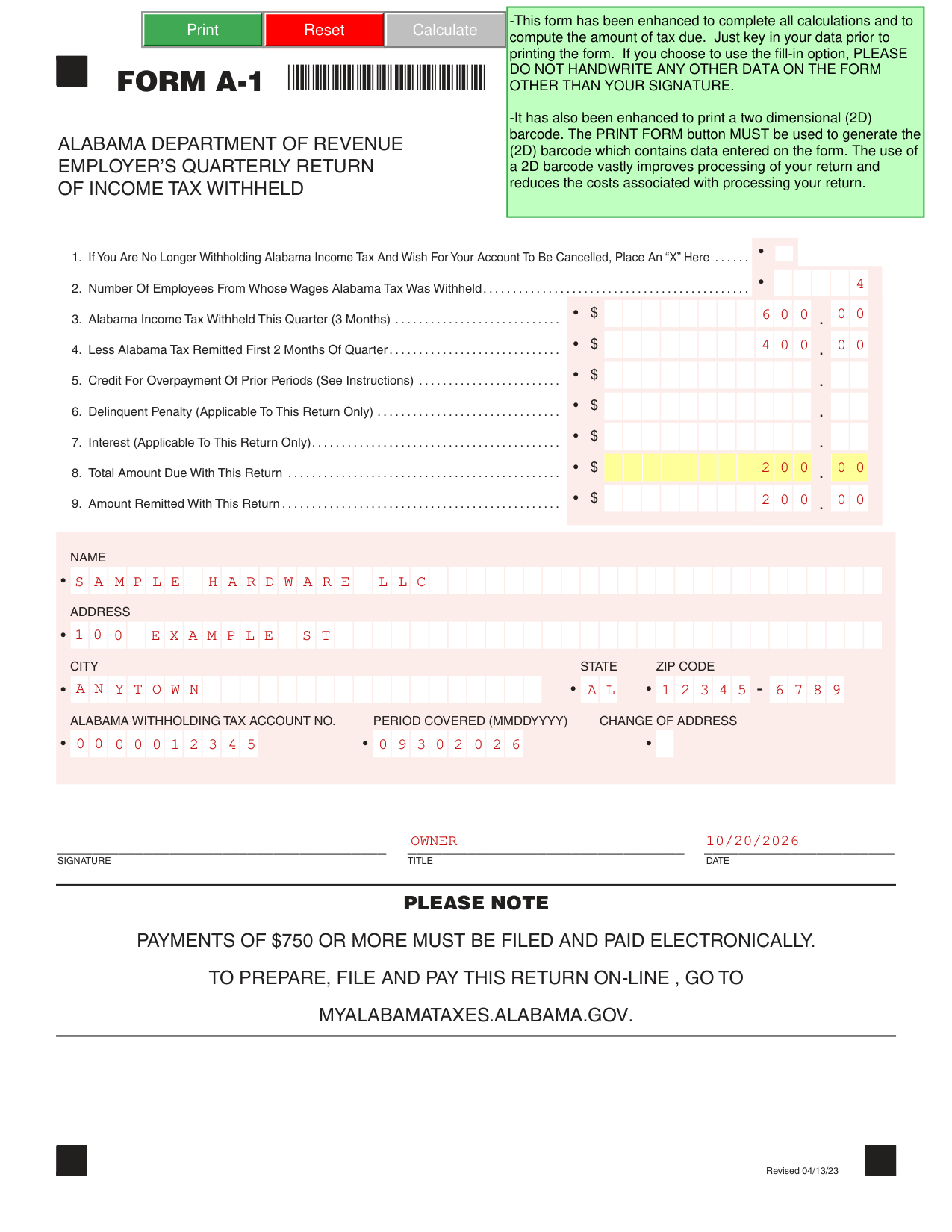
How to fill out Form A-1, box by box
Line 1: cancelling the account

If you are no longer withholding Alabama income tax and wish for your account to be cancelled, place an "X" in line 1.
Lines 2 to 4: employees, tax withheld and tax remitted

In line 2, enter the number of employees from whose wages Alabama tax was withheld.
In line 3, enter the Alabama income tax withheld this quarter (3 months).
Line 4 is less Alabama tax remitted first 2 months of the quarter.
Lines 5 to 7: credit, delinquent penalty and interest

In line 5, enter the credit for overpayment of prior periods (See Instructions).
In line 6, enter the delinquent penalty (applicable to this return only).
In line 7, enter the interest (applicable to this return only).
Lines 8 and 9: total amount due and amount remitted

Line 8 is the total amount due with this return.
In line 9, enter the amount remitted with this return.
Name, address, account number and period covered
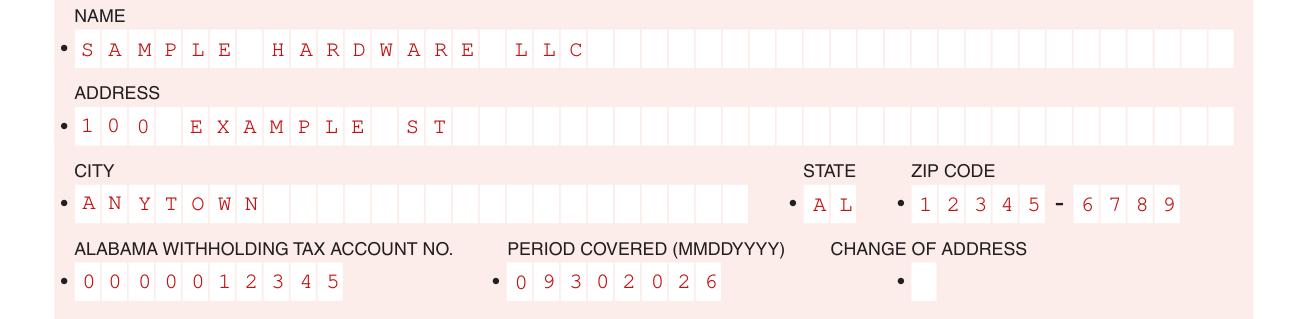
Enter your NAME, ADDRESS, CITY, STATE and ZIP CODE.
Enter the Alabama withholding tax account no. and the period covered (MMDDYYYY).
Signature, title and date

Sign on the SIGNATURE line, and enter the TITLE and the DATE.
More rules for Form A-1
Payments of $750 or more must be filed and paid electronically (checked October 20, 2026).
The form has been enhanced to complete all calculations and to compute the amount of tax due. Just key in your data prior to printing the form. If you choose to use the fill-in option, do not handwrite any other data on the form other than your signature. The PRINT FORM button must be used to generate the two dimensional (2D) barcode, which contains data entered on the form.
Common questions about Form A-1
Where do I file it?
To prepare, file and pay this return on-line, go to MYALABAMATAXES.ALABAMA.GOV.
Sources
[1] Form A-1 (Revised 04/13/23), Employer's Quarterly Return of Income Tax Withheld, Alabama Department of Revenue (the Official source link on this page).