Please rate Application Form Funds Transfer

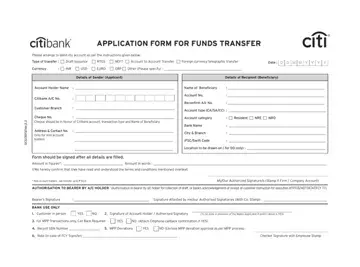
The Application Form Funds Transfer is a banking document issued by Citibank. It authorizes the bank to move funds from one account to another based on the account holder's written request. The form supports Draft (DD) issuance, Real-Time Gross Settlement (RTGS), National Electronic Funds Transfer (NEFT), account-to-account transfers, and foreign currency telegraphic transfers.
To complete the form, provide your full name, address, contact number, and account number. Include the destination bank name, city, branch, and IFSC code for domestic transfers. For international wire transfers, include the recipient's SWIFT code and the currency involved. Write the transfer amount in both figures and words.
Once submitted, the transfer instruction is irrevocable. The bank processes your request after verifying your identity and signature. RTGS transfers typically settle within the same business day. NEFT transfers may take a few hours depending on batch processing times. Non-account holders may also use this form under specific Citibank conditions.
You can find related forms on FormsPal, including the electronic funds transfer form, the ICICI Bank RTGS form, and the Citibank wire transfer form.
| Question | Answer |
|---|---|
| Form Name | Application Form Funds Transfer |
| Form Length | 2 pages |
| Fillable? | No |
| Fillable fields | 0 |
| Avg. time to fill out | 30 sec |
| Other names | rtgs draft currency pdf, citibank draft from pdf, rtgs draft currency form, citi rtgs form |
Application Form Funds Transfer isn’t the one you’re looking for?
Please rate Application Form Funds Transfer
