
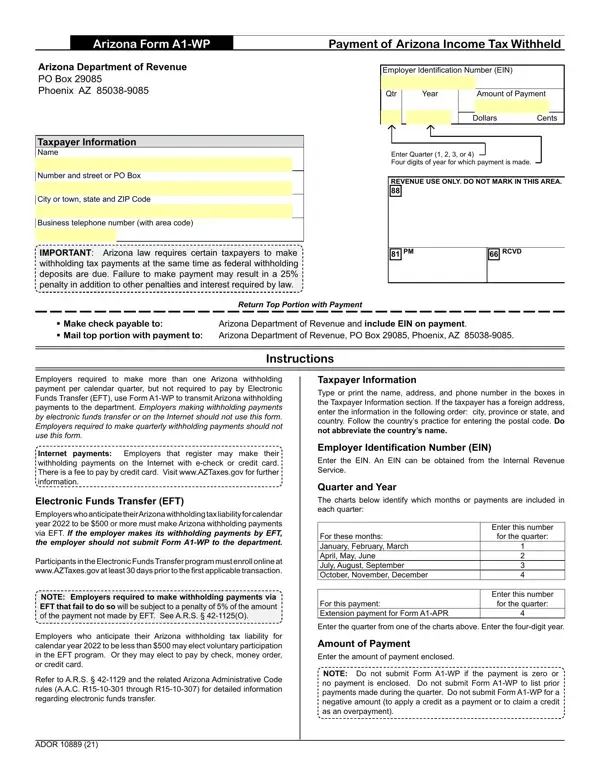
Employers making withholding payments by electronic funds transfer or on the Internet should not use this form.
Do not submit: Form A1-WP if the payment is zero or no payment is enclosed, or to list prior payments made during the quarter.
Quarter: enter the quarter (1, 2, 3, or 4) from the charts.
Yellow fields: you must complete the yellow-colored fields before printing this form.
Incomplete forms: will not be processed and will not be considered as received or filed by the department.
Where to send: mail top portion with payment to Arizona Department of Revenue, PO Box 29085, Phoenix, AZ 85038-9085.
| Question | Answer |
|---|---|
| Form Name | Arizona Form A1-WP |
| Form Length | 1 page |
| Fillable? | Yes |
| Fillable fields | 14 |
| Avg. time to fill out | 3 min |
| Edition | 25 |
| Where to send | Arizona Department of Revenue, PO Box 29085, Phoenix, AZ 85038-9085 |
| Other names | A1-WP, A1WP, Form A1-WP, ADOR 10889, AZ A1-WP, Payment of Arizona Income Tax Withheld |
| Official source | Arizona Form A1-WP (Rev 25), Arizona Department of Revenue |
Arizona Form A1 Wp isn’t the one you’re looking for?