Please rate Bank Of America Transfer Form

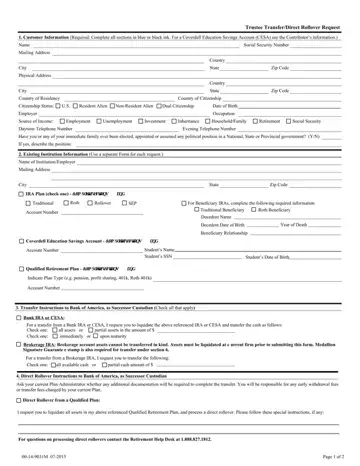
The Bank of America Transfer Form covers several transfer scenarios. It supports trustee-to-trustee IRA transfers, direct rollovers from employer-sponsored retirement plans, and transfers into new or existing Bank of America accounts. Accepted account types include Traditional IRA, Roth IRA, Rollover IRA, SEP IRA, Beneficiary IRA, and CESA (Coverdell Education Savings Account).
Gather the following details before you begin:
A trustee-to-trustee transfer moves funds directly between two financial institutions without tax withholding. This method is the most common way to move an IRA from another bank into a Bank of America account. A direct rollover from a 401(k) or qualified employer plan works the same way. Bank of America receives the funds directly from the plan and deposits them into your IRA without triggering a taxable distribution.
For brokerage IRA accounts, you must also indicate whether to liquidate all available cash or transfer specific securities. Partial transfers require you to specify the exact dollar amount or number of shares to move.
A Medallion Signature Guarantee is required when transferring certain securities, including brokerage IRA assets. Standard IRA transfers do not always require this endorsement. Check with your current custodian before submitting the form.
The customer acceptance section outlines your tax responsibilities under IRS rules. Review it carefully before signing. Bank of America typically processes incoming transfers within 3 to 5 business days after receiving the completed form.
For related documents, see the Bank of America beneficiary form and our account transfer form.
| Question | Answer |
|---|---|
| Form Name | Bank Of America Transfer Form |
| Form Length | 2 pages |
| Fillable? | No |
| Fillable fields | 0 |
| Avg. time to fill out | 30 sec |
| Other names | wire transfer form bank of america, bank of america domestic wire transfer form, bank of america wire transfer form, transfer form bank |
Bank Of America Transfer Form isn’t the one you’re looking for?
Please rate Bank Of America Transfer Form
