Please rate California Certificate Rehabilitation

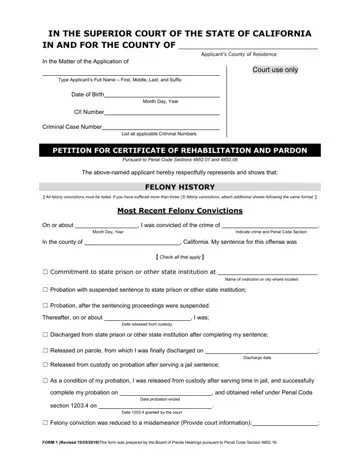
The California Certificate Rehabilitation form is the official petition for a court order governed by Penal Code sections 4852.01 through 4852.17. A California Superior Court issues this order after reviewing the applicant's conduct since release from prison, parole, or probation. Once granted, the california certificate rehabilitation becomes an automatic application to the Governor of California for a full pardon.
Who Qualifies for a Certificate of Rehabilitation?
To be eligible, you must meet all of the following requirements:
A mandatory waiting period applies before you can file. Most felony convictions require 7 years from the date of release on parole or probation. Certain serious felony convictions carry a longer waiting period under state law.
Key Benefits of This Certificate
Obtaining a Certificate of Rehabilitation in California provides the following advantages for a convicted individual:
How to Apply: Step-by-Step
Filing a petition for a California Certificate of Rehabilitation involves these stages:
Frequently Asked Questions
Can I apply with multiple felony convictions on my record? Yes. You must list every felony conviction in the application. The court weighs the full record and considers all evidence of rehabilitation before making its decision.
Does this certificate expunge or seal my criminal record? No. A Certificate of Rehabilitation does not remove convictions from your record. It is a formal recognition of rehabilitation. A separate process under Penal Code 1203.4 may be available to dismiss or expunge some convictions.
Is a public defender available for this process? The public defender's office in many California counties can answer basic questions about the petition process. For full legal representation at your court hearing, consider hiring a private attorney familiar with post-conviction relief.
How long does the california certificate rehabilitation process take? The timeline varies by county. Most applicants wait several months from filing to the court hearing date. Some counties schedule hearings within 4 to 6 months. Others take longer depending on caseload. After the judge grants the petition, the Governor's office may take additional months or years to act on the pardon application. Planning for the full process to last at least a year is recommended.
If you need related court documents, you may also want to review our criminal record supplemental form or the California record review form to gather supporting materials for your application.
| Question | Answer |
|---|---|
| Form Name | California Certificate of Rehabilitation |
| Form Length | 5 pages |
| Fillable? | No |
| Fillable fields | 0 |
| Avg. time to fill out | 1 min 15 sec |
| Governing Law | California Penal Code §4852.01 through §4852.17 |
| Issued By | California Superior Court (county of residence) |
| Minimum Waiting Period | 7 years from parole or probation discharge |
| Other names | certificate of rehabilitation sacramento county, certificate of rehabilitation form, ca petition certificate rehabilitation pardon, rehabilitation pardon |
California Certificate Rehabilitation isn’t the one you’re looking for?
Please rate California Certificate Rehabilitation
