
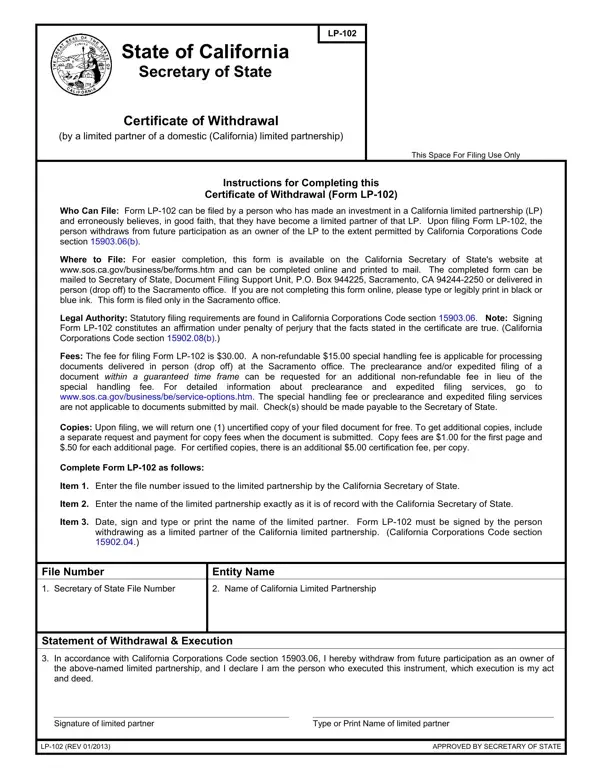
The California LP-102 form is the official Certificate of Withdrawal used when an individual, in good faith, believed they had joined a California limited partnership as a limited partner but wishes to retract that status. This form is submitted to the California Secretary of State in accordance with California Corporations Code section 15903.06, which governs the procedures for withdrawing limited partner status when partnership membership was mistakenly assumed.
Completing this form requires a written declaration by the withdrawing party, signed under penalty of perjury as required by California Corporations Code section 15902.08(b). The declaration confirms the good faith basis of the withdrawal and includes the party's signature. The Secretary of State's office processes the LP-102 along with the required filing fees and returns a filed copy to the submitting party. All pdf forms and supporting documents must meet the specified submission requirements for the withdrawal to be formally accepted by the state.
California limited partnership law encompasses many official forms and filing requirements. The LP-102 certificate is one of several documents used to manage California partnership status changes. If you are involved in California business partnerships, related forms such as the California Form LP-7 or a General Partnership Agreement may also apply to your situation. Each of these pdf forms addresses different aspects of California business partnerships and can be completed online through FormsPal.
| Question | Answer |
|---|---|
| Form Name | California Form Lp 102 |
| Form Length | 1 pages |
| Fillable? | No |
| Fillable fields | 0 |
| Avg. time to fill out | 15 sec |
| Other names | lp 102 california certificate of withdrawal form |
California Form Lp 102 isn’t the one you’re looking for?