
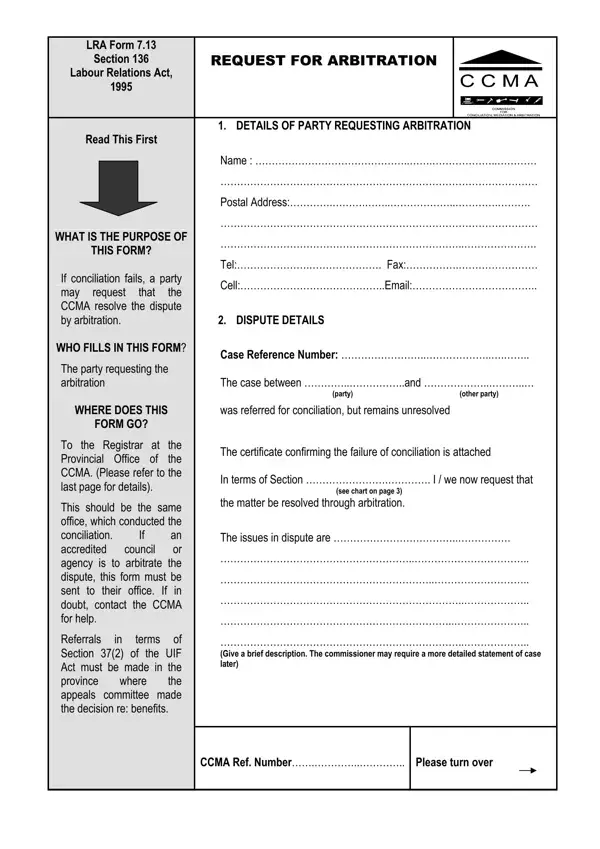
When a dispute arises in the workplace and conciliation attempts do not yield a resolution, the next step often involves a formal request for arbitration. This is where the Commission for Conciliation, Mediation, and Arbitration (CCMA) comes in, offering a structured approach to resolve the issue at hand. The document central to this process is the CCMA Request for Arbitration form, officially known as LRA Form 7.13. This form serves as a formal petition to the CCMA, requesting intervention and resolution through arbitration. It requires detailed information from the party seeking arbitration, including personal and contact details, specifics of the dispute, and what outcome they desire from the arbitration process. Alongside the form, the petitioner must provide proof of the failed conciliation attempt and ensure that all involved parties are notified of the arbitration request. This document not only signifies the transition from conciliation to arbitration in the dispute resolution process but also highlights the structured procedural requirements and the importance of documentation in seeking a formal resolution. Its correct completion and submission to the designated Provincial Office of the CCMA, or an accredited council or agency if applicable, are critical legal steps in moving forward towards resolving workplace disputes under South African labour law.
| Question | Answer |
|---|---|
| Form Name | Ccma Request For Arbitration Form |
| Form Length | 5 pages |
| Fillable? | No |
| Fillable fields | 0 |
| Avg. time to fill out | 1 min 15 sec |
| Other names | ccma forms online, ccma 7 13 form pdf, ccma unfair dismissal form pdf, ccma forms pdf |