Please rate Comed 1800

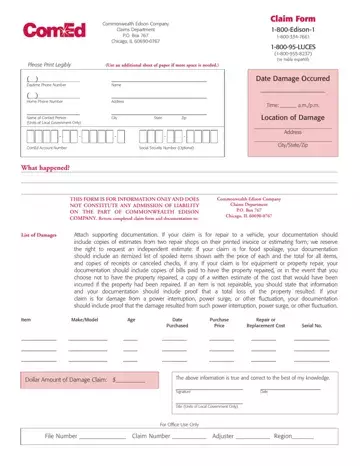
Filing a claim with Commonwealth Edison requires submitting the ComEd 1800 form along with thorough documentation of your loss. Claimants must provide their account number, contact details, and an itemized list of damaged items including purchase prices, ages, serial numbers, and estimated repair or replacement costs. Supporting materials such as photographs, repair estimates, or store receipts are essential to substantiate the claim. The form covers three categories: property or vehicle damage, food spoilage resulting from extended outages, and claims by units of local government for emergency expenses under the Illinois Public Utilities Act. Filing this form does not guarantee that the company will accept liability, as claims may be denied when damage resulted from factors outside utility control. For related forms, see also the ComEd Electrical Load Form, Application for Electric Service, and property damage claim forms.
| Question | Answer |
|---|---|
| Form Name | ComEd 1800 Claim Form |
| Form Length | 2 pages |
| Fillable? | No |
| Fillable fields | 0 |
| Avg. time to fill out | 30 sec |
| Other names | comed 1800 claim form, comed damage claim form, comed outage claim form, comed claim 2020 |
Comed 1800 isn’t the one you’re looking for?
Please rate Comed 1800
