
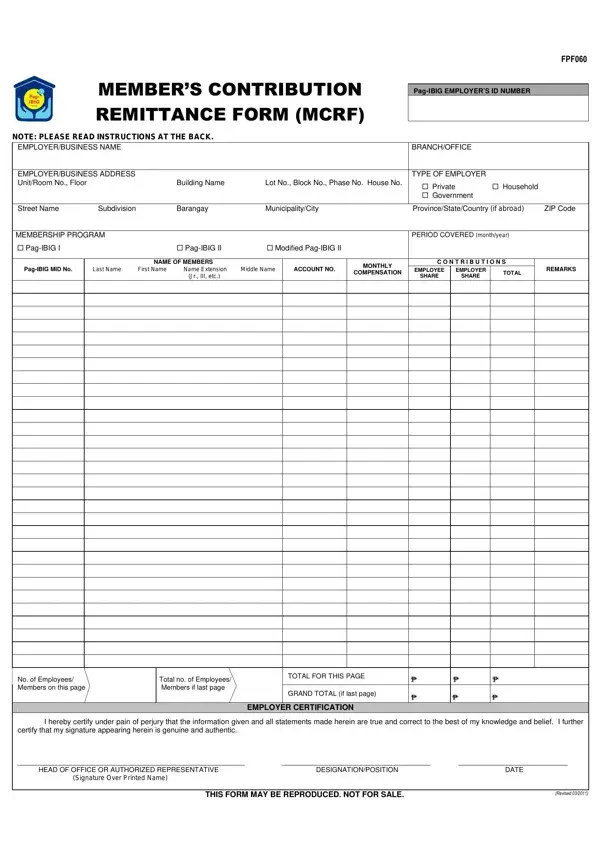
The Contribution Pag-IBIG form, officially called the Members Contribution Remittance Form (MCRF), is the document Philippine employers use to submit monthly Pag-IBIG Fund savings. All private and government employers with at least one covered employee are required to file this form each month.
The form collects the Pag-IBIG Employer ID Number, the employer name and address, the type of employer (private or government), and the contribution period covered. For each enrolled employee, it records the name, monthly compensation, employee share, and employer share. The standard contribution rate is 1% of monthly compensation for the employee and 2% for the employer. Members earning above PHP 5,000 per month may choose higher voluntary contribution rates.
Private sector employers must remit contributions within 10 to 15 days after the close of the applicable month. Late remittances carry a penalty of 1/10 of 1% per day on the unpaid amount. The Employer Certification at the bottom of the form confirms the accuracy of all submitted data. Employers should keep a copy of the completed form for their records. The Pag-IBIG Fund uses the submitted data to calculate each member's total savings and loan entitlements over time.
| Question | Answer |
|---|---|
| Form Name | Contribution Pag Ibig Form |
| Form Length | 3 pages |
| Fillable? | No |
| Fillable fields | 0 |
| Avg. time to fill out | 45 sec |
| Other names | pag ibig form mcrf, pag ibig mcrf form download, contribution pag ibig online, pag ibig contribution table |
Contribution Pag Ibig Form isn’t the one you’re looking for?