Please rate Custodial Party Child Support Application 2026-10-08

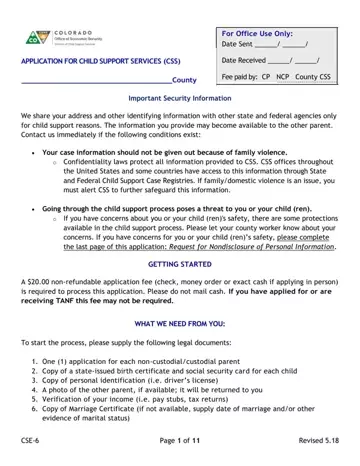
The Custodial Party Child Support Application is the official form for requesting child support services in Arkansas. It starts the legal process for establishing, modifying, or enforcing child and medical support orders through the state's Child Support Services (CSS).
Before completing the application, gather the required documents. You will need personal identification such as a driver's license, birth certificates for each child, proof of income, and copies of any existing court orders. A $20 non-refundable application fee is required. Families receiving TANF (Temporary Assistance for Needy Families) benefits are exempt from this fee.
Once CSS reviews your application, they will begin providing services on your behalf. These services include processing child support payments, enforcing support orders, collecting past-due support amounts, and intercepting lottery winnings. You must cooperate with CSS throughout the process and report any changes in income, address, or custody arrangements that could affect your support order.
The application includes important privacy protections for applicants in sensitive situations. If family violence is a concern, you have the right to request that CSS keep your personal information confidential. This protection helps ensure the safety of both the custodial parent and the child throughout the support process.
| Question | Answer |
|---|---|
| Form Name | Custodial Party Child Support Application |
| Form Length | 7 pages |
| Fillable? | Yes |
| Fillable fields | 198 |
| Avg. time to fill out | 2 min 45 sec |
| Other names | arkansas child support apply online, arkansas application child support enforcement form, child support application pdf, how to apply for child support in arkansas |
Custodial Party Child Support Application isn’t the one you’re looking for?
Please rate Custodial Party Child Support Application 2026-10-08
