
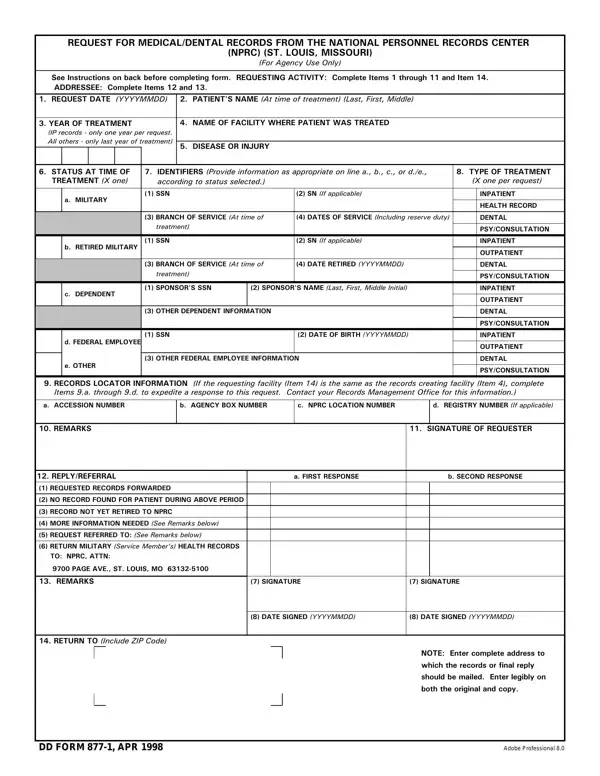
The DD Form 877-1 is the official form that military treatment facilities use to request retired medical and dental records from the National Personnel Records Center (NPRC) in St. Louis, Missouri. NPRC accepts this form exclusively for record requests from authorized military entities.
Records available through this form include inpatient, outpatient, dental, psychiatric, and consultation records. Eligible requesters include military treatment facilities acting on behalf of active duty personnel, retired service members, their dependents, and certain federal employees.
To fill out the form correctly, gather the patient's full name at the time of treatment, Social Security Number, year of treatment, and the treating facility's name. Mark the record type requested and note any special instructions. Accuracy in these fields is essential for NPRC to locate the correct file.
Verify that records have been retired before submitting. Active records remain with the treating facility or service branch. Mail the completed form to NPRC in St. Louis. Processing time varies based on request volume.
Related forms: DD Form 2870 for authorizing third-party record release, and the medical records request form for non-military record requests.
| Question | Answer |
|---|---|
| Form Name | Dd Form 877 1 |
| Form Length | 2 pages |
| Fillable? | No |
| Fillable fields | 0 |
| Avg. time to fill out | 30 sec |
| Other names | form 877, dd 877, how do i fill out dd form877, dd 877 1 |
Dd Form 877 1 isn’t the one you’re looking for?