
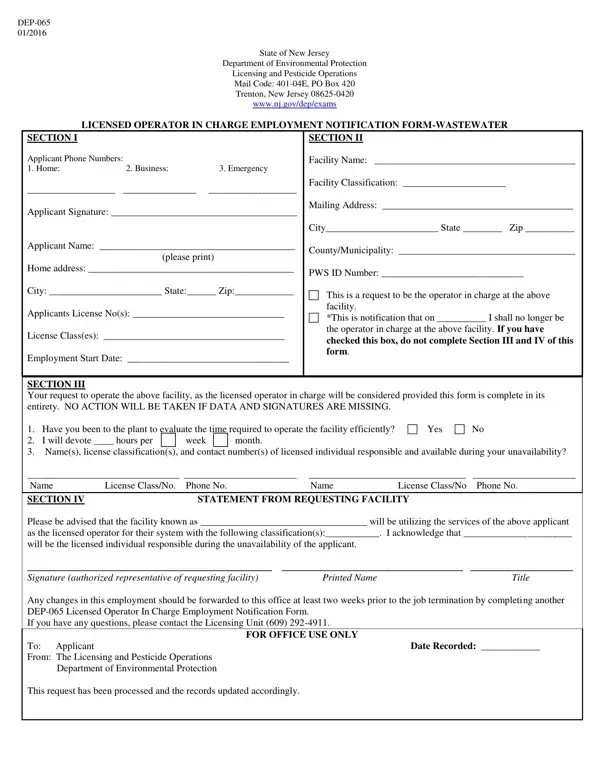

Form DEP-065 at a glance
What it is: DEP-065 is the Licensed Operator In Charge Employment Notification Form-Wastewater of the State of New Jersey Department of Environmental Protection.
Who signs: The applicant signs on Applicant Signature in Section I, and the authorized representative of the requesting facility signs on Signature (authorized representative of requesting facility) in Section IV. If data and signatures are missing, no action will be taken. Questions about DEP-065 go to the Licensing Unit at (609) 292-4911.
A filled-in Form DEP-065 example: an operator takes charge of a plant
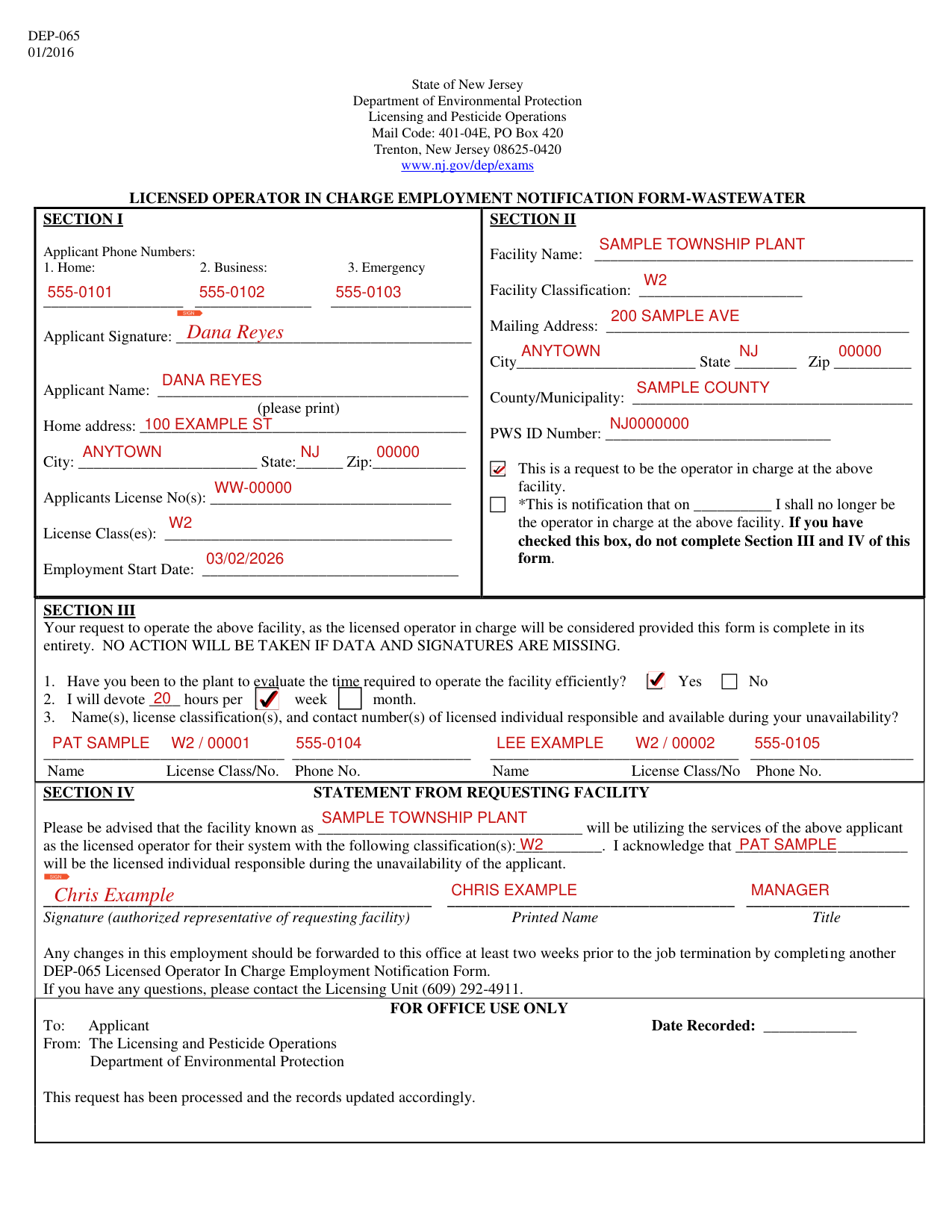
How to fill out Form DEP-065, box by box
Sections I and II: the facility, request or notification
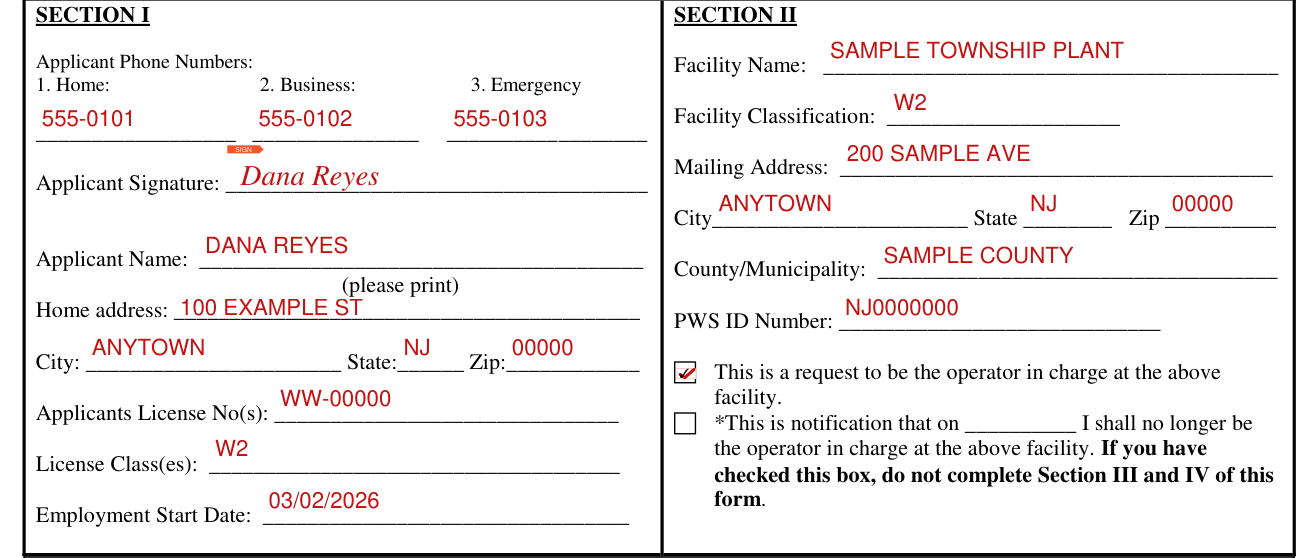
Under Section I, enter the Applicant Phone Numbers (1. Home, 2. Business, 3. Emergency), sign on Applicant Signature, print the Applicant Name, then enter the Home address, City, State, Zip, Applicants License No(s), License Class(es) and Employment Start Date.
Under Section II, enter the Facility Name, Facility Classification, Mailing Address, City, State, Zip, County/Municipality and PWS ID Number. Check This is a request to be the operator in charge at the facility, or check *This is notification that on the blank you fill in I shall no longer be the operator in charge at the facility. If you have checked this box, do not complete Section III and IV of this form.
Sections III and IV: time to operate the facility and the requesting facility
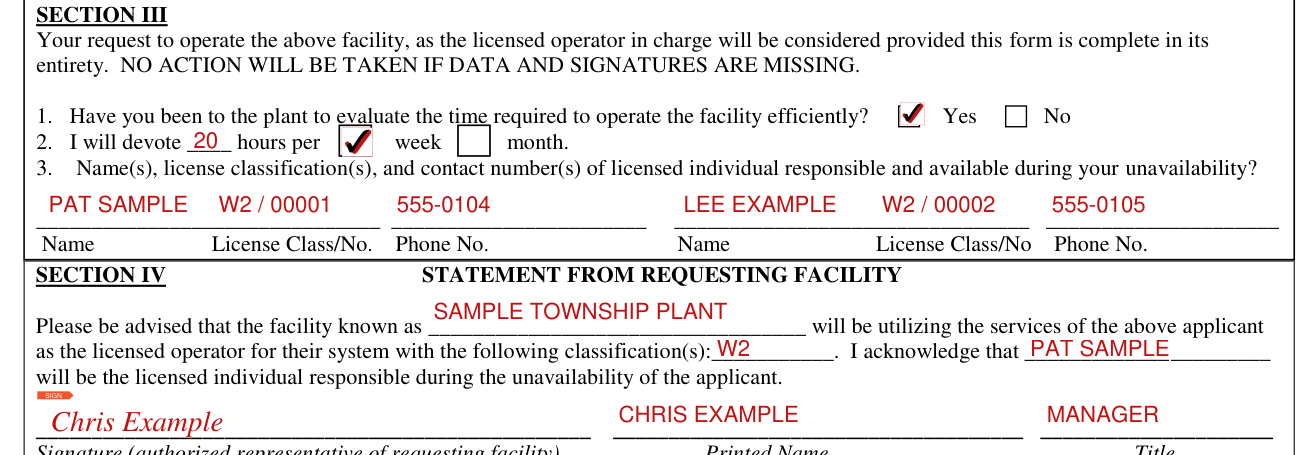
A request to be the licensed operator in charge will be considered provided the form is complete in its entirety. NO ACTION WILL BE TAKEN IF DATA AND SIGNATURES ARE MISSING. In Section III, mark Yes or No for: Have you been to the plant to evaluate the time required to operate the facility efficiently? Enter the hours in I will devote ____ hours per, then check week or month. Enter the Name(s), license classification(s), and contact number(s) of licensed individual responsible and available during your unavailability, with Name, License Class/No. and Phone No. Section IV is the STATEMENT FROM REQUESTING FACILITY. Enter the facility's name after Please be advised that the facility known as. The facility will be utilizing the services of the applicant as the licensed operator for their system with the following classification(s), which are what you enter. Enter I acknowledge that, then who will be the licensed individual responsible during the unavailability of the applicant. The Signature (authorized representative of requesting facility), Printed Name and Title follow. Any changes in this employment should be forwarded to the Licensing Unit at least two weeks prior to the job termination by completing another DEP-065 Licensed Operator In Charge Employment Notification Form. If you have any questions, please contact the Licensing Unit (609) 292-4911.
Sources
[1] Form DEP-065 (01/2016), Licensed Operator In Charge Employment Notification Form-Wastewater, State of New Jersey Department of Environmental Protection (the Official source link on this page).