
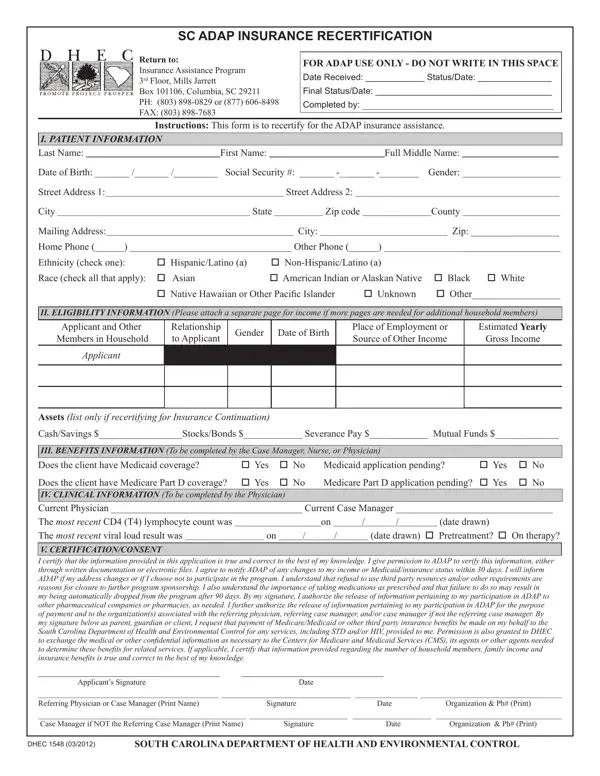
Securing continued access to the South Carolina AIDS Drug Assistance Program (ADAP) Insurance Assistance Program necessitates a thorough understanding of the DHEC 1548 form, essential for the recertification process. This document serves a pivotal role, ensuring that individuals living with HIV/AIDS can maintain their critical insurance assistance for medications and health services. It meticulously collects patient information, including contact details, demographic specifics, and crucial clinical data which are integral for assessing eligibility and ongoing support needs. Additionally, the form requires detailed financial information, not only from the applicant but also from other household members, to accurately determine the applicant's fiscal eligibility. The clinical information section, filled out by healthcare providers, captures vital health metrics that influence treatment plans. The certification and consent segment binds the applicant to truthfulness and permits the ADAP to verify provided information, further underscoring the form's importance in safeguarding the integrity and effectiveness of the assistance program. Designed to streamline the recertification process, the DHEC 1548 form embodies the program’s commitment to support and manage the healthcare needs of its participants efficiently.
| Question | Answer |
|---|---|
| Form Name | Dhec 1548 Form |
| Form Length | 2 pages |
| Fillable? | No |
| Fillable fields | 0 |
| Avg. time to fill out | 30 sec |
| Other names | sc adap recertification form, South_Carolina, sc adap recertifications forms, dhec 1548 |