
Dmv Fr 50 Form PDF Details

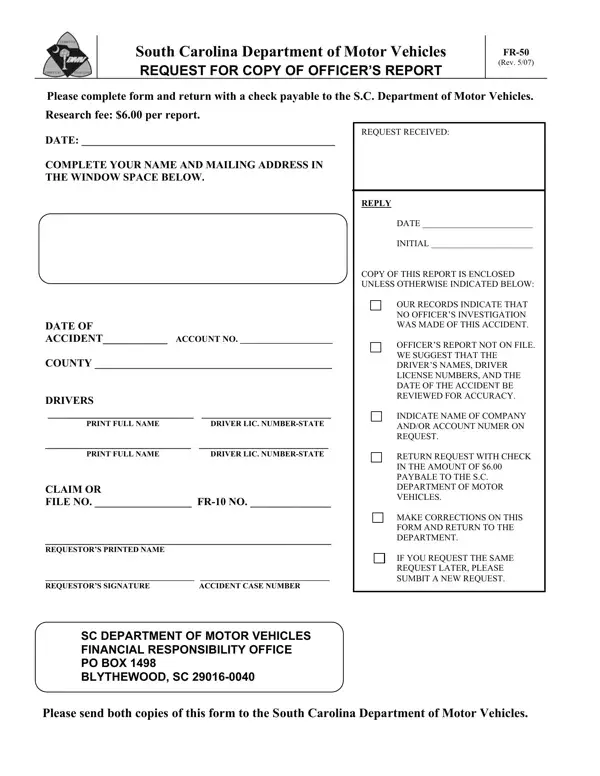
In the aftermath of a vehicle accident in South Carolina, individuals may find themselves needing detailed documentation for a variety of reasons, such as legal proceedings, insurance claims, or personal records. That's where the DMV FR-50 form comes into play, serving as a crucial document for requesting a copy of an officer's report from the South Carolina Department of Motor Vehicles. With a modest research fee of $6.00, this form allows requestors to obtain the officer’s report related to a specific accident by providing pertinent details such as the date of the accident, full names, driver license numbers of the drivers involved, and relevant claim or file numbers. It emphasizes the importance of accuracy in the information provided and offers a systematic process for corrections if necessary. A significant note on the form indicates that if no officer's investigation was conducted for the accident, or if the report is not on file, the requester is notified accordingly, ensuring transparency in the process. Duly completed forms, accompanied by the required fee, are to be sent to the designated address, marking an essential step in acquiring vital information that supports the involved parties in moving forward post-accident.

QuestionAnswer
Form NameDmv Fr 50 Form
Form Length2 pages
Fillable?No
Fillable fields0
Avg. time to fill out30 sec
Other namesSouth_Carolina, SUMBIT, PAYBALE, REQUESTOR

How to Edit Dmv Fr 50 Form Online for Free

Working with PDF files online is super easy with this PDF tool. Anyone can fill in fr 50 here effortlessly. In order to make our tool better and easier to utilize, we constantly work on new features, with our users' suggestions in mind. All it requires is a couple of simple steps:

Step 1: Hit the orange "Get Form" button above. It's going to open our pdf editor so that you could begin filling out your form.

Step 2: This editor provides you with the opportunity to customize almost all PDF forms in various ways. Change it with any text, adjust what is originally in the file, and place in a signature - all close at hand!

This form requires particular data to be filled out, therefore ensure that you take the time to type in exactly what is expected:

1. First of all, when filling in the fr 50, start in the part that contains the following blanks:

Tips on how to fill out CORRECTIONS step 1

2. Immediately after the previous section is filled out, proceed to enter the suitable information in these - Research fee per report DATE, SC DEPARTMENT OF MOTOR VEHICLES, OUR RECORDS INDICATE THAT NO, and Please send both copies of this.

The way to fill out CORRECTIONS part 2

It's very easy to make errors while filling in your OUR RECORDS INDICATE THAT NO, and so make sure you look again before you submit it.

3. Your next part is going to be straightforward - complete every one of the form fields in Research fee per report DATE, REQUEST RECEIVED REPLY, DATE, INITIAL, COPY OF THIS REPORT IS ENCLOSED, and OUR RECORDS INDICATE THAT NO to complete the current step.

CORRECTIONS writing process outlined (stage 3)

4. Your next section will require your input in the subsequent areas: Research fee per report DATE, SC DEPARTMENT OF MOTOR VEHICLES, and OUR RECORDS INDICATE THAT NO. It is important to fill out all of the required details to go forward.

Best ways to complete CORRECTIONS stage 4

Step 3: Spell-check all the details you have typed into the form fields and click the "Done" button. Go for a 7-day free trial account at FormsPal and gain direct access to fr 50 - download, email, or change from your personal account. FormsPal ensures your data confidentiality with a protected method that never records or shares any kind of personal information involved in the process. Be confident knowing your paperwork are kept safe each time you work with our services!